
How to measure distance on the chart?
- Francis
- décembre 13, 2025
Manual measurement

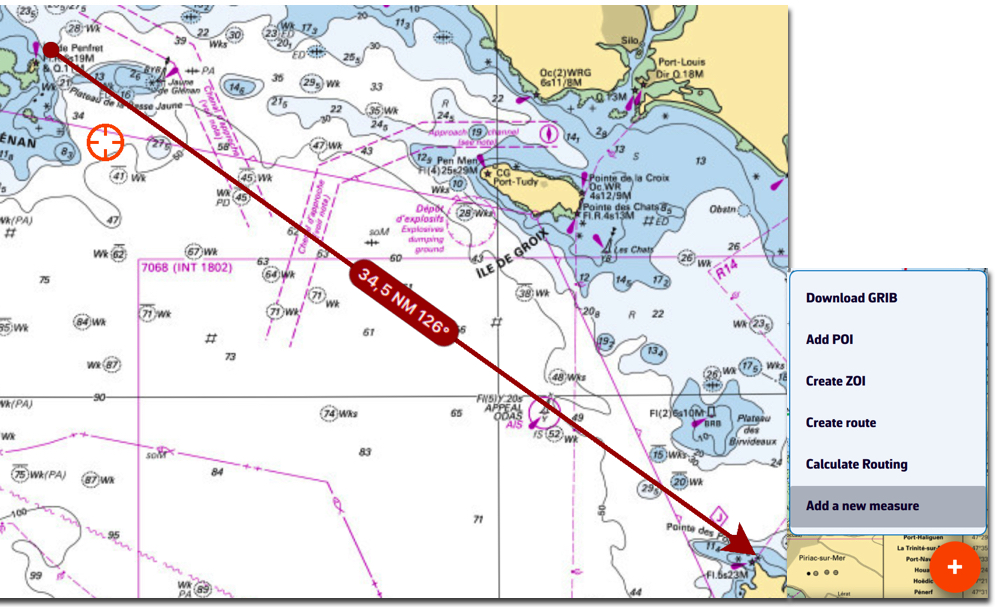
Using the action button, you can perform several measurements on the chart. Select ‘Add a new measure’ then move the endpoints. The vector displays the distance and true bearing.
To delete the measurement, tap/click on the origin of the arrow.
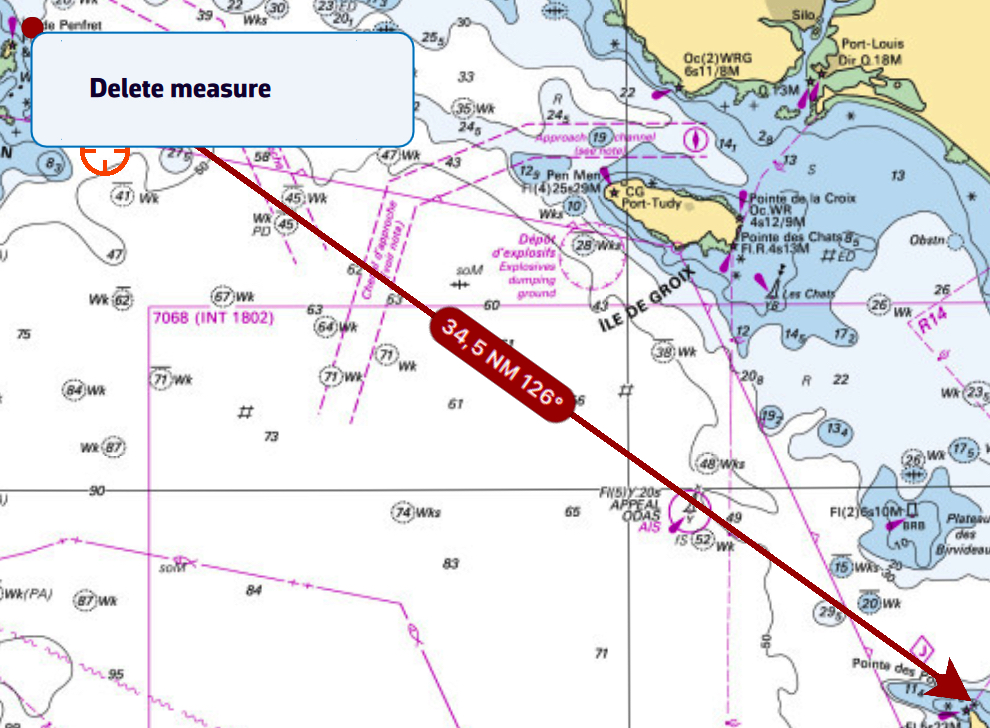
The origin and/or end of the arrow may be magnetized on a POI. In this case, clear the measurement by tapping/clicking on the free end, and if both ends are magnetized on two POIs, simply drag one of the two ends to release and clear it.
Automatic measurement

From the Layers button, check the ‘Auto measure’ display option:
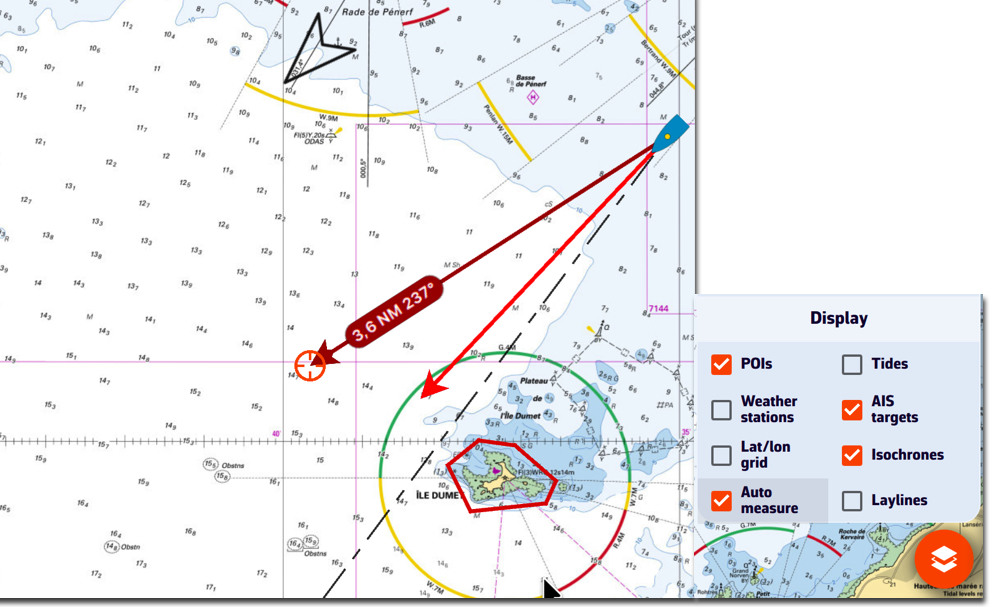
The measurement arrow is automatically displayed from your location toward the target in the centre of the screen. Simply move the chart under the target to the desired location. The distance vector is then displayed for a short time, giving you time to read the distance and true bearing. Each time the chart is moved under the target, the vector is reset.
You can disable the distance vector display by unchecking the ‘Auto measure’ box.