
How do I adjust the target position?
- Francis
- décembre 31, 2025
By default, the target is placed in the center of the screen, allowing you to drag the map underneath it and use the zoom to position it at a specific location.
However, you can lock the target to other elements, or even disable it.

Tap/click on the layers button.
In the “Target” drop-down menu, select which element you want to lock the target to:
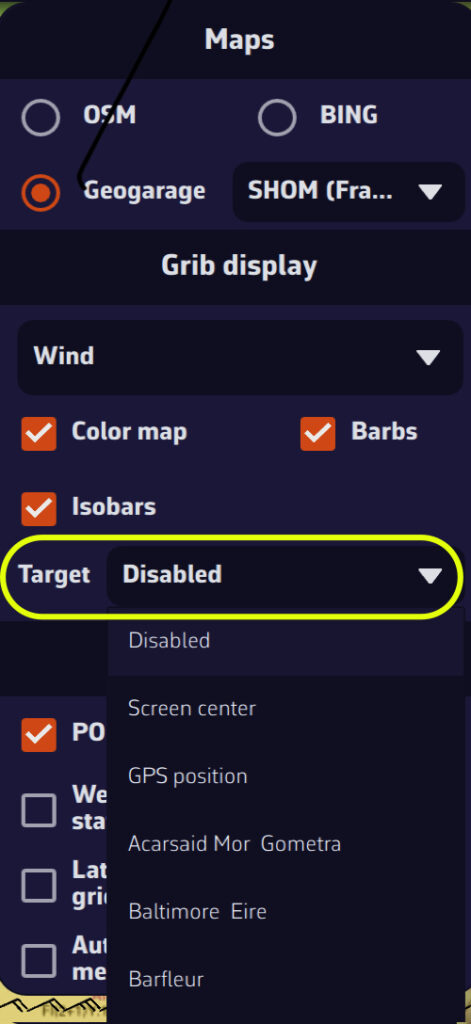
- Disabled (to remove the target from the screen)
- Screen center (to place it to its original location)
- GPS position (to place it on your boat)
- A POI
You can also lock the target onto a POI by editing it.