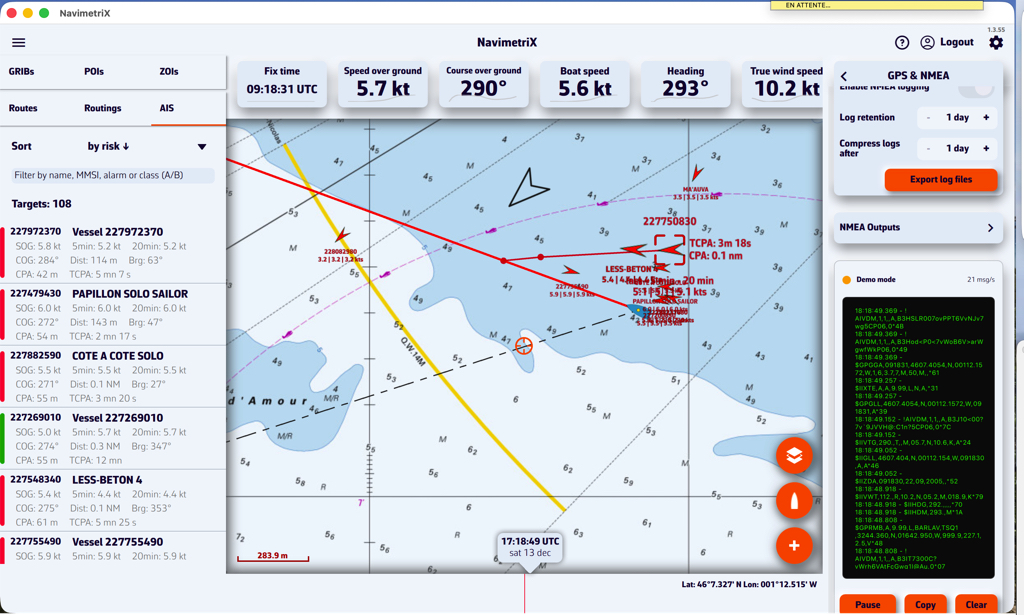
DEMO mode
- Francis
- décembre 13, 2025
DEMO mode allows you to view a navigation routine with moving AIS targets. This gives you an idea of how the application works when you are “at home”.
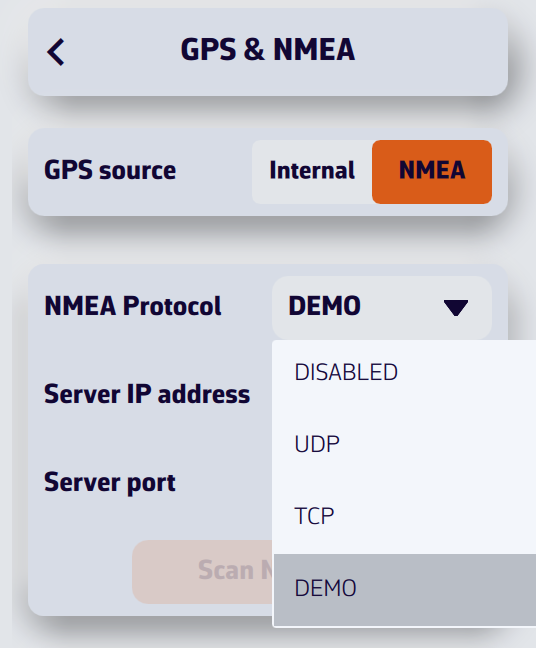

Open the settings and select the GPS & NMEA option. Select GPS source = NMEA.
In the ‘NMEA Protocol’ drop-down menu, select DEMO.
The window will then display a simulated routine allowing you to see NavimetriX in action while navigating, select AIS targets to display CPA prediction points, read target information in the side column list, view navigation data in the instruments, etc.