
How to perform multi-GRIB routing?
- Francis
- février 5, 2026
You can use two or more combined wind models to perform routing.
This feature does not apply to wave and current models.

Tap/click on the + button and select “Calculate Routing.”
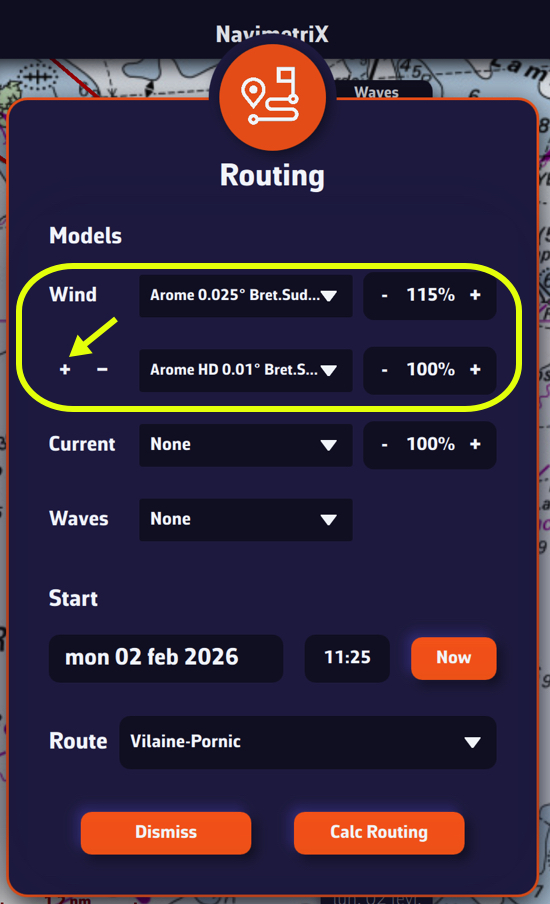
Tapping/clicking on the small + button under the word “Wind” opens a second drop-down menu allowing you to choose one (or more) additional model(s).
Be sure to make consistent combinations of similar models, resolutions, and time ranges. For example: GFS/IFS, ARPEGE Europe/ICON Europe, etc. There is no limit to the number of models, but the calculations require more processing power, which can cause problems for devices with low capacity.