Lightning and thunderstorms
BeginnerThe essentials
NavimetriX displays lightning strikes as they happen, detected by the worldwide Blitzortung network, and can play a clap of thunder when a flash strikes in the area you are looking at. An approaching storm can thus be seen, and heard, before it reaches the boat. An Internet connection is required.
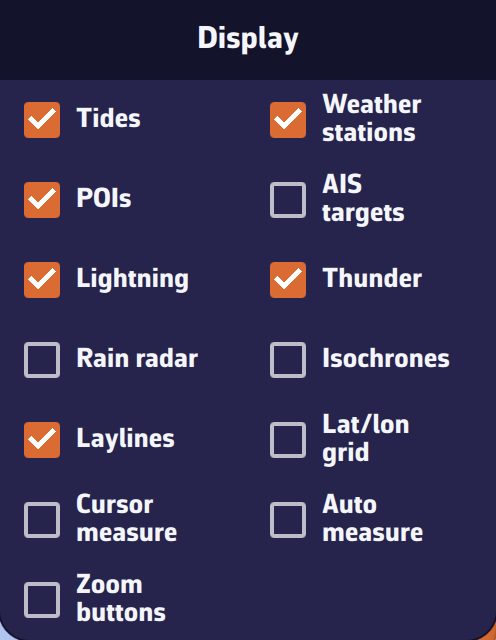 Layers menu, “Display” section: “Lightning” and “Thunder” ticked
- Open the layers menu (round orange button at the bottom right).
- In the “Display” section, tick “Lightning”.
- Leave “Thunder” ticked to hear the strikes that fall in the visible part of the chart, or untick it for silence.
- To set the number of strikes and how long they are displayed, open the right drawer, “Forecast display”, “Lightning” section.
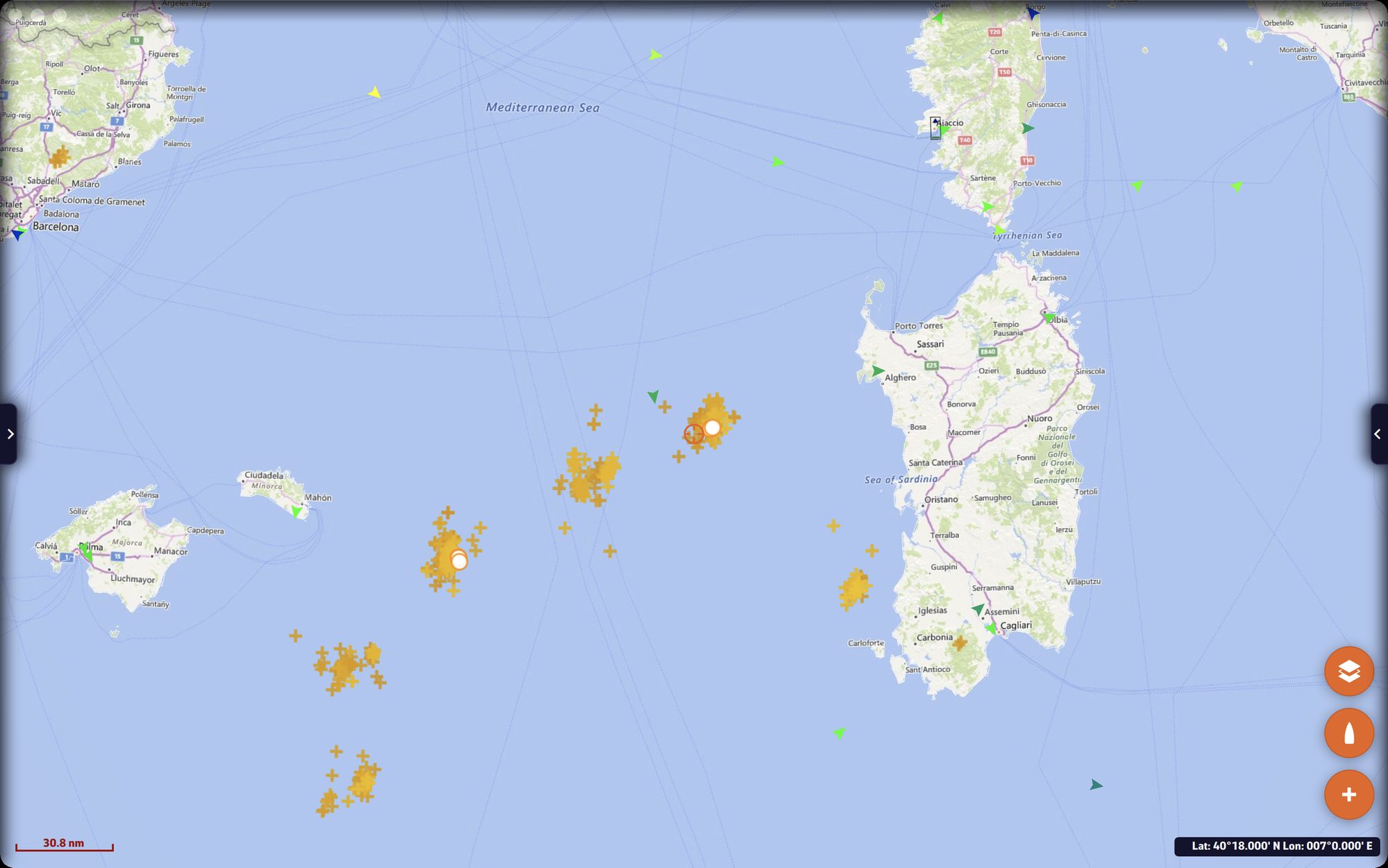 Chart with the lightning strikes of the last hour around Sardinia and the Balearic Islands
Going further
Reading the symbols
Each strike ages before your eyes:
- during the first ten seconds, an orange ring expands around it;
- during the first minute, it is marked by a white disc ringed in orange;
- after that, it becomes a cross that goes from yellow to dark red as it ages, and gradually fades until the maximum age you set.
A cluster of dark red crosses shows where the storm has passed, the white discs where it is striking now: their succession gives its direction.
Lightning is not displayed in a very distant view, wider than an ocean or a continent: zoom in a little to see it.
The “Lightning” settings
Right drawer, “Forecast display”, “Lightning” section:
| Setting | Values | Default |
|---|---|---|
| “Max strikes” | 100 to 1,000, in steps of 100 | 500 |
| “Max age” | 10 to 120 minutes, in steps of 10 | 60 minutes |
When the view contains more strikes than the maximum, the most recent are kept. The application only keeps strikes for one hour: a maximum age above 60 minutes therefore does not show any more of them.
Thunder
The “Thunder” checkbox, ticked by default, is only active if “Lightning” is. A clap of thunder sounds for each strike received in real time that falls in the visible part of the chart: zoom in on your sailing area to hear only the storms that concern you. Thunder does not exist in the browser version.
Offline and on restart
Strikes arrive continuously over the Internet. NavimetriX keeps those of the last hour, up to 5,000, saves them every five minutes and restores them on restart. Unticking “Lightning” hides the strikes without erasing them.
Forecast lightning
Blitzortung flashes are strikes that have already fallen. For upcoming lightning, the “Radar” tab of the left drawer offers the source “Europe - Lightning (AI powered by WeatherNCo)”, an artificial intelligence forecast, hidden by default. See Rain radar.
The CAPE of an atmospheric GRIB (energy available for thunderstorms) shows where the air is unstable enough for storms to form. See Displaying forecasts on the chart.
Lightning does not require a Premium subscription.