Lost sail
ExpertThe essentials
A torn sail changes the polar: in the zones where you carried it, the boat will be slower with the sails that remain. “Lost sail…” creates a copy of the polar that takes this into account, and selects it. Your original polar is never modified.
This function requires a Sailchart: it is what says where you carried each sail (see Sailchart).
- Open the “Polars” window (Settings, “My Boat”, “Polar” row).
- Open the polar’s “⋮” menu, then “Lost sail…”.
- Tap the lost sail in the row of dots.
- Set the “Keep” slider: the share of speed you keep in this sail’s zones.
- Tap “Apply”.
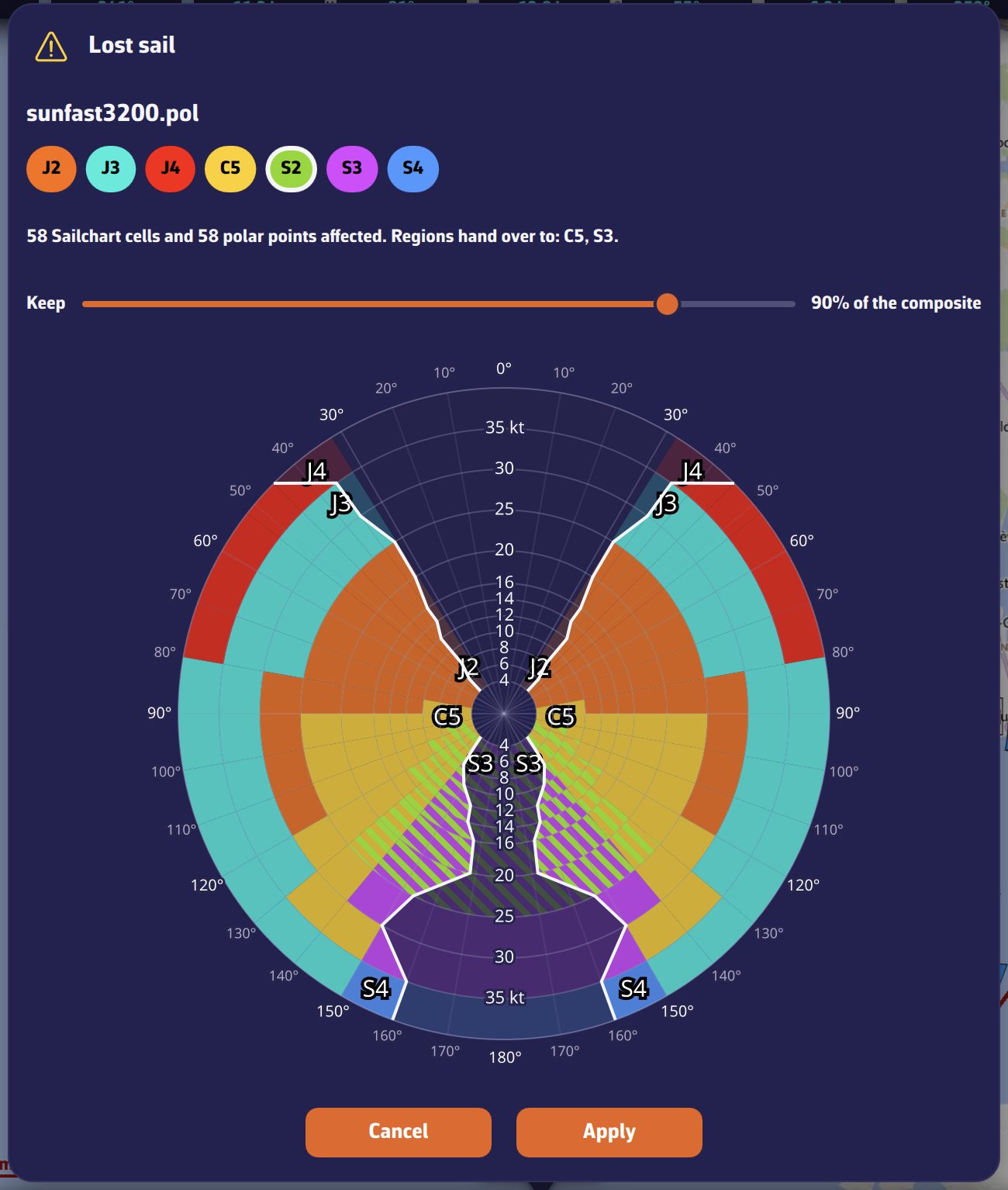 Lost sail: choice of sail, Keep slider, affected zones on the Sailchart
Going further
The preview
As soon as you choose a sail, the window shows on the Sailchart the zones affected, and summarises: the number of Sailchart cells and polar points concerned, and the sails that take over these zones.
The “Keep” slider
It goes from 40 to 100%, in steps of 5%, and is 90% by default. In the cells where the lost sail was the main sail, the polar’s speeds are multiplied by this percentage. Elsewhere, the polar does not change.
What is created
- A new polar, filed in “My polars” and named after the original, for example “sunfast3200 (without S2).pol”. It becomes the selected polar.
- Its Sailchart, adjusted: in the cells where the lost sail was the main sail, the cell’s alternate takes its place if it had one, otherwise the sail of the neighbouring cell. In the cells where it was only an alternate, it is simply removed.
Once the sail is repaired or replaced, select the original polar again in the “Polars” window.
If the polar has no Sailchart, the window says so and invites you to create one first through the “⋮” menu, “Sailchart…”.