Import and Export Routes
ExpertThe essentials
NavimetriX reads and writes routes in four formats: GPX, KML, RT (Adrena) and RTZ (the route exchange format of ECDIS, the electronic chart systems of professional ships). Import and export are done from the “Routes” tab of the left drawer.
- Open the left drawer, “Routes” tab.
- To import, tap “Import” at the bottom of the panel and choose one or more files.
- To export, tick the desired routes then tap “Export” (“Share” on phones and tablets). For a single route, the “Export” (or “Share”) entry in its “⋮” menu does the same thing.
Imported routes are added at the top of the list.
Going further
The formats
| Format | Extension | What it contains |
|---|---|---|
| GPX | .gpx | The common exchange format of GPS units and navigation apps: names and positions of points. |
| KML | .kml | The Google Earth format: names and positions of points. |
| RT (Adrena) | .rt | The route name, then the names of the marks and how to pass them. No positions. |
| RTZ | .rtz | The ECDIS format, defined by the IEC 61174 standard. One route per file. |
The Adrena RT format
An RT file only gives the names of the marks, not their positions. On import, NavimetriX finds each mark among your POIs, by its name: first import the matching WP waypoint file in the POIs tab (see POI list, import and export). A route with a mark that cannot be found is not imported, and a route that is already present is ignored; the final message gives the count.
On export, each mark is written with its passing instruction: pass through the mark, leave it to port or leave it to starboard. A mark to be rounded with a specified side is exported as to be left on that side. The software that reads the file back must know marks with the same names.
The ECDIS RTZ format
- Import: NavimetriX reads the route name, and the names and positions of the waypoints, and leaves out the rest (times, speeds, permitted cross-track distances per segment, extensions). If the name is already taken by one of your routes, a suffix “(1)”, “(2)”… is added. Rhumb-line segments (constant bearing) are drawn as great-circle arcs, like all NavimetriX routes.
- Export: one file per route, in RTZ 1.0 format, which any ECDIS compliant with the standard must be able to read. The route name in the file is the file name, as RTZ validators require. Each segment is written as a great circle, and points at 0° N 0° E are ignored. A route must keep at least two points.
Exporting on a computer
“Export” opens a save window: choose the format (GPX, KML, RT or RTZ) and the file name. GPX, KML and RT group all the ticked routes into a single file. In RTZ, several routes give several files, each named after its route, in the chosen folder; an existing file is never overwritten, a number is added to the name.
Sharing on phones and tablets
“Share” prepares all the formats at once: one GPX file, one KML and one RT for all the ticked routes, plus one RTZ file per route. The system share sheet then opens (messaging, email, files…); keep only the file useful to the recipient.
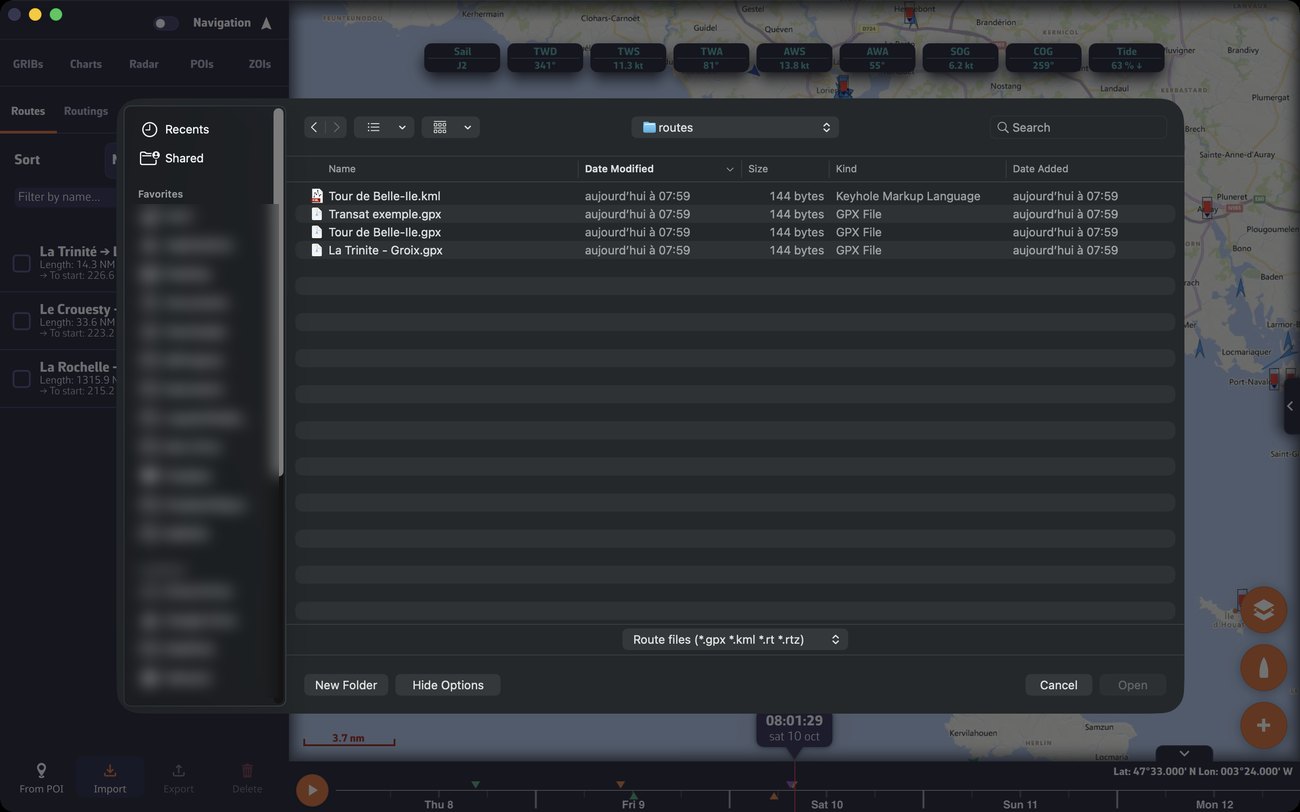 Routes tab of the left drawer and the macOS “Import Route Files” window, with its “Route files (*.gpx *.kml *.rt *.rtz)” filter; file and folder names blurred
See also
- Create and edit a route
- POI list, import and export
- Manage routings: export a routing, convert it into a route
- FAQ: How to import POIs and routes