NMEA log
ExpertThe essentials
NavimetriX records all the NMEA sentences received in one file per day: it is the black box of your passages. These files can then be replayed in the app, exported for external tools or sent to support.
The settings are in “Settings”, “GPS & NMEA”, in the block below “Barometer”:
- “Enable NMEA logging”: on by default.
- “Log retention”: how many days to keep the files.
- “Compress logs after”: after how many days to compress them.
- “Export log files” (“Share log files” on phones and tablets): choose files and save or send them.
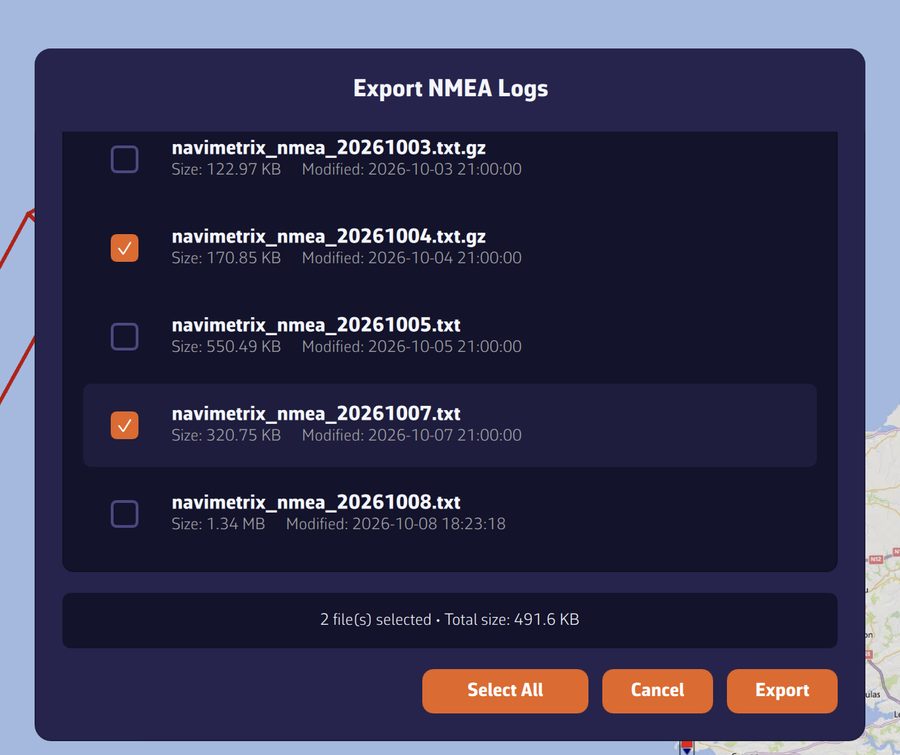 “Export NMEA Logs” window: list of navimetrix_nmea_YYYYMMDD files with size and date, two files ticked, “Select All”, “Cancel” and “Export” buttons
Going further
Settings
| Setting | Values | Default |
|---|---|---|
| “Enable NMEA logging” | yes or no | yes |
| “Log retention” | 1 to 365 days | 60 days |
| “Compress logs after” | 1 to 30 days | 7 days |
Recording is grayed out in “DEMO” mode: demo data is never recorded.
What is recorded
- All the sentences received, from all links. Sentences that do not come from the instruments carry an origin marker in standard NMEA format: the file remains readable by NMEA tools, and a replay knows where each sentence came from.
- When the position comes from the device’s GPS, it is recorded too, as RMC sentences, at most one per second: a passage made with the phone’s GPS can therefore also be replayed.
Files are named navimetrix_nmea_YYYYMMDD.txt, one per day. A file that exceeds 100 MB is closed and a new one begins. After the “Compress logs after” delay, the file is compressed (.txt.gz); after the “Log retention”, it is deleted. An uncompressed daily file can weigh several tens of megabytes; compressed, it is only a fraction of its size.
Exporting or sharing
“Export log files” (or “Share log files”) opens the list of files, with the size and date of each:
- Tick the files you want, or tap “Select All”. The number of files and the total size are displayed.
- Tap “Export” (computer) or “Share” (phone and tablet).
- On a computer, the files are copied to the Downloads folder. Compressed files are decompressed there, as
.txt. - On phones and tablets, the files are compressed and then sent together through the system share sheet (email, messaging, files…): a day of sailing thus stays under the maximum size of an attachment.
Today’s file is completed just before the export, so that the copy is up to date.
Replaying logs
The “Tracks” tab of the left drawer imports NMEA logs (including compressed ones) and turns them into tracks, with their navigation log. See Importing and exporting tracks.
Exported files can also be read with external NMEA players.
Copying the console for support
For a quick diagnosis, the “Incoming NMEA sentences” console, at the bottom of the page, is often enough: tap “Copy”, then paste the text into your message. Each line is marked [IN] (received) or [OUT] (sent); the console keeps the last 200 lines. See NMEA 0183 connection.