A track is now shared like a web page. The recipient clicks the link, and NavimetriX opens in their browser: no account, nothing to install. They replay your trip with the gauges of the day, the AIS targets around you and your logbook. They cannot change anything.
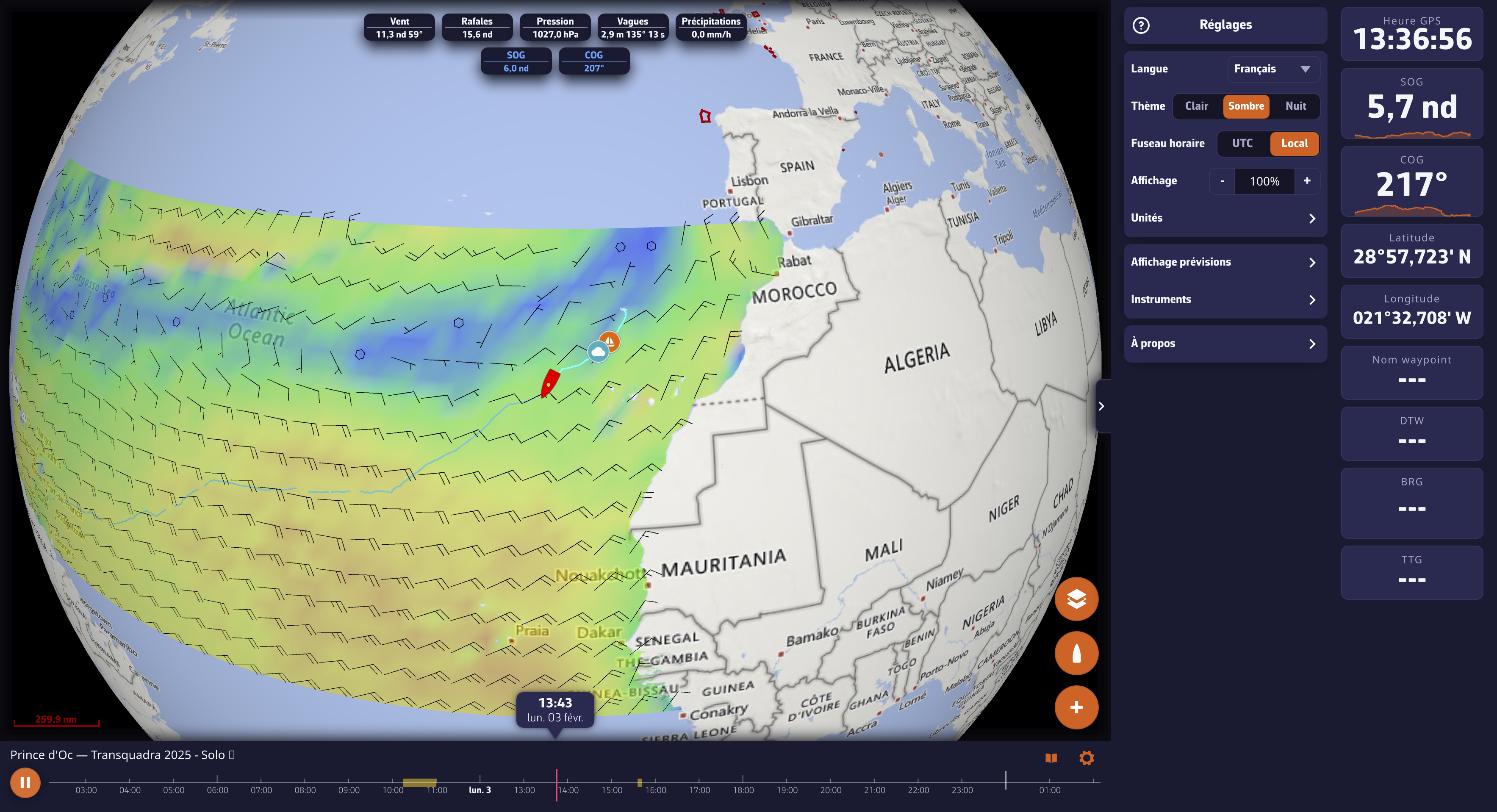
Getting the link
Menu ☰ > Tracks, ⋮ menu of the track, then Share replay link… (or Share live link… for the ongoing track). The Share this track dialog prepares the link, then offers Copy or Send (mail, messaging, etc.).
Sharing goes through your NavimetriX account: the track must first be uploaded to it (you need to be signed in and online). If the dialog says "This track is not on your account yet", wait for the sync shown in the Tracks panel to finish.
Live
In the dialog, the Let them follow this track live switch decides, trip by trip, whether the link opens while you are sailing:
- on: as long as the boat is at sea, the link shows position, heading and gauges in real time, with a LIVE badge. The recipient can go back into the trip's past and return to the present with one gesture. Once the track ends, the same link becomes a Replay;
- off: "The link will only open once you end this track."
Revoking a link
Reopen the share dialog and choose Stop sharing: the link no longer opens, for anyone. Sharing again produces a new link.
Good to know
- Your track colour travels with the link and the chart frames itself.
- The same link, pasted into another user's NavimetriX app, opens the full Replay there.
- On iPhone, pin the link to the home screen (Share > "Add to Home Screen"): opened from its icon, it fills the whole screen, without the browser bars.
- To hand a complete trip (logbook, Replay, statistics) to someone who uses NavimetriX, export it in the .nx format.