Every trip recorded in Navigation mode can be replayed: the boat sails its course again on the chart, with the gauges of the day, the AIS targets you met, the logbook entries and the weather you actually encountered.
Starting a Replay
Open the hamburger menu (☰), Tracks tab, then the ⋮ menu of the track and choose Replay. Tapping the track on the chart opens the same menu.
The track currently being recorded cannot be replayed: stop Navigation mode first. If you replay another track while a trip is being recorded, the recording is suspended for the duration of the Replay (a gap is declared in the track and the logbook); the app asks you first.
In Details, the "Replay" line tells what the track holds: recorded, replayable (trip recorded with the app), or rebuilt from the track (imported GPX file: only the points are known, the Replay runs without the original gauges).
During playback
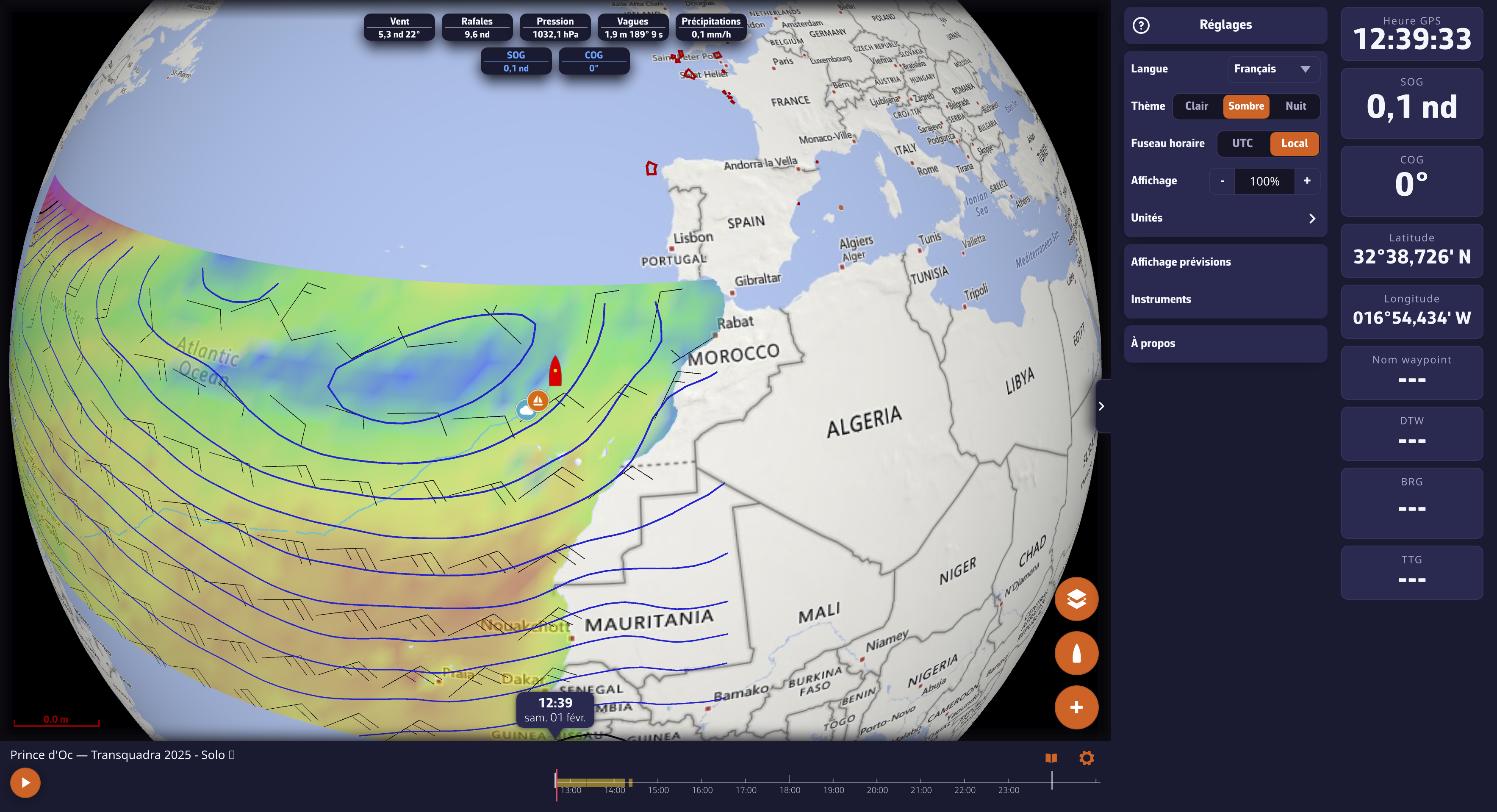
- The weather of the day loads by itself: isobars and wind barbs over the track, values along the way as playback goes on. On a long passage, the lows move with you.
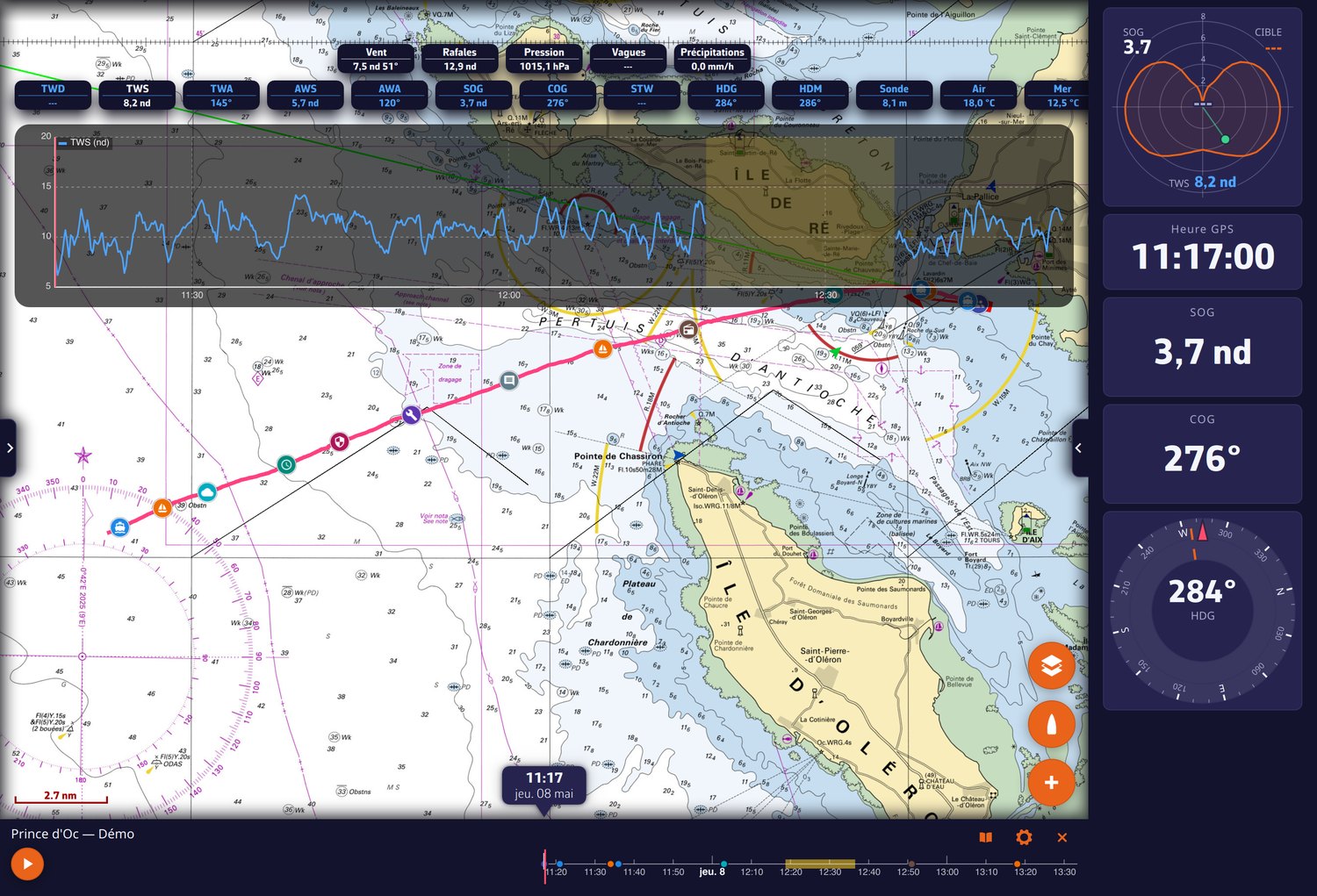
- The timeline unfolds with a finger. A date bubble follows the cursor; below the timeline, the logbook curves (two series of your choice, wind barbs, rain as a histogram). In landscape on a phone, the timeline turns into a column.
- Playback speed follows the zoom: the closer you zoom on the chart, the slower the playback; there is no speed step to pick. Jumps in time are travelled, not teleported.
- Tapping the track on the chart moves playback to that moment. Tapping a logbook entry (Open logbook button in the banner) brings playback to that moment.
- The Polar performance gauge draws the polar of the boat that sailed, target and percentage included, even on another device.
Settings remembered per track
Camera follow (Settings > My Boat > Follow boat during replay), overlays and the playback position are remembered for each track and synced across your devices: a Replay interrupted on the tablet resumes at the same spot on the computer.
During a Replay, navigation alarms and live AIS targets are suspended. To come back to the present, close the Replay banner.
See also: sharing a track by link and the logbook.