Every track carries its logbook. It opens from the ⋮ menu of the track (Open logbook) or from the Replay banner. Entries are written while sailing or afterwards, during a Replay.
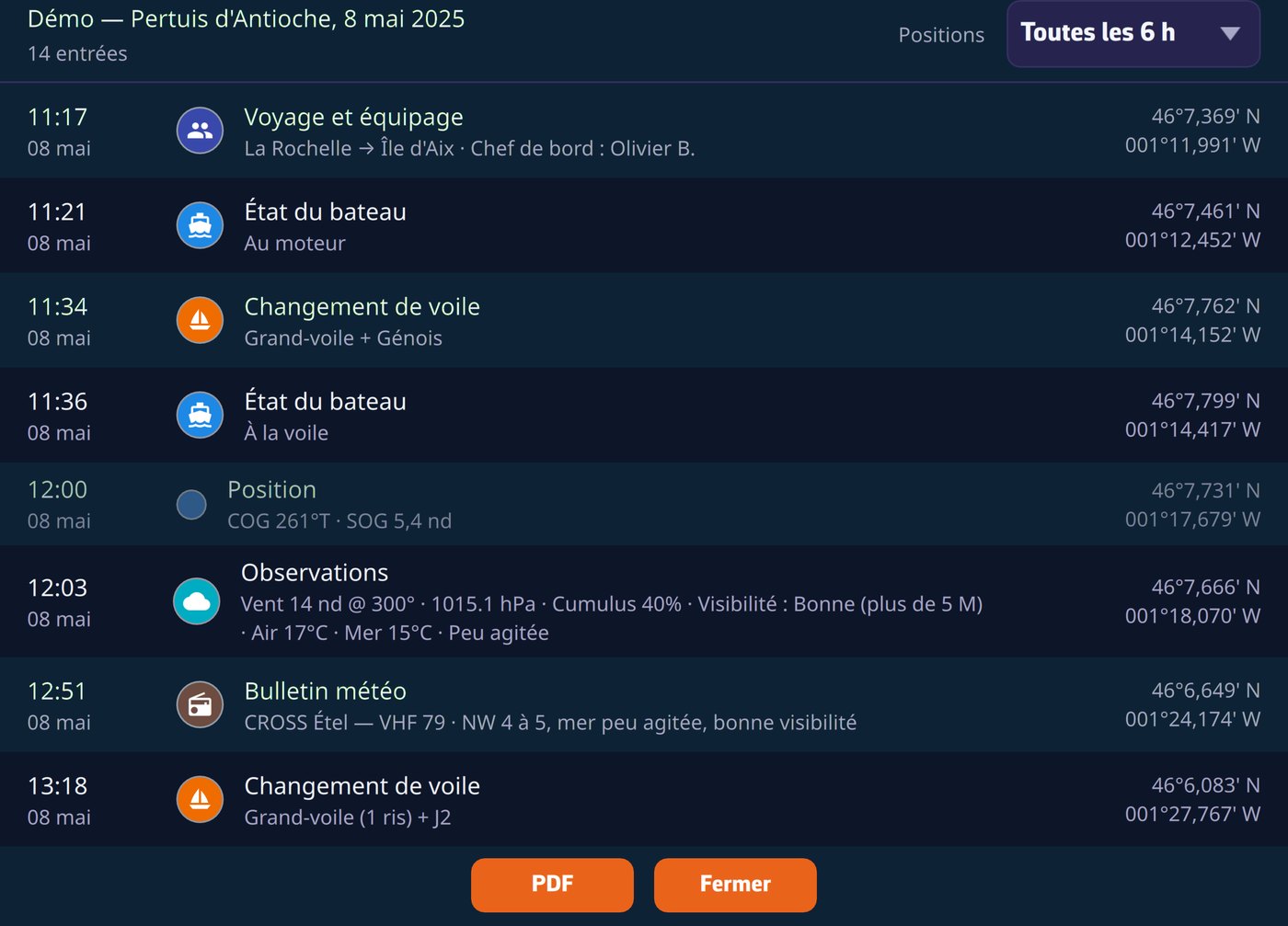
The entries
- Eleven categories: observation, sail change, status, engine, technical incident, watch change, safety, weather bulletin received… Every entry is time-stamped and geolocated, and shows as a pictogram on the track, at every zoom level.
- Automatic periodic positions: the app derives a position line from the track at the rate of your choice (hourly, 6 h, 12 h or 24 h), with a daily summary: distance, time under way, maxima, engine hours.
- Man overboard: the MOB button, like the reception of an AIS MOB beacon, creates the safety entry by itself, at the activation position, with the beacon's MMSI.
- Nothing disappears silently: every change or deletion is archived, and a corrected entry carries the mention "Revised (rev. N)" in its detail and in the PDF, the legible crossing-out of the paper logbook.
The regulatory PDF export
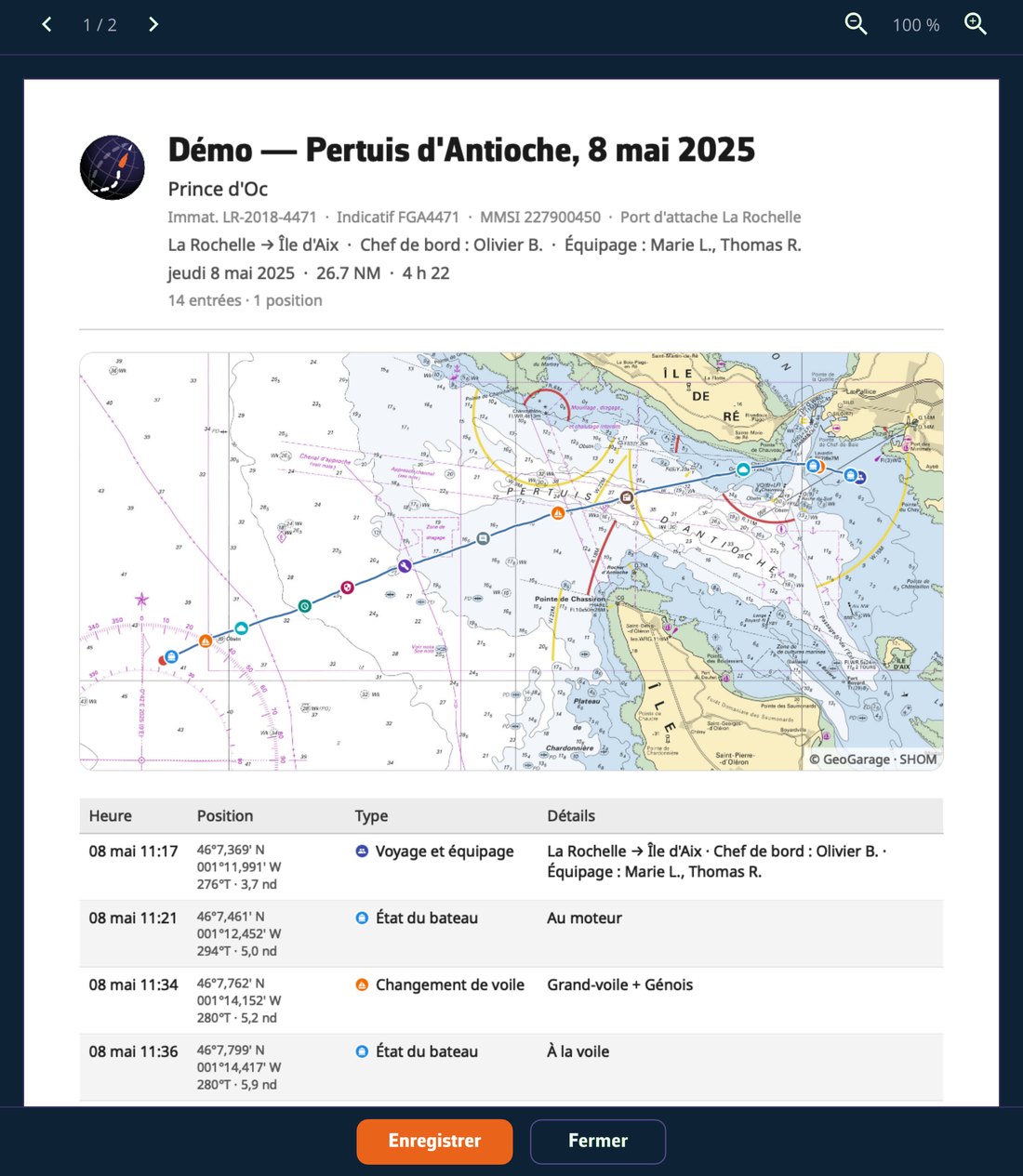
One tap produces a PDF ready to print or file:
- cover page with the vessel's identity (registration, call sign, home port) and the voyage & crew sheet, pre-filled from the previous trip;
- the chart of your passage in the page background, composed from the chart cache, so also at anchor without a connection;
- SHA-256 fingerprint at the foot of the document: the content can be verified.
The logbook follows your account: written on the tablet, it is on the computer when you get home. It can also be read by the recipient of a share link and travels with the .nx file.