Archive folders
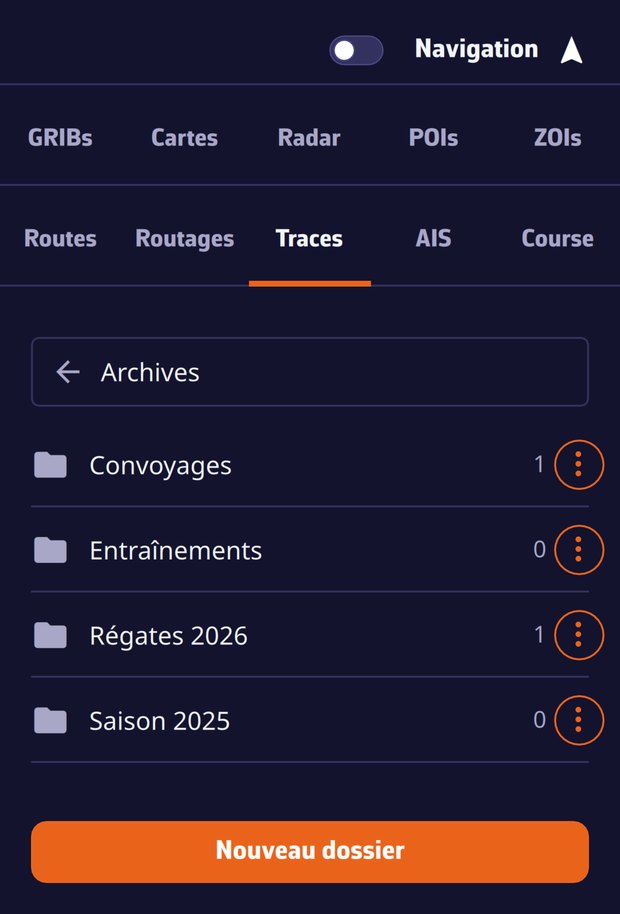
Create the folders you like, "Regattas 2026", "Deliveries"…, and file away the trips that no longer belong in the current list:
- ⋮ menu of the track > Archive…, then pick a folder or New folder;
- an archived track leaves the list and the chart;
- as soon as a track is filed away, an Archives (n) bar appears at the bottom of the Tracks panel: it opens your folders, and becomes the back button once inside;
- inside a folder, the ⋮ menu of a track offers Move to… (to another folder or back to the current list, which unarchives it); folders are renamed and deleted from their own menu.
The filing follows your account: tidy up your season on the computer, it is tidy on the tablet.
The .nx format
When exporting a track (⋮ menu > Export, or the export button at the bottom of the panel for the ticked tracks), the app asks for the format:
- NavimetriX (.nx): the complete trip in one file, track, logbook, Replay data, statistics and display settings. Handed to another NavimetriX user, it stays named, annotated and replayable;
- GPX: the points only, for other applications.
An imported .nx file (Import Track button) joins your account and shows up on all your devices, Replay included.
The local trash
Deleting a track removes it from your account and all your devices. On the device where you deleted it, the track file is nevertheless set aside for 30 days in the tracks/trash folder of the app's data. A slip of the finger is fixed by importing that file again.