
Open the app settings and select ‘My boat’. The track settings are at the bottom of the list.
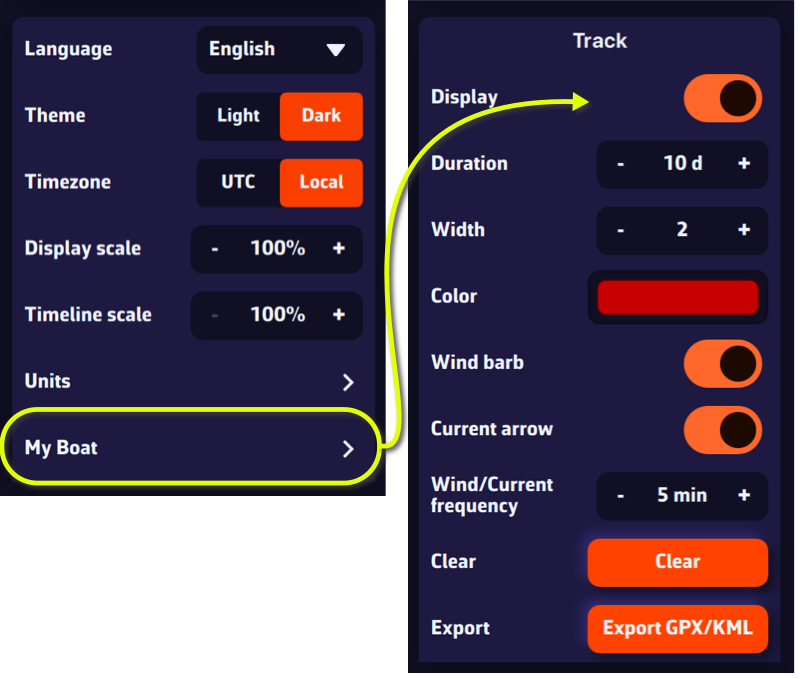
You are able to:
- Enable/disable the display
- Adjust the duration, from 0 up to 365 days
- Select track width display (pixels)
- Select track color
- Choose whether or not to display wind barbules on the track
- Choose whether or not to display current vectors on the track
- Adjust the frequency of the wind/current display
- Clear track
- Export the track (GPX/KML format)