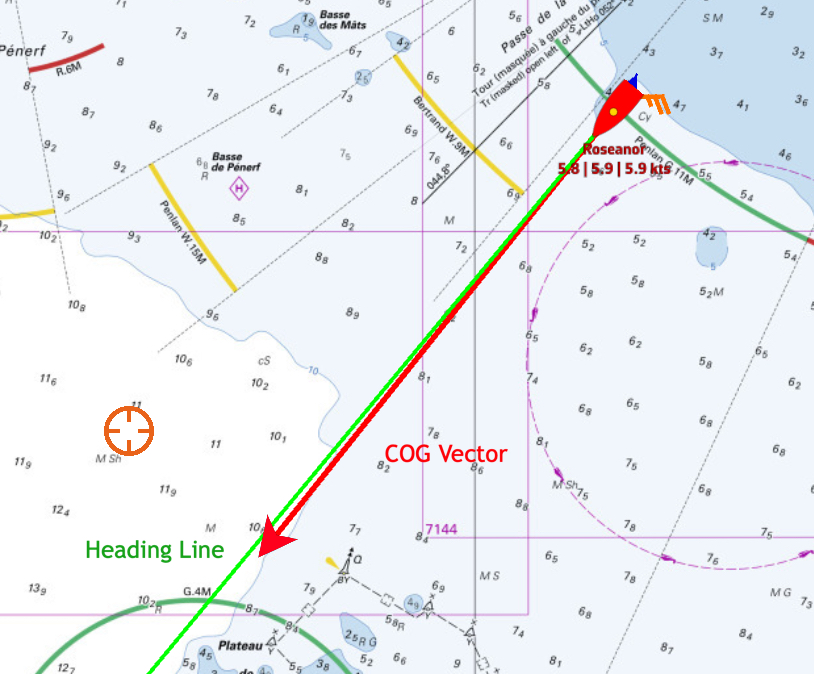
In Navigation mode (Premium only), the map shows two markers ahead of the boat: the COG vector (course over ground), a red arrow by default, and the heading line (HDG), a green line by default. The heading line only appears if NavimetriX receives a heading.
Open Settings by tapping the chevron handle (‹) on the right edge of the screen, then select My Boat.
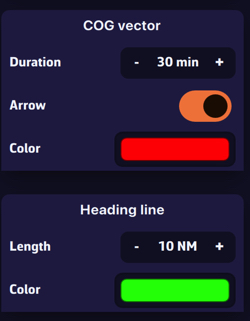
- COG vector: its Duration is set in minutes, from 0 to 300 (60 by default). The vector shows the distance covered during that time at your current speed: for example, 30 minutes at 6 knots gives a 3 nautical mile vector. Its length therefore varies with your speed. The Arrow switch shows or hides the arrowhead, and Color changes its color.
- Heading line: its Length is set as a distance on the map, from 0 to 300 NM (60 NM by default), for example 20 nautical miles. Color changes its color.