By default each routing is drawn in its own colour, the one that identifies it in the list. Two other readings are available.
At the head of the Routings tab, a three-way selector:
- Routing — the routing's colour, as before;
- Sail — the colour of the sail carried on each leg;
- Speed — a gradient by boat speed.
A legend appears under the selector to recall what the colours mean. The choice is global and persistent.
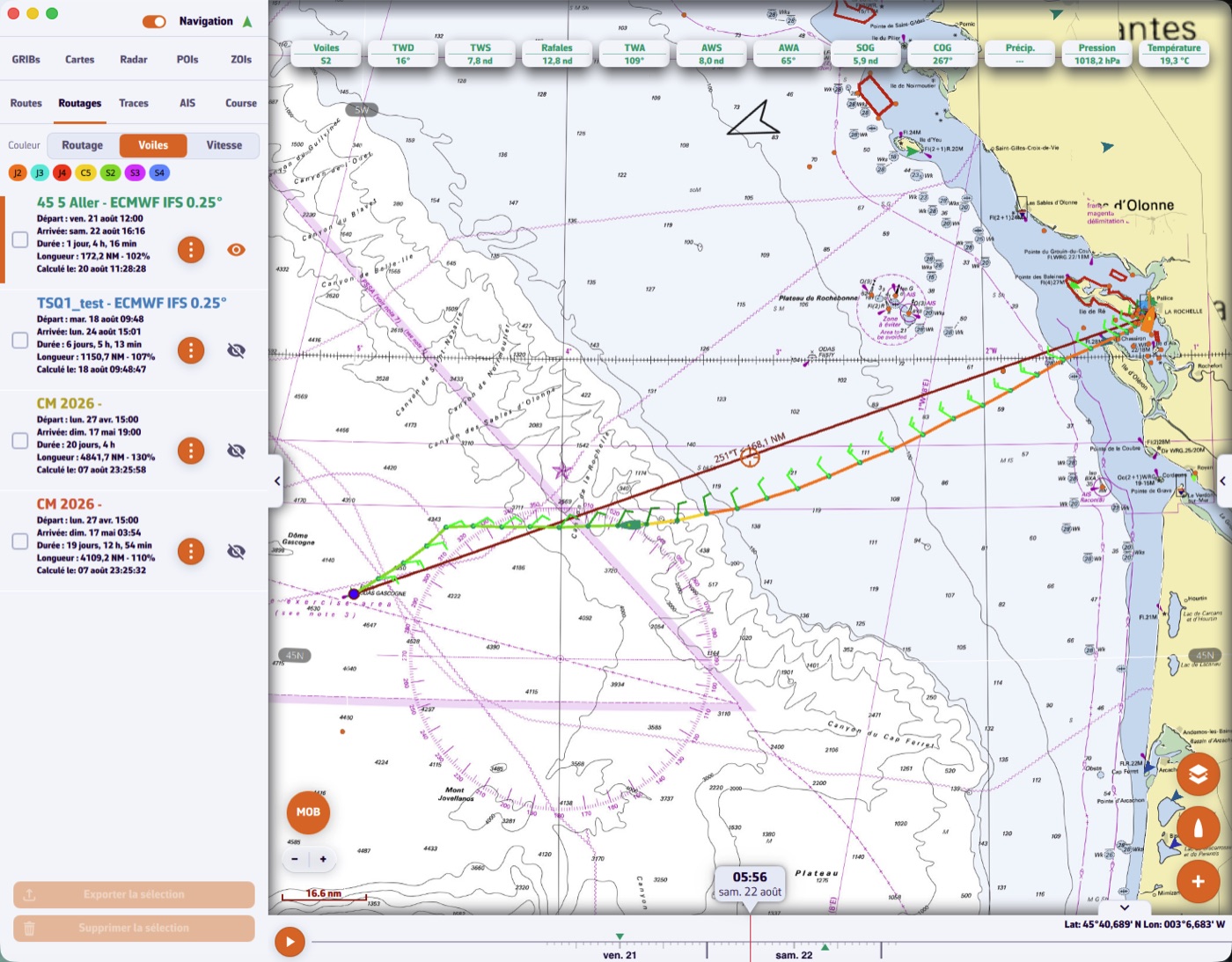
Colouring by sail assumes the routing's polar carried a Sailchart. Without one, legs keep the routing's colour.
The inventory is frozen with the routing
The sail set used is stored with each routing. If you later change polar or Sailchart, an old routing keeps the colours and names it had when it was computed. That sail set is visible in the routing's Inputs, alongside the other parameters.
How long under each sail?
A routing's Statistics tab includes a Sail usage block: for each sail, the share of time, the duration and the distance covered. That is where you see a passage is 70 % under spinnaker, or that a sail was only up for half an hour.