A sail torn at sea changes your polar: where you used to carry it, you will now be slower. NavimetriX lets you say so in seconds.
- My boat tab, tap the selected polar.
- Polar menu, entry Lost sail…
- Choose the sail you have just lost.
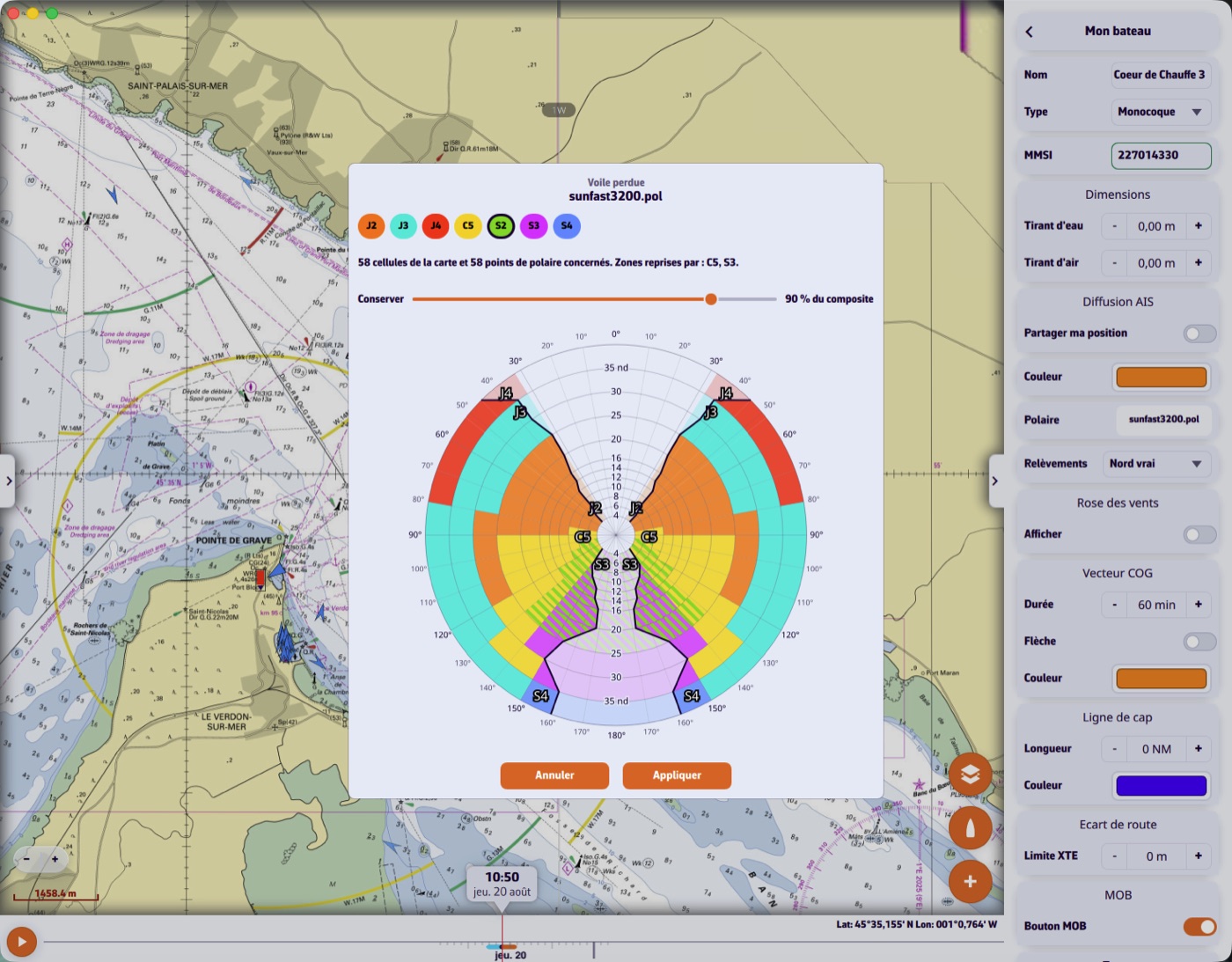
The app then shows you the affected regions — those where that sail was prescribed — and offers a slider: what percentage of your speed do you keep there, with what is left on board. The default is 90 %.
What happens next
NavimetriX creates a new polar, named for instance my-boat (without S2).pol, and selects it. Its Sailchart is adjusted at the same time: the lost sail's cells fall back to the cell's alternate if it had one, otherwise to the neighbouring region's sail.
Your original polar is untouched. Once the sail is repaired, simply select it again.
This needs a Sailchart: without one, the app does not know where you carried which sail.