On import
The polar picker's import button accepts .pol, .csv and .txt, and is deliberately tolerant about the content:
- angle × speed tables, whatever the separator — tab, semicolon, comma or runs of spaces — that is, the format used by Adrena, MaxSea/TimeZero, SailGrib, qtVlm, OpenCPN, Weather4D, LuckGrib or Squid;
- decimal commas as well as points;
- Expedition's pair format, one row per wind speed, ragged rows included;
- CSV files exported by ORC tooling, with their beat and gybe angle rows.
The file is converted to the app's canonical format; your original is kept alongside.
If anything deserves your attention — blank cells filled by interpolation, angles beyond 180° mirrored — a warning says so without blocking the import.
On export
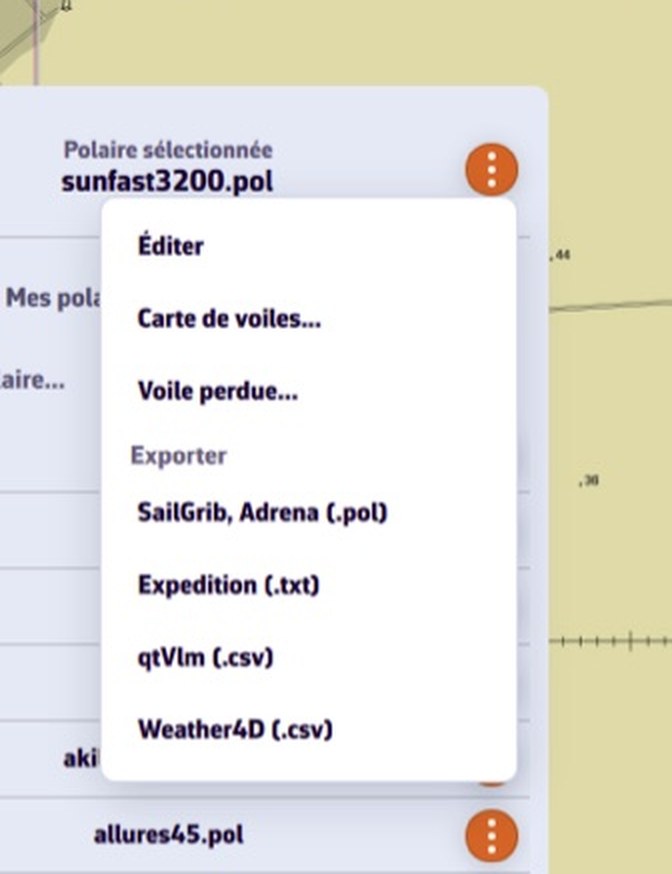
A polar's export menu offers:
- SailGrib, Adrena (.pol) — the tab-separated table, read by most software;
- Expedition (.txt) — pair format, with targets inserted at their exact angles;
- qtVlm (.csv) — semicolon table;
- Weather4D (.csv) — comma table.
On a computer the file lands in your Downloads folder. On a phone the share sheet opens: send it by mail, by messaging, or to a storage service.
Sailcharts are imported and exported from the Sailchart editor instead: see How do I import the Sailchart from my sailmaker?