Can I build my own polar from my sailing data?
Yes, it is possible… but in practice it is often very complicated.
You first have to record your passages with well-calibrated instruments. This gives a large cloud of points, which then has to be filtered (engine, manoeuvres, stops, etc.).
Then comes smoothing and checking the consistency between neighbouring wind speeds (for example 8, 12 and 16 knots).
It is long, painstaking work: for my Sun Fast 3200, it took me nearly two years to get a reliable result with a well-known software package.
A simple method (90% of the result)
- Choose a polar close to your boat from the library or from your ORC certificate, or create one with the iPolar module built into the app.
- Ask yourself these questions:
- In 12 knots of wind and flat water,
- at what angle and what speed do you sail upwind?
- what speed do you reach on a beam reach?
- at what angle and what speed do you sail downwind?
- In 12 knots of wind and flat water,
- Compare these speeds with those of the polar (for example with a "Constant wind" routing at 12 knots) to work out an average efficiency percentage. Then enter it in the routing settings, rows "Speed scale under 10 knots" and "Speed scale over 20 knots". If your boat does not point as high as the polar claims, also set "Minimum upwind angle".
- Sail and adjust: if your real speeds or angles differ from the routing, refine step by step, distinguishing:
- light winds, where the first efficiency applies;
- strong winds, where the second one applies.
The two thresholds that separate light and strong wind are 10 and 20 knots by default. They are set in My Boat, under the polar: "Light wind threshold" and "Strong wind threshold". The efficiency labels in the routing settings then show your values. Between the two thresholds, the efficiency changes gradually from one to the other; below the lower threshold and above the upper one, it stays constant.
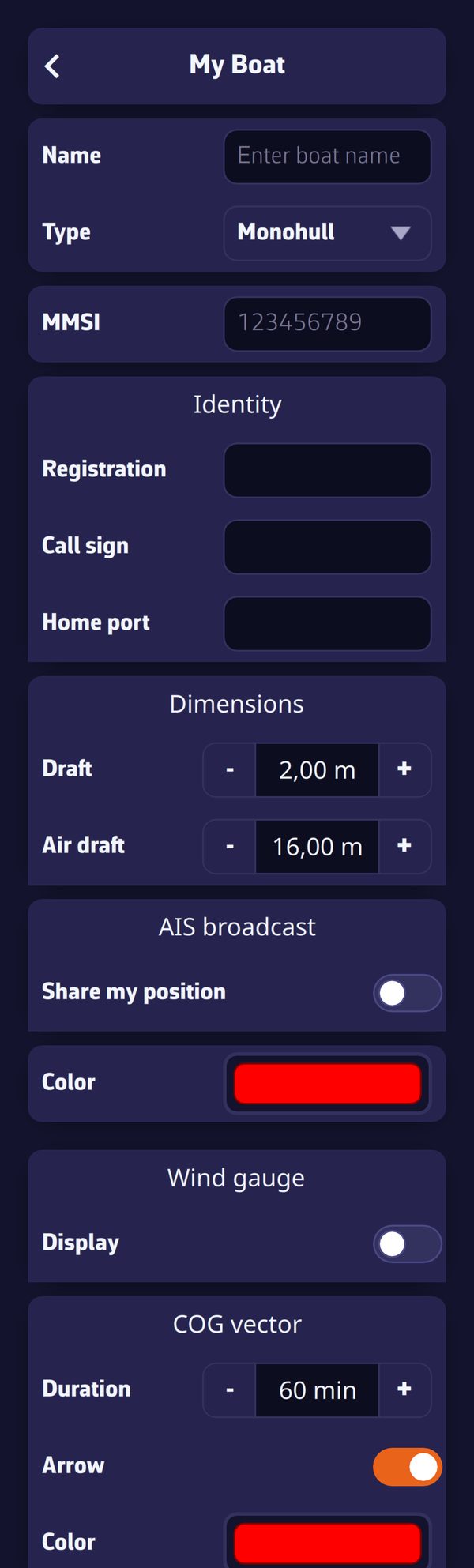
These settings are detailed in How do I calculate a routing? What are the different settings?
Refining the polar in the app
To correct the shape of the polar itself, there is no need for a spreadsheet: the polar editor opens from the kebab menu of the selected polar, "Edit" entry.
- The Curves and Slice views show the polar by wind speed and by angle; the "Smooth neighbours while dragging" box gently reshapes the neighbouring points when you move one.
- The Targets view shows the best VMG angles and speeds, to be smoothed first.
- The "Consistency warnings" point out inconsistencies while you work.
- The Report tab scores the polar out of 100 and compares it with the five closest polars of the library.
Save as stores the refined polar in My polars; a library polar is never overwritten.