If your sailmaker gave you a crossover, you do not have to redraw it. Open My boat → the polar → menu → Sailchart…, then the Import button.
Accepted formats
- .sail — the NavimetriX and SailGrib format, an angle × speed grid with one sail name per cell;
- .txt — Expedition's crossover table, same structure;
- .se — an Adrena Sailect crossover.
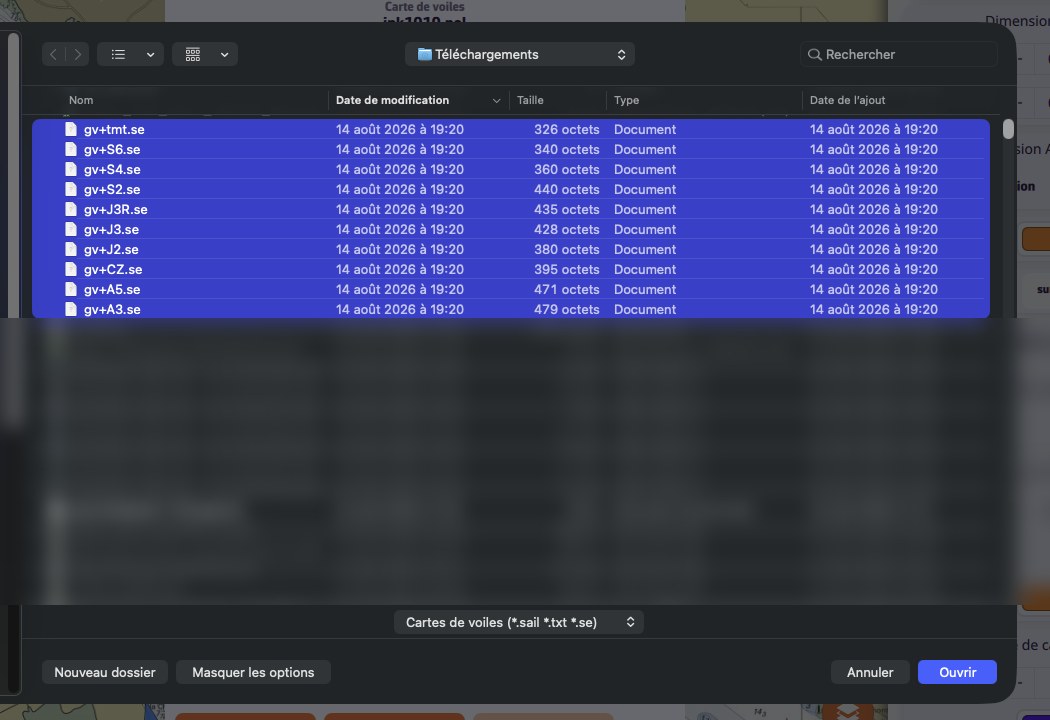
The Adrena case: select every file
A Sailect crossover is not one file but a set of files: one per sail, each carrying its own region. In the file picker, select them all at once — a single file would give you a single sail.
The app then rebuilds one Sailchart: it reads the outlines your sailmaker drew, places the bands on their real boundaries, and takes over each sail's code, type and colour. Where two regions overlap, the cell gets a primary sail and its alternate.
Giving your Sailchart away
The Export button (Share on a phone) offers two formats:
- NavimetriX format: keeps the alternates of transition bands;
- Compatible format: writes only the primary sail of each cell, for software that reads a single name per cell.
On a computer the file lands in your Downloads folder; on a phone the share sheet opens.
Note: NavimetriX reads Adrena crossovers but does not produce them. The aim is to let you arrive with the data you already have, not to make the round trip.