Until now, correcting a polar meant a spreadsheet and a round trip through files. NavimetriX now ships a full editor: My boat → the selected polar → Edit.
The principle is simple: you do not type speeds. You drag points on a curve, look at the result, and go again. Typing raw numbers into a table is the surest way to build a polar full of bumps.
The five views
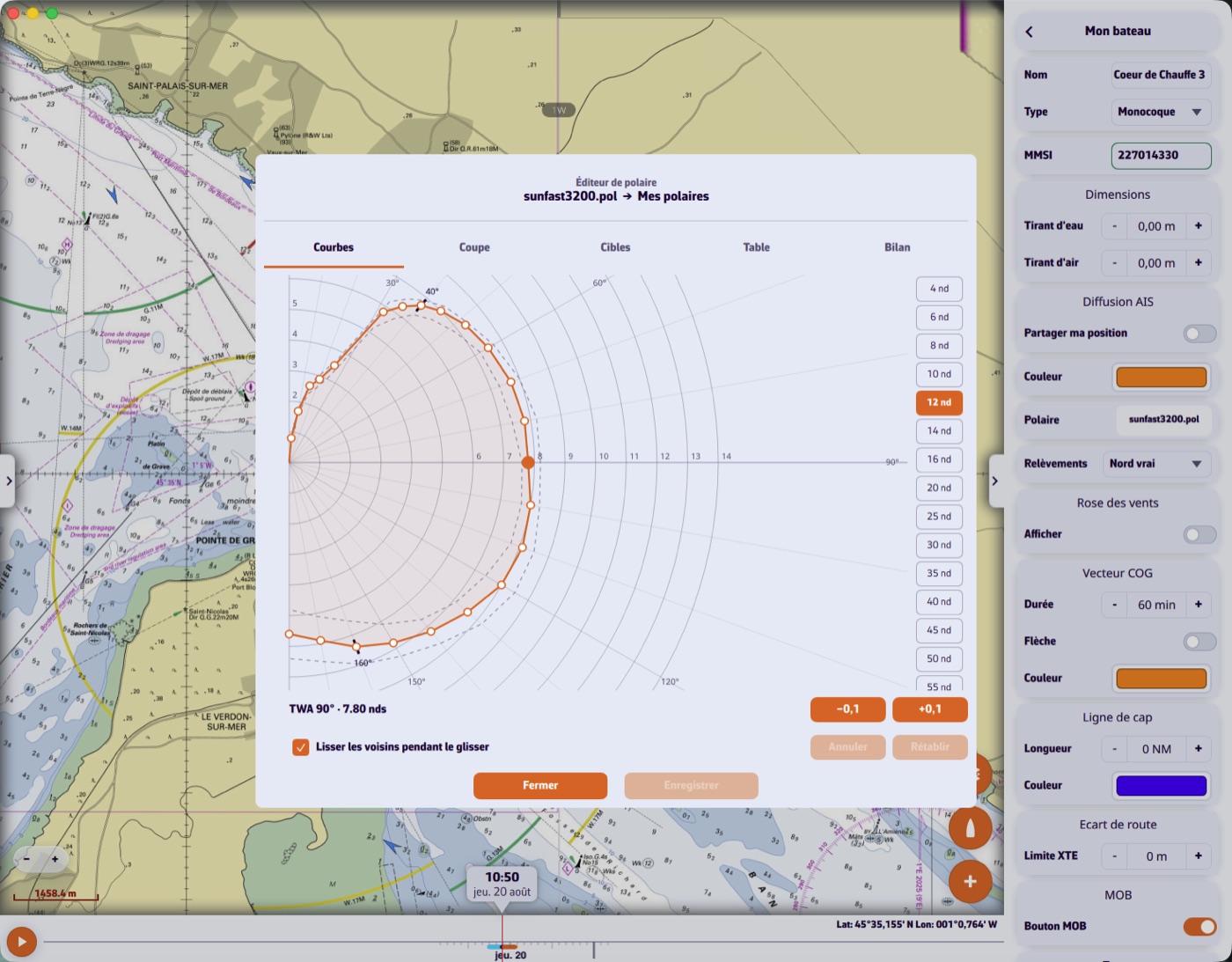
- Curves — the polar for one wind speed. Grab a point and pull it; the neighbouring wind speeds stay on screen as ghosts to keep you honest. Best-VMG angles upwind and downwind are marked live.
- Slice — speed against wind strength, at one angle. This is the view that reveals a curve edited out of family: a bump jumps straight out.
- Targets — best-VMG angles and speeds against wind strength. Smooth these first: they are the numbers you will read at the helm.
- Table — the grid, for inspection and bulk work: scale a column to 95 %, add or remove a row or a column.
- Report — the automatic analysis, described in this question.
Smoothing
The Smooth neighbours while dragging box changes the nature of the gesture: instead of moving one point, you gently deform its neighbourhood — nearby angles and, at half strength, the neighbouring wind speeds. This is almost always what you want, because a real polar has no teeth. The −0.1 / +0.1 buttons follow the same setting.
Saving
A library polar is never overwritten: Save as makes a copy in My polars under the name you choose. If you are signed in, it syncs to your other devices.
On a phone the editor opens full screen and the wind-speed strip turns horizontal. You can grab a point from outside the curve, along the same radius, so your finger does not hide it.