iPolar lets you create a polar in one minute from your boat's characteristics:
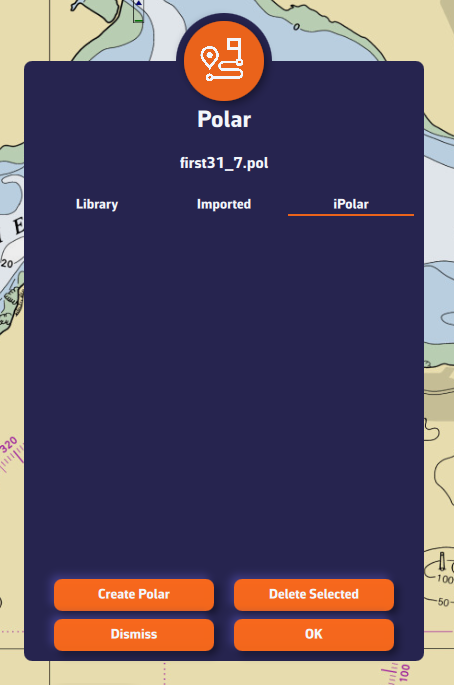
- Open the settings drawer (handle on the right edge of the screen), go to "My Boat" and press the Polar row. The "Polars" dialog opens.
- Select the "iPolar" tab, then press "Create Polar".
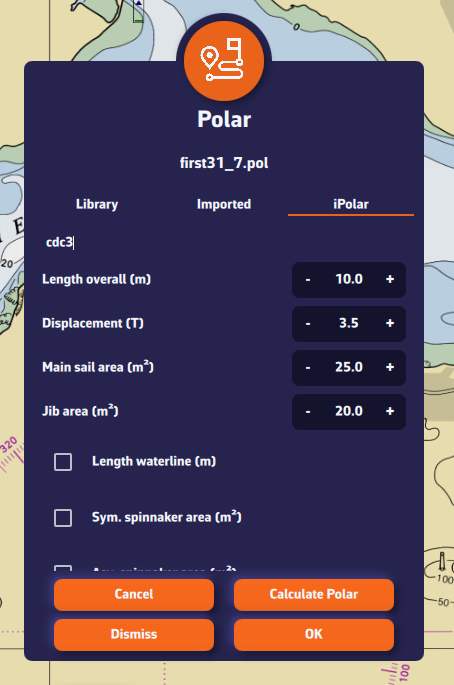
- Enter the required information:
- Polar name (at least 3 characters)
- Length overall
- Displacement
- Mainsail area
- Jib area
- Optional information (tick the box to fill it in):
- Waterline length
- Symmetrical spinnaker area
- Asymmetrical spinnaker area
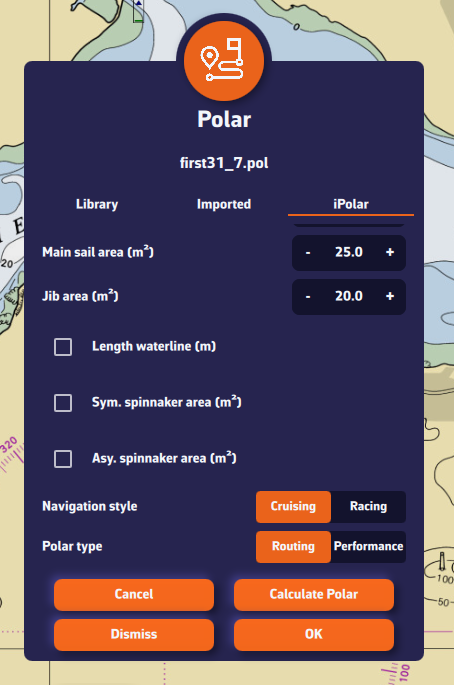
- Choose your parameters:
- Navigation style: Cruising or Racing
- Polar type: Routing or Performance. The Routing type gives speeds equal to 92% of those of the Performance type.
- (For most users: Cruising + Routing)
- Press "Calculate Polar".
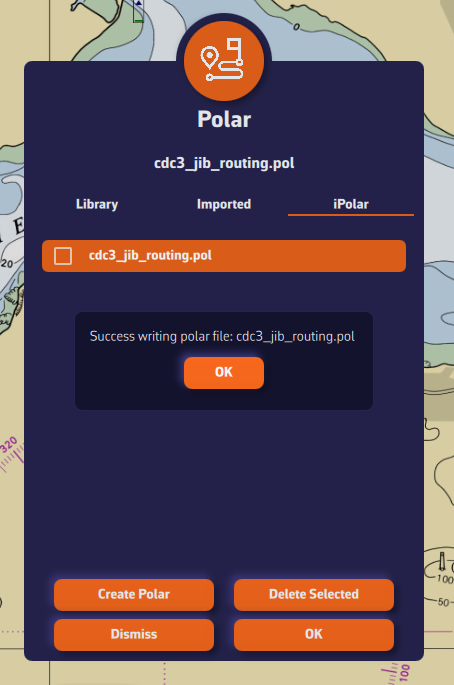
- The new polar appears in the list, already selected. Press OK to confirm it.
The file name ends with _routing or _perf depending on the type chosen.
A Sailchart comes with the polar
iPolar also creates a Sailchart for the new polar: a genoa that is progressively furled as the wind builds and, if you entered their areas, the symmetrical and asymmetrical spinnakers. The routing can then colour the route by sail and account for sail changes. You can adjust it afterwards in the Sailchart editor.
Note: The iPolar method was developed by KND, experts who work for the America's Cup, TP52s and IMOCAs, the best in their field!