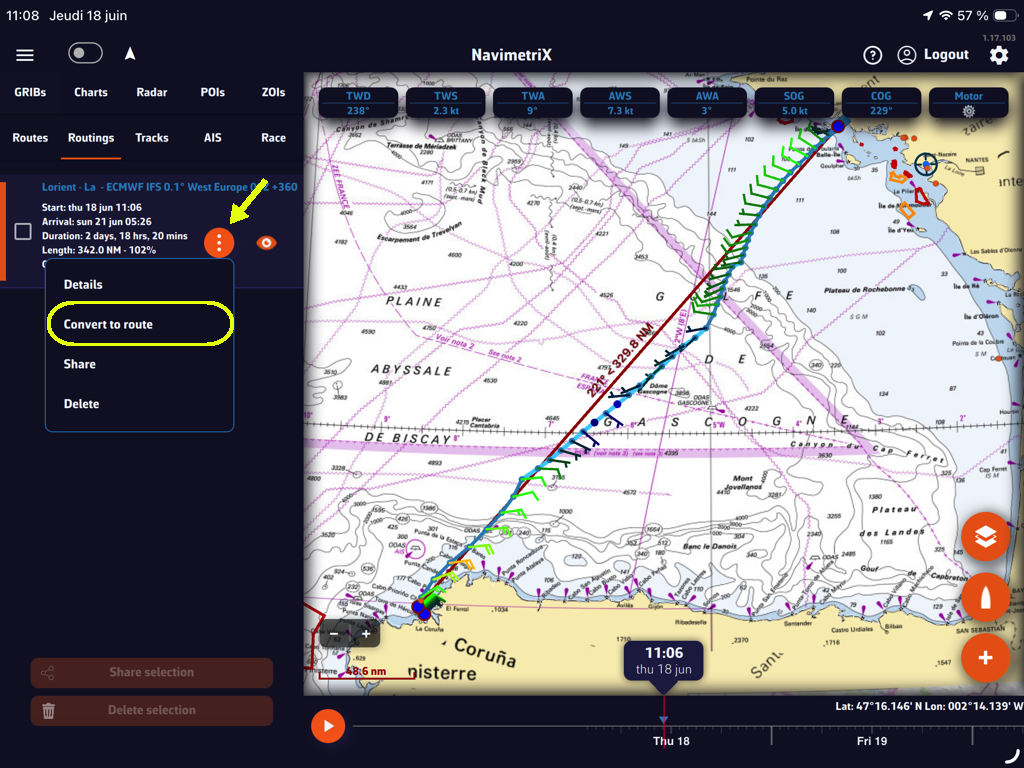
You can easily convert routing into a route. In the left side panel, from the Routings tab.
Once the routing is complete, open the left side drawer and select the Routings tab.

Select the “kebab” icon and in the menu that opens select “Convert to route”:

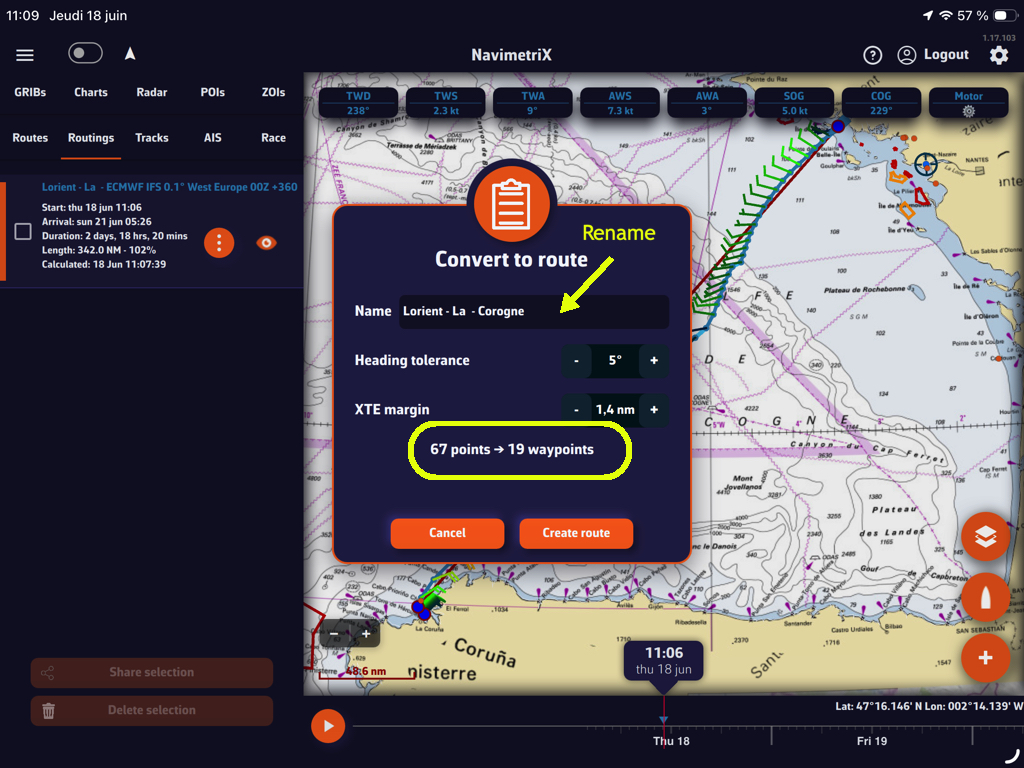
The following window suggests the name of the route derived from the routing, which you can modify, and displays the number of waypoints retained in the routing.
You have two adjustable options: heading tolerance and cross-track error (XTE). Select the “Create route” button and it will be displayed.
You can hide the display of the routing and the original route.
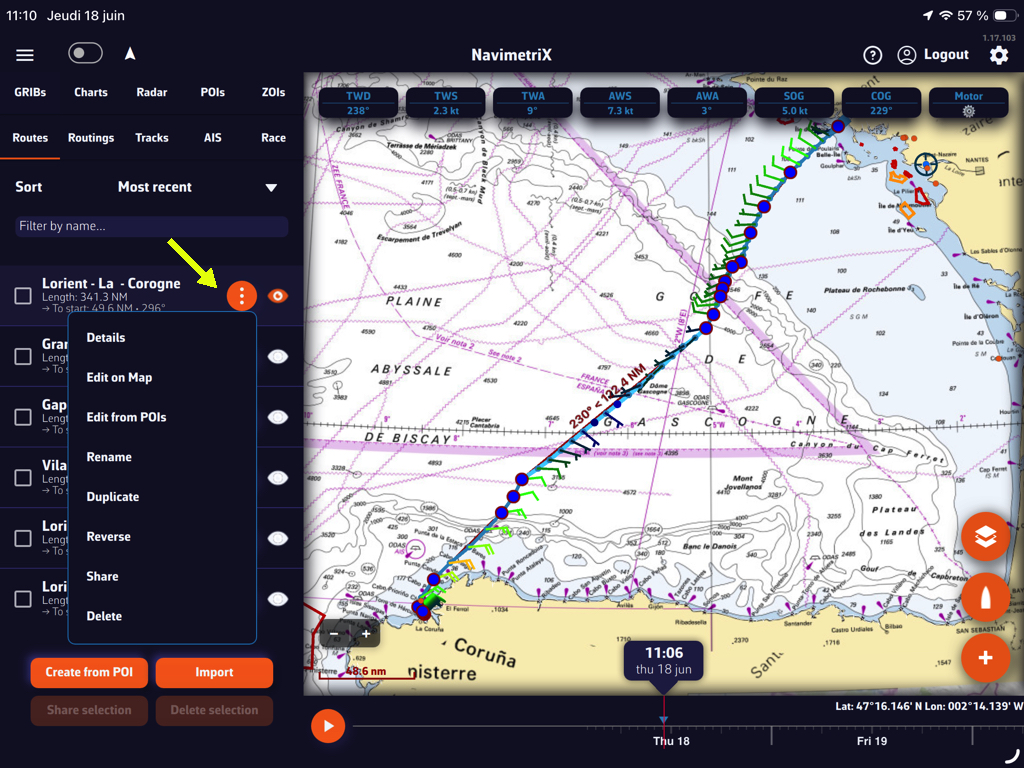
The “kebab” button in front of the created route opens a menu offering several options: route details table, modifications, etc.