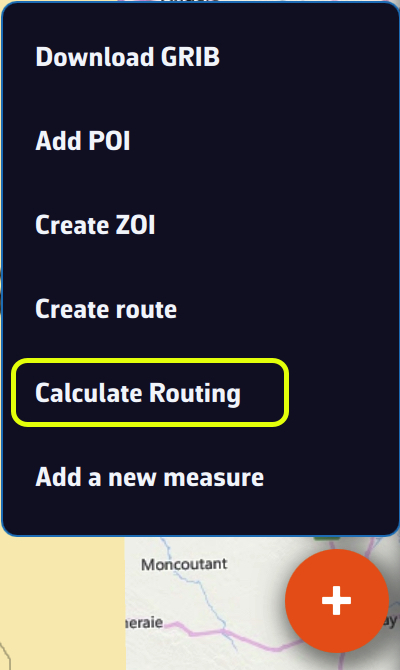
If you have deviated from your initial route, or if you have updated your GRIB files with a new run, you can calculate or recalculate a routing underway at any time.
From the boat's position, with the routing dialog

Press the + button and choose "Calculate Routing".
With a route already displayed:
- Select the desired GRIB file models,
- Under Start, turn on "Now from my position". This row only appears when the app receives a GPS position (the device's GPS or NMEA instruments). If you are following a route, it is selected automatically,
- In the "Next Waypoint" list, choose the next waypoint according to your progress along the route.
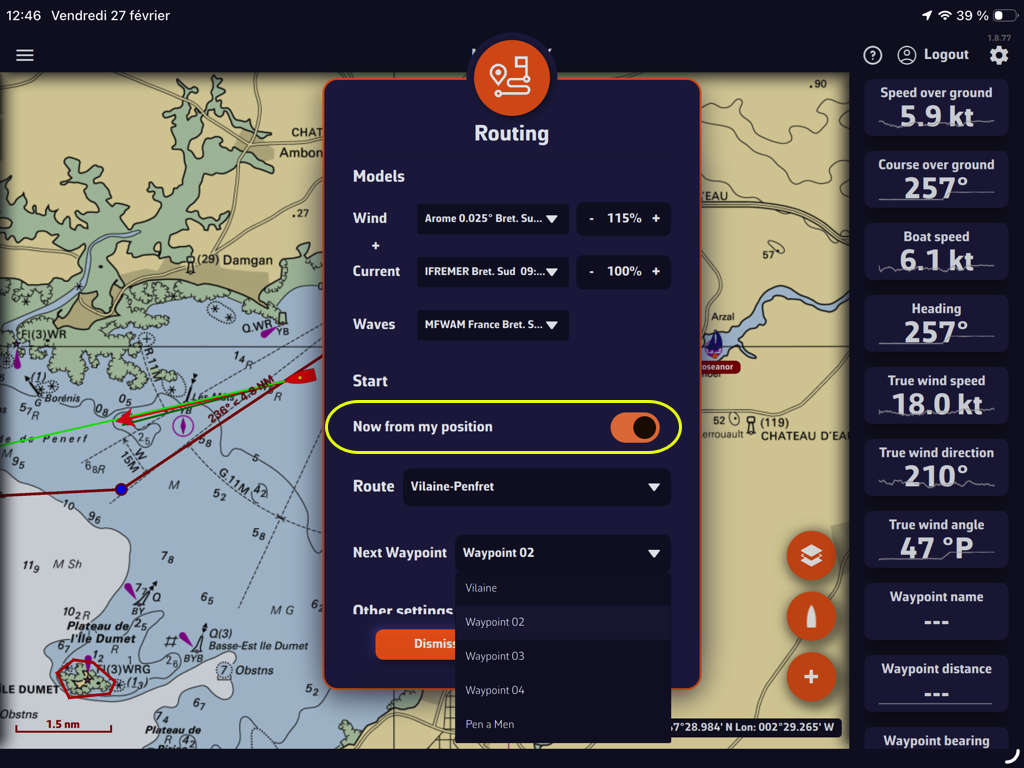
Then simply start the calculation as you would for any other routing.
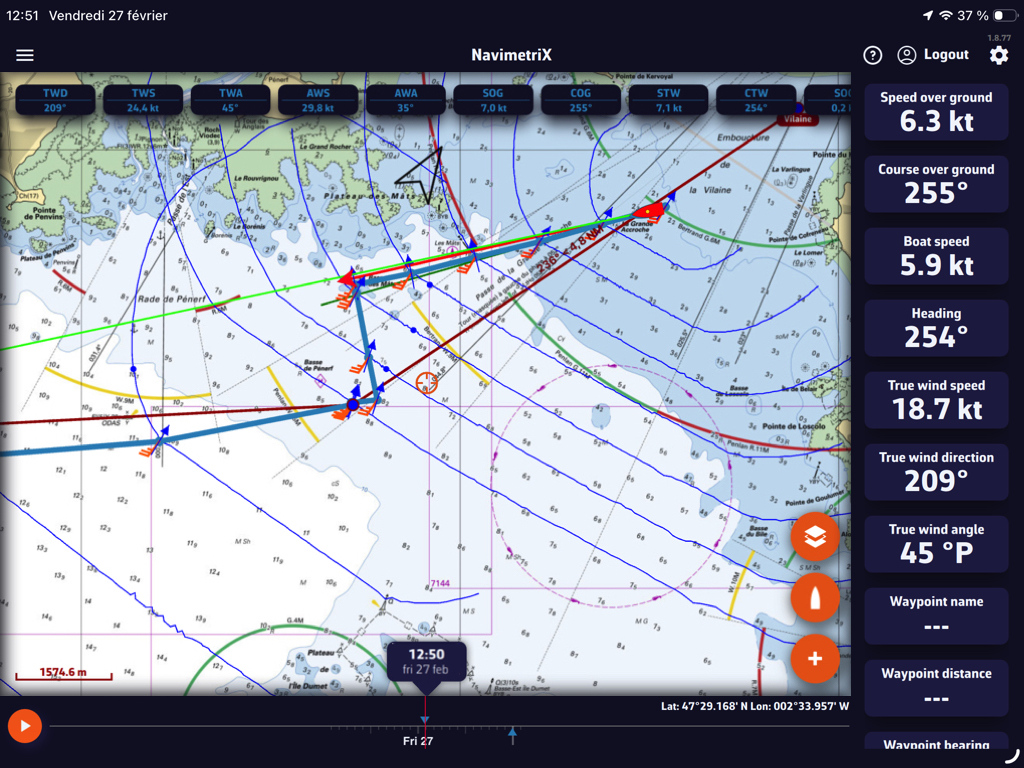
Running an existing routing again after a new run: "Recalculate"
In the Routings tab of the left drawer, the kebab menu (orange three-dot button) of a routing offers "Recalculate". The app takes the route, the weather files and the start time of that routing, downloads again the GRIBs that have a newer run, then runs the calculation again with your current settings. A routing that started from the boat starts again from the boat's current position, now.
The Inputs tab of the new routing then shows what has changed compared with the original routing.
When "Recalculate" is not possible, the entry is greyed out and the reason is shown below it: for example an ensemble routing, a routing calculated with several wind files, a deleted route or no boat position.
Routing to a point on the chart
In Navigation mode (Premium), you can start a routing from the boat to a point, now, without creating a route:
- bring the point you want to reach to the centre of the screen, under the crosshair, then press + and "Route to the target";
- on a computer, you can also right-click on the chart and choose "Route to this point". The point becomes a POI.
The calculation uses the wind file displayed on the chart, otherwise the one of the last routing, and your current routing settings. If something is missing (Navigation mode, boat position, wind file), a message tells you.
The menu of a POI also offers "Route to this POI": the routing dialog opens on a route from the boat to that POI.