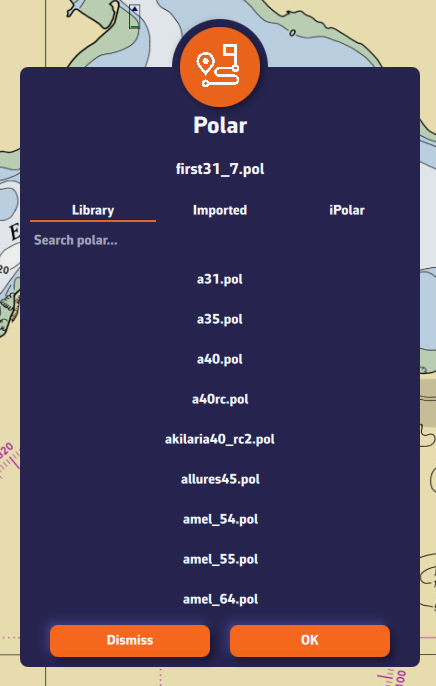
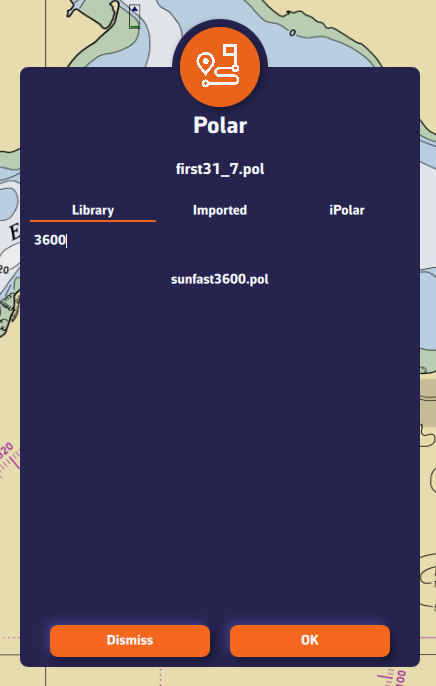
To choose your boat's polar from the library:
- Open the settings drawer (handle on the right edge of the screen) and go to "My Boat".
- Press the Polar row, which shows the selected polar.
- The "Polars" dialog opens, with four tabs: Library, My polars, iPolar and ORC.
- The "Library" tab offers nearly 500 polars of well-known boats.
Most of these polars come from naval architects or ORC certificates.
To find your polar, you can:
- Scroll through the list.
- Use the search field: for example, type "3600" to find the polar of the Sun Fast 3600.
Tap the polar you want to select it: its name appears at the top of the dialog, next to "Selected polar". Then press OK to confirm it.
The Polar row also appears at the top of the Routing section of the settings: it is the same setting, and you can change it from either place.