List of ZOIs
Select the ZOIs tab in the left side drawer.
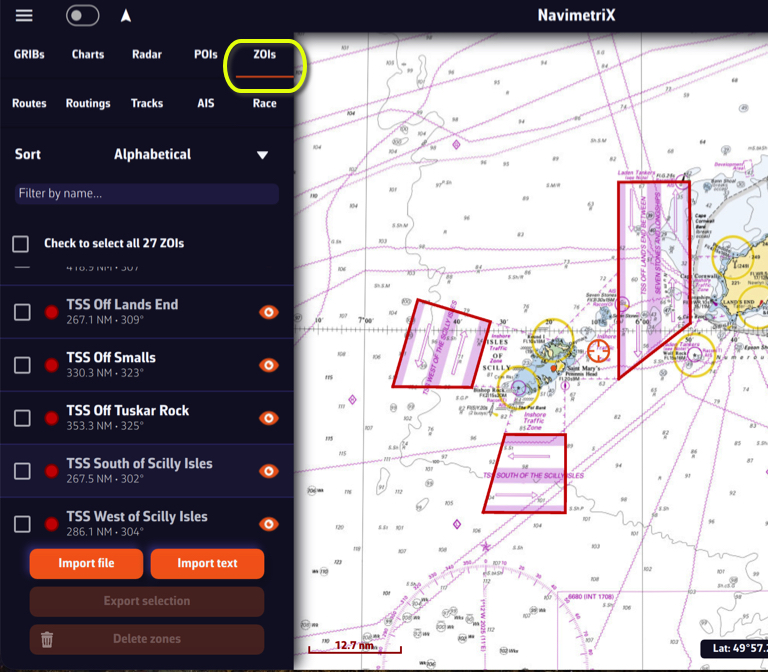
ZOIs are areas to avoid or areas of particular interest. Some are pre-existing in the application, but you can create as many as you need. There are three types:
- No Go Zones: Traffic Separation Systems (TSS), wind farms, protected environmental areas, shallow waters, etc., drawn in red
- Slow Zones: Sargassum fields, speed-restricted areas, areas where sea-state is dangerous, etc., drawn in orange.
- Information Zones: areas of particular interest for navigation, drawn in blue.
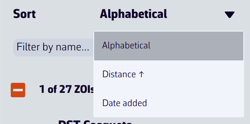
You can sort the list alphabetically, by increasing distance, or by date added. You can also search by name.
Only no go zones and slow zones are considered by the routing calculation, if they are displayed on the chart. In the left side menu list, you can enable/disable the display of a zone on the chart by tap/click on the eye icon, select one or more zones to export or delete them by checking the box(es). You can also import ZOIs in text format.
Create a ZOI

Modify a ZOI
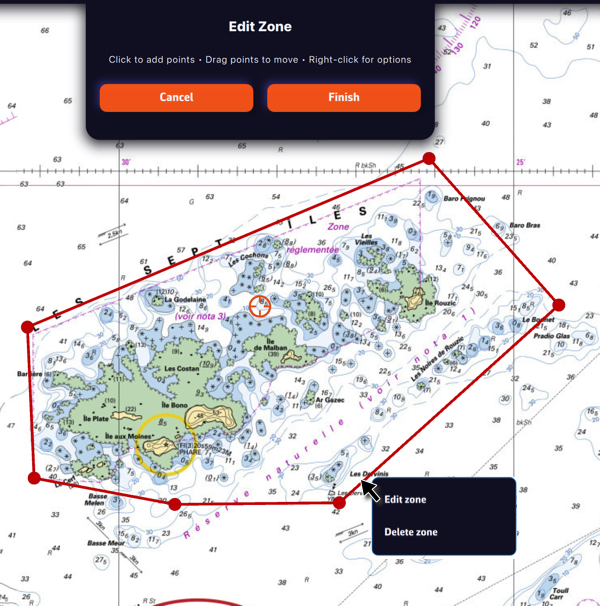
Tap/click on the border of a ZOI to edit/delete it. You can move the borders by selecting the corners, add an intermediate point anywhere on the border to modify it. After selecting the ‘Finish’ button, you can also change the name and type of the zone.