Route tracking allows you to set the boat to automatically navigate through each point on a route. If you control your autopilot by sending it NMEA data (*), it will steer the boat by following the successive legs from one point to the next.
Start route tracking
- First, display a previously created route.
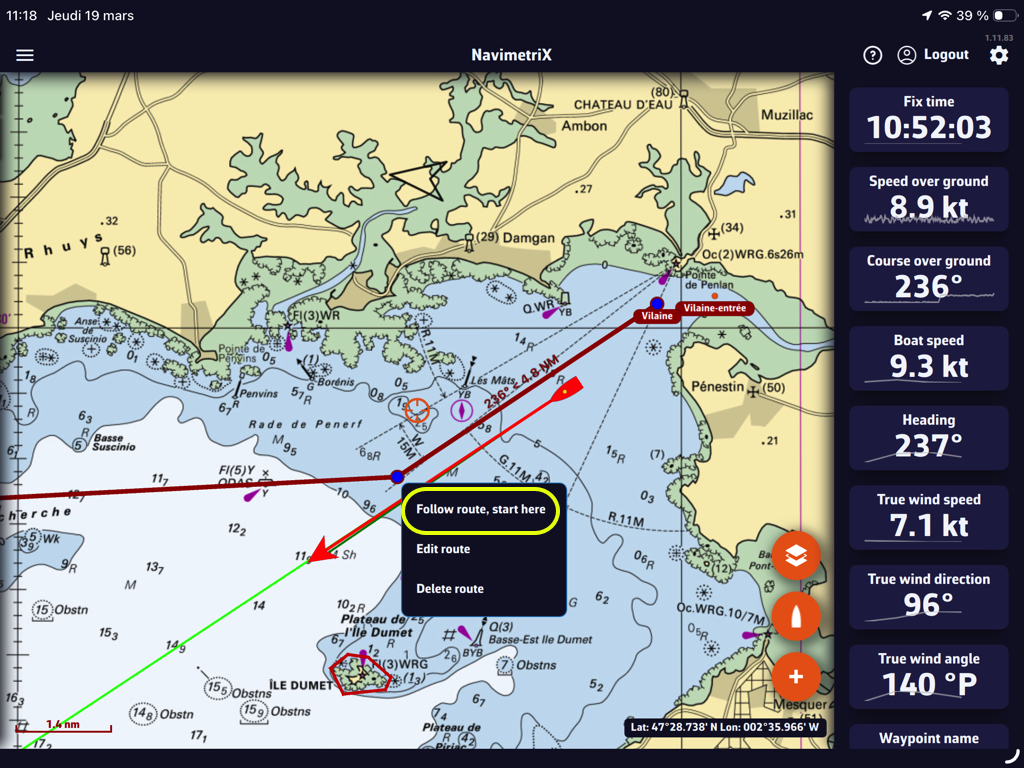
- Tap or click on the first waypoint from which you want to start tracking.
- Select "Follow route, start here
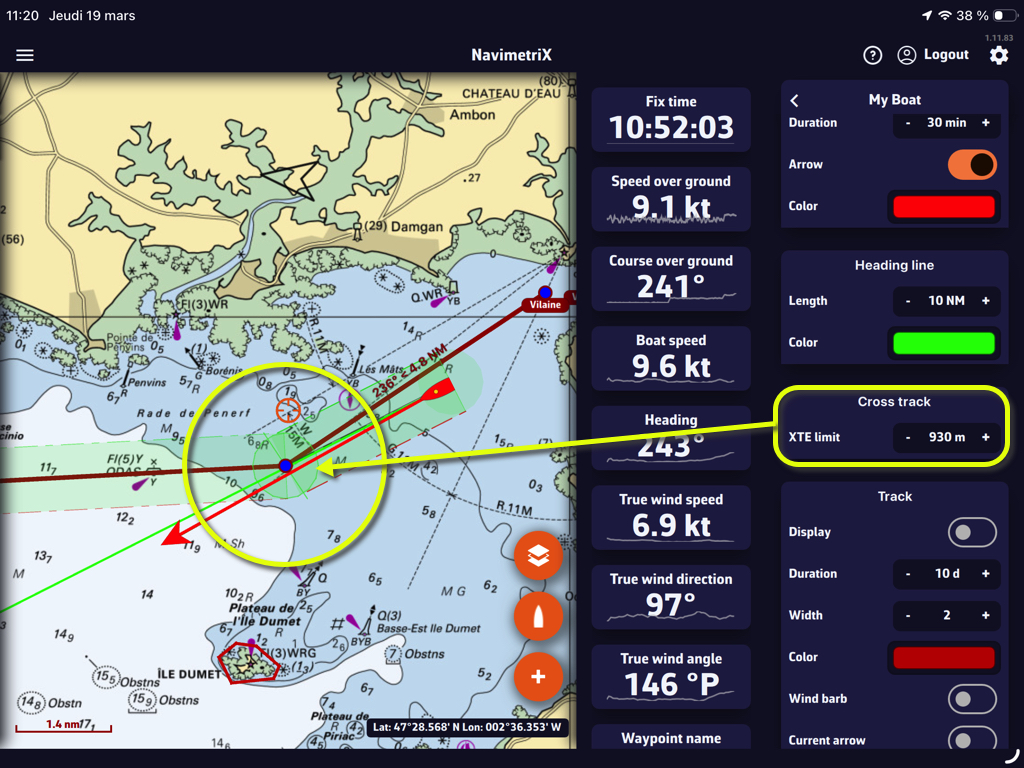
Activating this feature displays a course deviation corridor, which you can define in Settings > My Boat > Cross-Track:
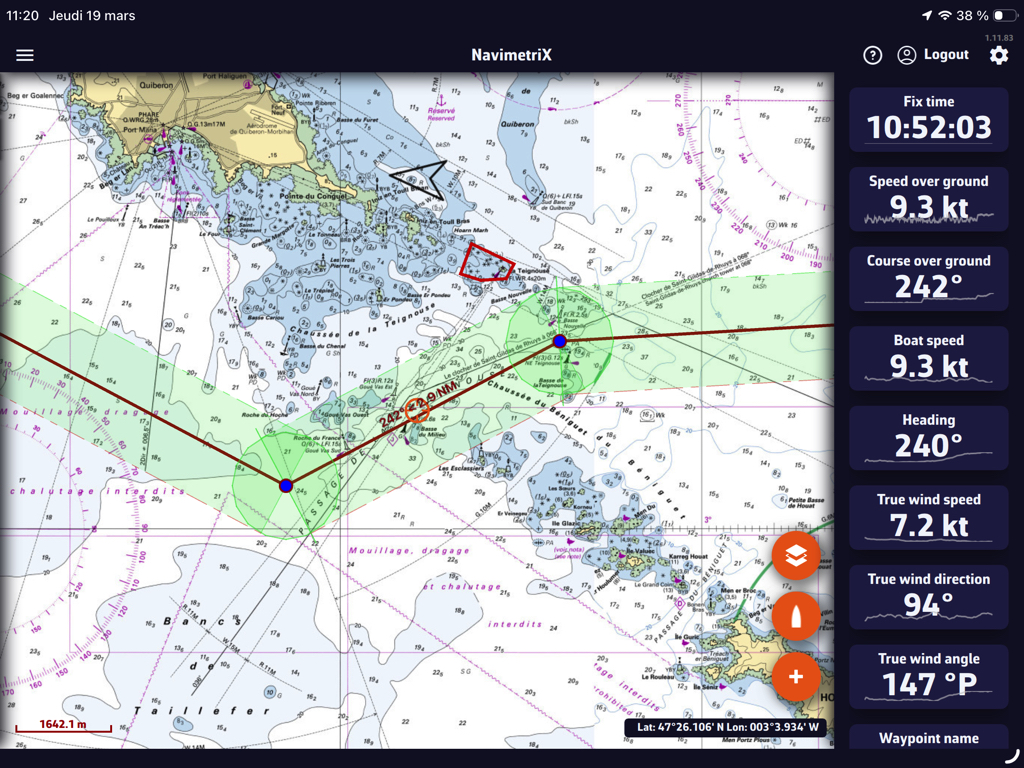
The cross-track corridor follows all points on the route:
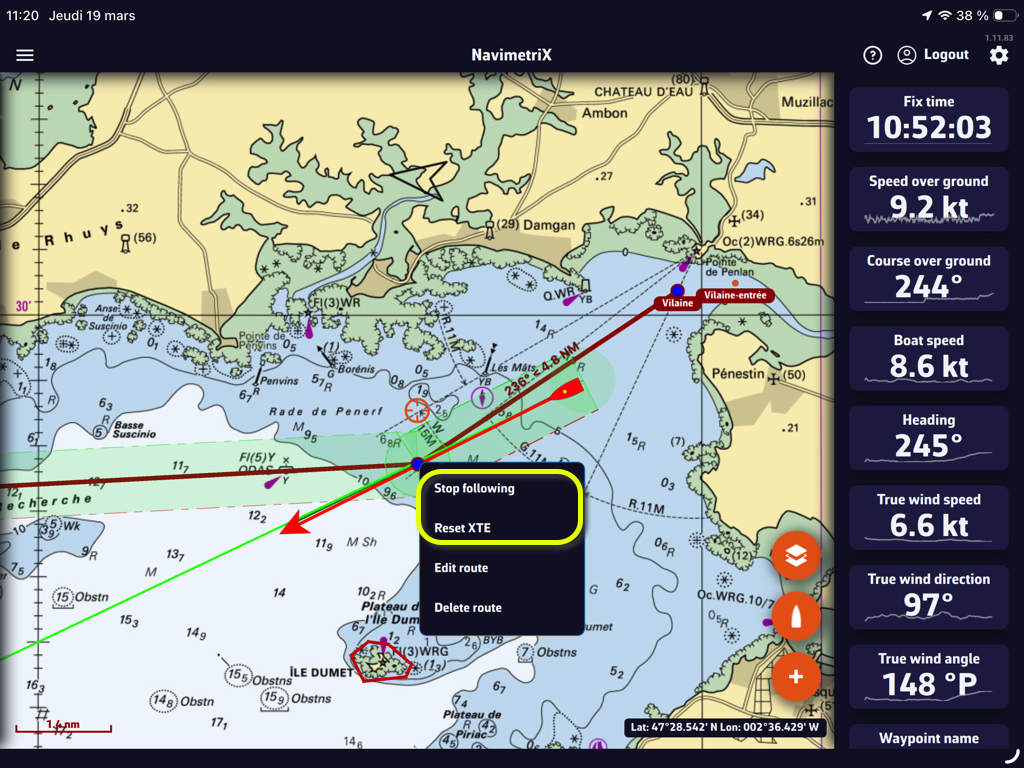
Stop tracking
You can stop tracking or reset the cross-track at any time:
Cross-Track Alarm
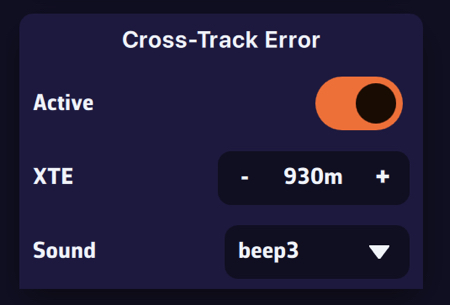
You can enable an alarm if the boat leaves the cross-track corridor.
- Select the Alarms section in the app’s Settings.
- Set the width of the corridor on either side of the direct route.
- Choose a sound from the drop-down menu.
————
(*) See: How to send NMEA data to instruments