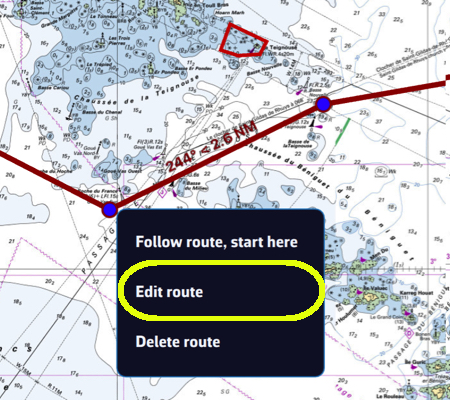
- Edit the route: tap or click the route shown on the chart and choose “Edit route” (or, in the Routes tab, ⋮ menu of the route, “Edit on Map”).
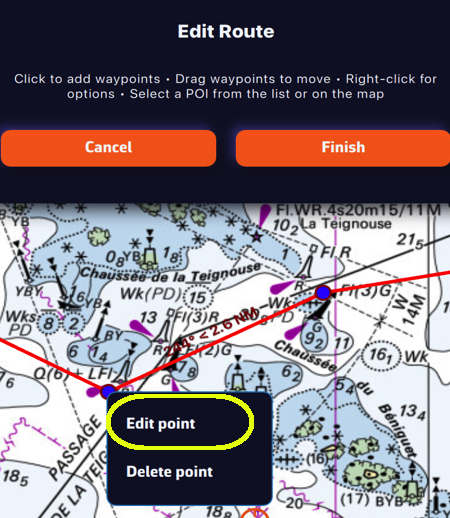
- Edit the waypoint: tap the point (right-click on a computer) and choose “Edit point”.
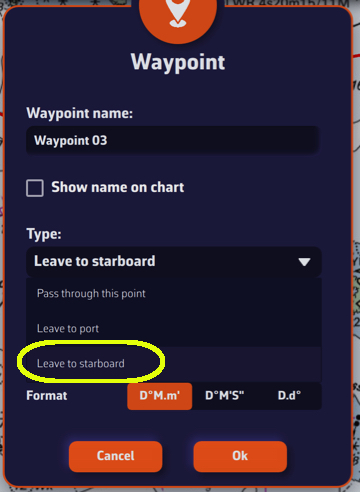
In the Waypoint window, change the default type “Pass through this point” to “Leave to starboard” or “Leave to port”. The routing takes this choice into account. For the first and last points of the route the list is greyed out: they remain pass-through points.
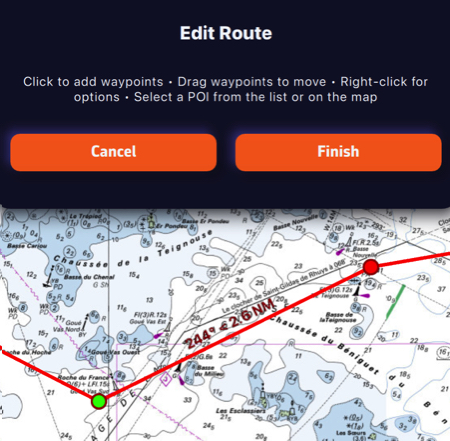
Confirm, then tap “Finish” and save the route. On the chart, the colour of the point shows the choice:
- Green: leave to starboard
- Red: leave to port
Course mark to round
Below the type, the “Side:” selector (None, Port, Starboard) tells which side to leave a mark you must round, a race buoy for example. This is racing information: the routing ignores it and still passes through the point.
The “Edit from POIs” window (⋮ menu of the route) and the “Details” window offer the same choices in a single list: “Pass through this point”, “Round, leaving to port”, “Round, leaving to starboard”, “Leave to port” and “Leave to starboard”.