On a tablet or smartphone
Tap the round orange + button in the lower right corner of the screen. From the menu, select “Create route”.
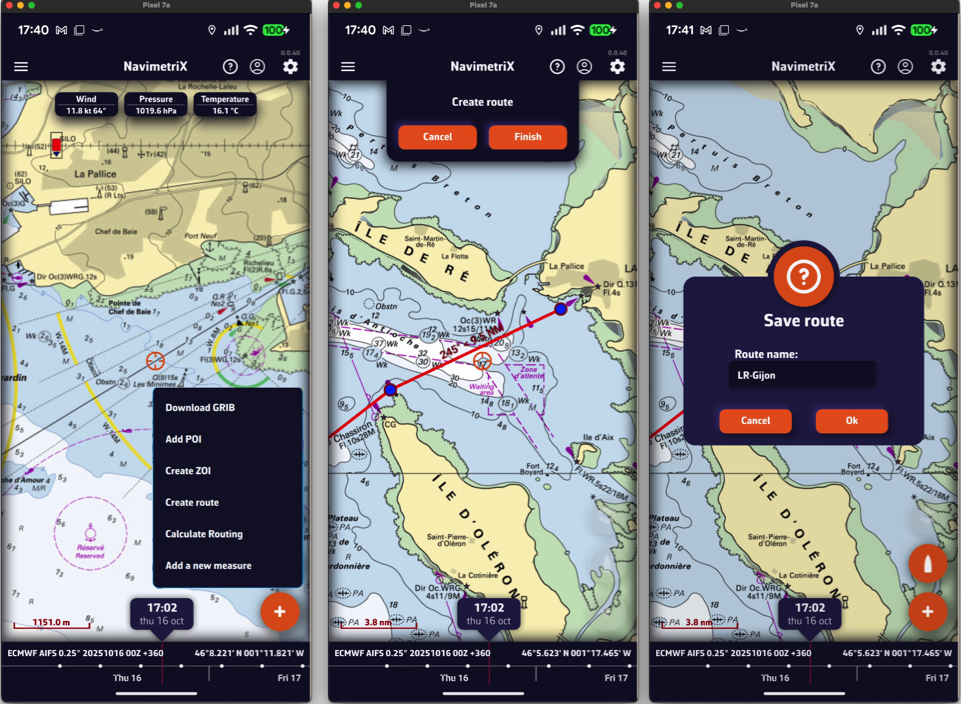
Tap the chart successively to place the desired points; a point dropped on a POI snaps to it. You can drag the points with your finger to move them, and tap a point to edit or delete it. Zoom in for more precise placement if needed. Once the route is complete, tap the “Finish” button at the top of the screen. Enter a name for your route in the “Save route” window and confirm with “Ok”. A route must have at least 2 points.
On a Mac or PC
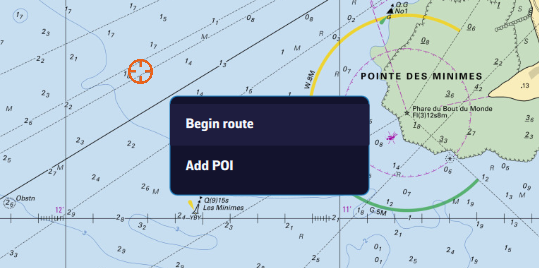
Right-click the chart with the mouse or trackpad. From the menu, select “Begin route”.
Click the chart to create successive points, zooming in for better accuracy. You can drag the points to move them, and right-click a point to edit or delete it. Click the “Finish” button at the top of the screen. Enter a name for your route and confirm by clicking “Ok”. You can also proceed as on a tablet or smartphone, with the + button.
From a POI
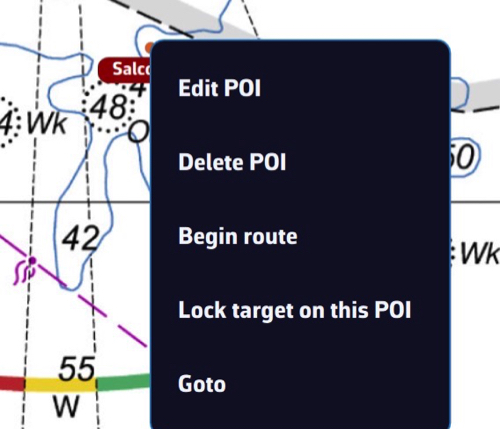
In any case, you can also create a route by tapping or clicking an existing POI (waypoint) and selecting “Begin route” from the menu: the route starts from that point.
To chain several existing POIs without touching the chart, open the Routes tab (see below) and tap the “From POI” button at the bottom of the panel. In the “Create route from POIs” window, tap the POIs in the order you will sail them, give the route a name, then tap “Create route”.
Saving
Routes are saved in the Routes list: open the left panel with the chevron handle on the left edge of the screen, then choose the Routes tab.
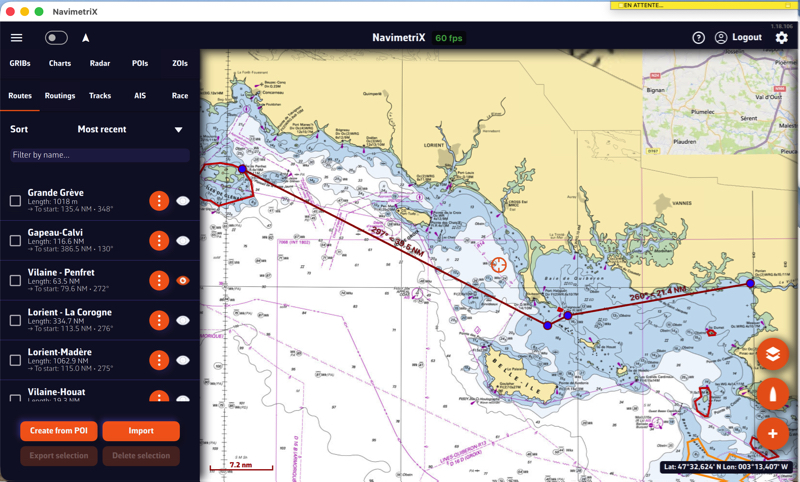
Tap the “eye” icon next to each route to show or hide it. Tick the checkboxes in front of the routes to select them for the buttons at the bottom of the panel, “Export” (“Share” on a smartphone or tablet) and “Delete”.
Reverse / duplicate a route

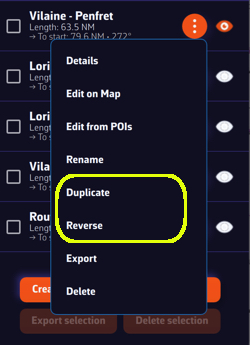
The ⋮ (“kebab”) button next to each route opens a menu with the functions available for the route: Details opens a detailed passage plan, Edit on Map, Edit from POIs, Rename, Duplicate, Reverse, Export (Share on a smartphone or tablet) and Delete.
Duplicate creates a copy of the route, named “(copy)”. Reverse creates a new route sailed in the opposite direction, named “(reversed)”; points to leave to port are switched to starboard and vice versa. The original route is not changed.