When racing, rounding a mark means knowing which side to leave it. NavimetriX keeps two notions apart that are easily confused.
The type: what the router must honour
- Pass through this point — a hard constraint: the route goes there;
- Leave to port / Leave to starboard — a side constraint: the router must pass on the right side, which may cost nothing at all if it was going that way anyway.
The side: what the racer needs to know
A mark you round is a "pass through this point" with a side attached. To the router it is the same hard constraint; to you it is the information that matters on the approach.
The side is chosen in three places:
- in the waypoint dialog on the chart, the Side selector;
- in Route details, by tapping each row's instruction chip;
- in the build a route from POIs dialog, on the chip at the right of each row.
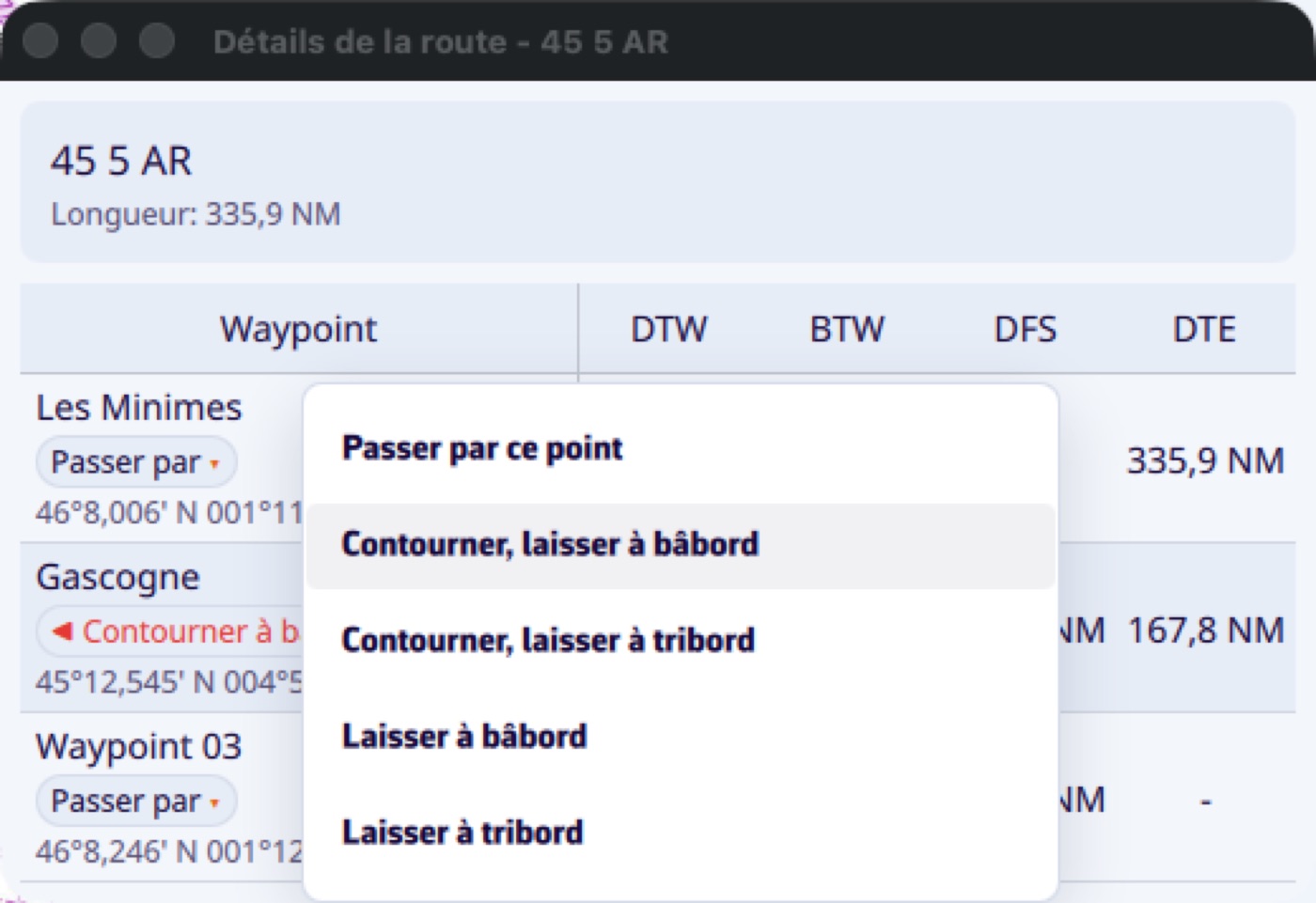
The menu therefore offers five entries, covering both notions without you having to combine them yourself.
Two useful details
The same mark can appear twice in a course with a different side each time: the common case of a windward-leeward course.
When you reverse a route, the sides flip with it: what was left to port is now left to starboard.
The side then appears in Route details and in the Course tracking instrument, where a filled arrow marks a mark to round and a hollow one a plain side constraint.