The anchor drag alarm monitors your boat's position at anchor and alerts you if it drags.
NavimetriX draws a swing zone around the anchor, triggers a siren if the boat leaves the zone, can send an SMS alert, and lets you track the boat remotely from another device.
The anchor drag alarm is reserved for the Premium subscription.
Dropping the anchor
You need a GPS fix (an approximate Internet-based position is not enough) and an almost stationary boat (speed below 2 knots). If Navigation mode is off, Drop anchor turns it on itself and says so with the message "Navigation Mode enabled for the anchor watch".

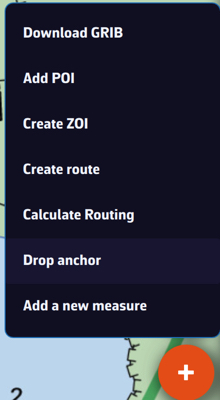
- Once the boat is anchored, tap the + button (bottom right of the chart) then Drop anchor.
- The anchor is placed ahead of the bow (on the heading axis) and a "Anchor DD/MM hh:mm" POI is created.
The swing zone
Once the anchor is dropped, a banner appears at the top of the screen and a swing zone is drawn around the anchor. You can choose the shape of the zone:
- Circle: a single radius around the anchor (default radius: 40 m).
- Hexagon: for a custom-shaped zone.
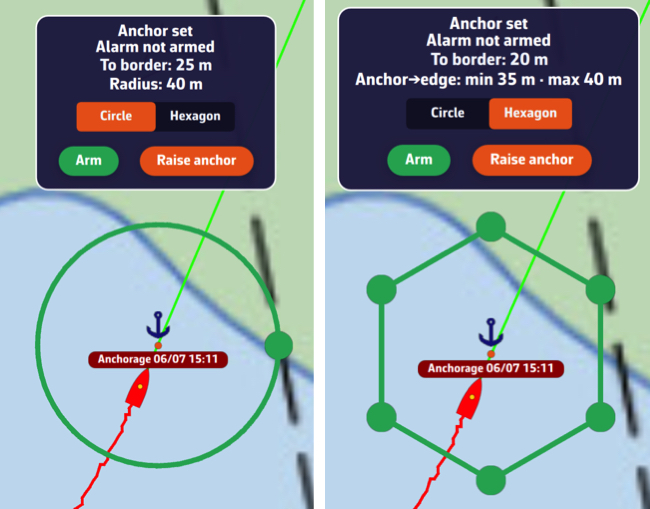
The banner constantly displays the zone's radius and the distance to the edge. Adjust the radius to the length of chain paid out, taking into account the high tide height in tidal areas, plus a safety margin. As a reminder:
- at least 3 x the water depth for all-chain rodes
- at least 5 x the water depth for mixed rope + chain rodes
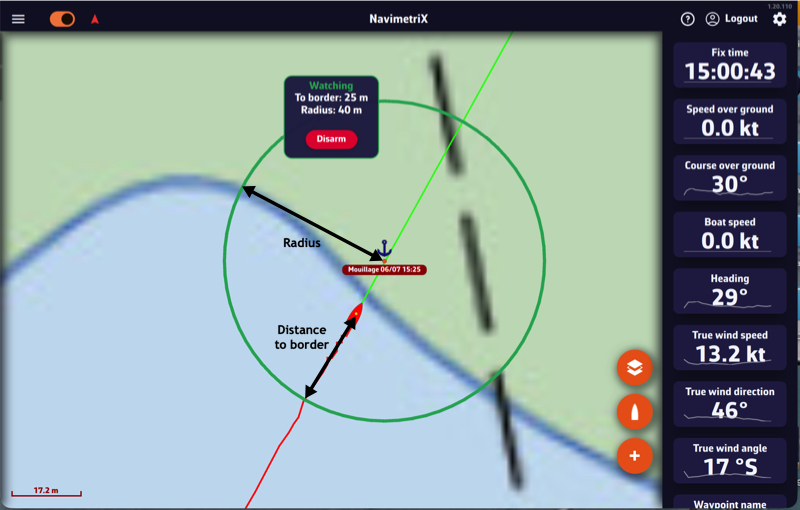
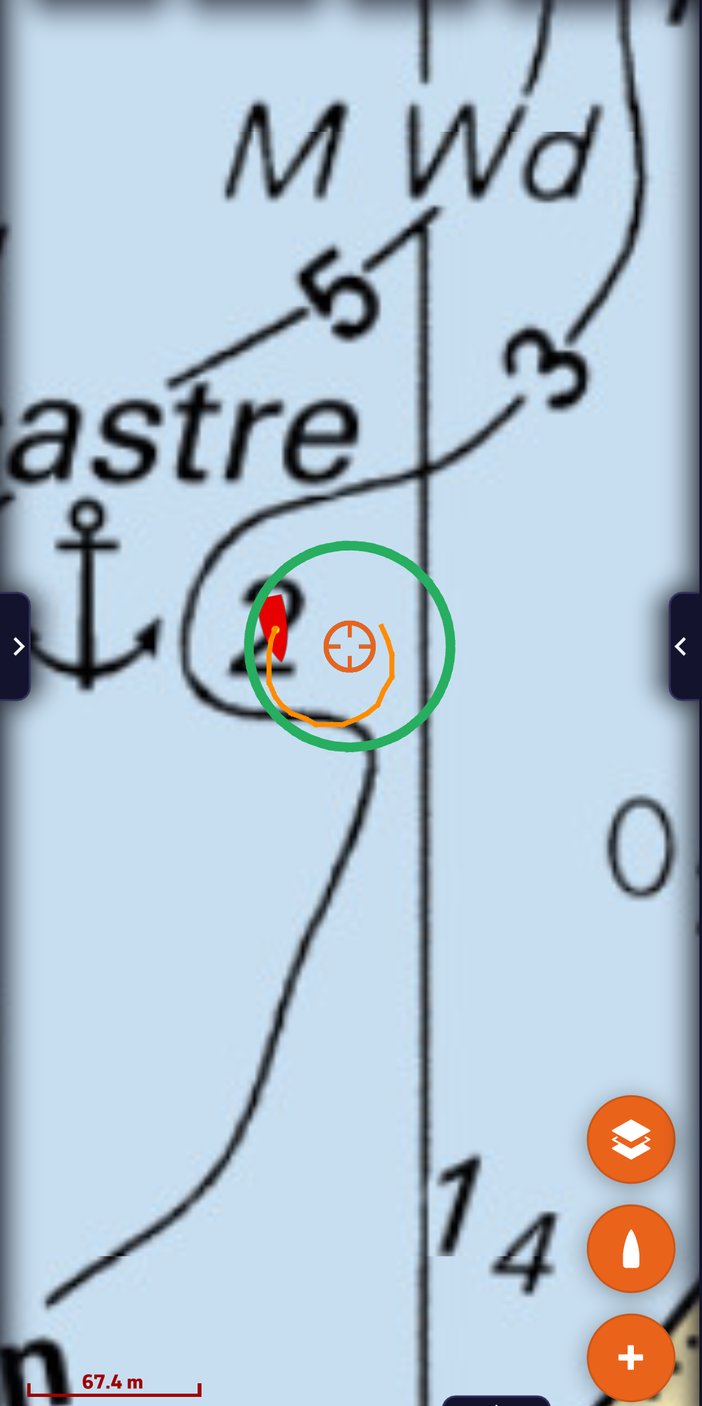
Changing the radius: as long as the alarm is not armed, a green handle sits on the circle. Drag it to grow or shrink the zone; the radius updates live in the banner. The radius accepts 5 to 500 m. In Hexagon shape, the six vertices are dragged one by one, which lets you hug an anchorage that is obstructed on one side.
Once the alarm is armed the zone is frozen and the handles disappear, so that a stray gesture cannot widen the very zone you are watching. To adjust it without disarming, see below.
What the banner shows
Below the alarm status, the banner constantly gives:
- the distance to the edge of the zone ("To border: 12 m"), or how far outside it you are;
- the radius of the circle ("Radius: 40 m"), or the minimum and maximum anchor → edge distances in hexagon mode;
- the distance and true bearing of the anchor ("Anchor: 28 m at 145°");
- the relative bearing from the bow, colour-coded the maritime way: "30° to port" in red, "30° to starboard" in green, or "0° ahead". This line only appears when a heading is available (compass, otherwise course over ground).
The banner can be moved: drag it anywhere on the chart and its position is remembered on that device. Handy on a phone, where it used to sit on top of the swing zone.
Arming and monitoring
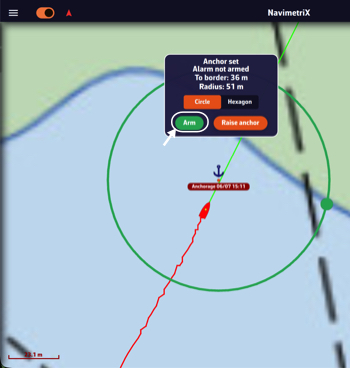
As long as the alarm is not armed, the banner shows "Anchor dropped · Alarm not armed". To activate it, press and hold the Arm button on the banner. The status changes to "Monitoring".
With the alarm armed, turning Navigation mode off disarms it: NavimetriX warns you and asks you to choose between Turn off and Keep watching.
Important: the armed/disarmed state is local to the device. Arming the alarm on your phone does not arm it on the other devices on your account: each device decides on its own whether it monitors and sounds the alarm.
Dragging
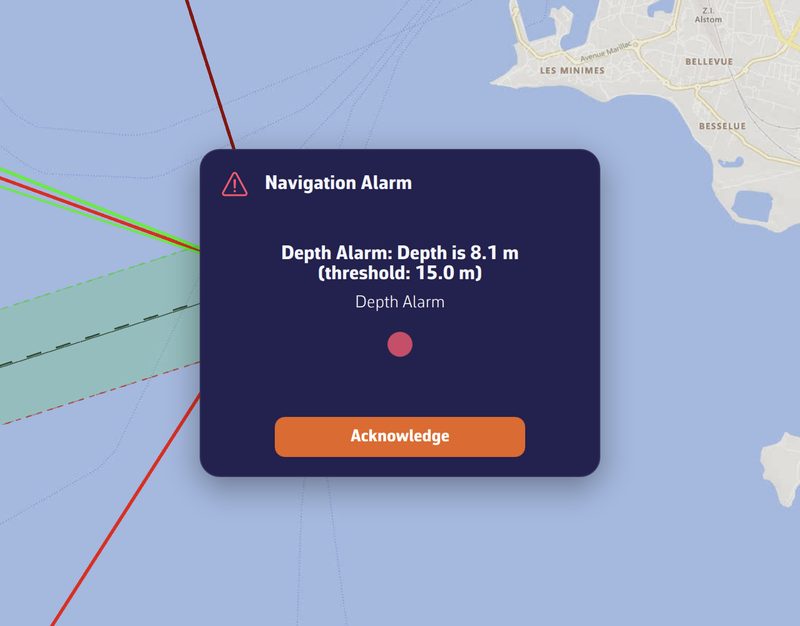
If the boat starts dragging, as soon as it leaves the zone the alarm triggers after an adjustable confirmation delay: audible siren, SMS sent (if configured), the banner switches to "DRAGGING" and NavimetriX shows the distance from the anchor relative to the limit.
Anchor settings
The settings are found under Settings ▸ Alarms (chevron handle ‹ on the right edge of the screen), Anchor section:
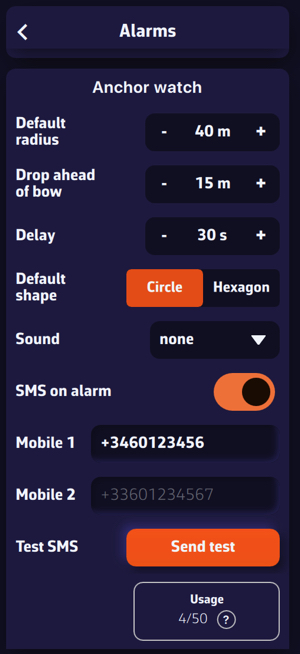
- Default radius: the radius of the swing circle when the anchor is dropped (default 40 m).
- Ahead of the bow: the distance at which the anchor is placed ahead of the boat, on the heading axis (default 15 m).
- Delay: how long the boat must remain outside the zone before the alarm sounds (default 30 s), to avoid false alerts.
- Default shape: Circle or Hexagon.
- Sound: the alarm ringtone to select.
SMS alert
In addition to the local siren, NavimetriX can send an alert SMS to relatives or to another phone on board. Under Settings ▸ Alarms, Anchor section:
- Enable SMS on alarm.
- Enter one or two numbers in Mobile 1 and Mobile 2, in international format (e.g.
+33612345678). +1 numbers (North America) are not served: the warning "SMS not delivered to +1 numbers" then appears under the fields. - Check with Test SMS ▸ Test: a test message is sent immediately.
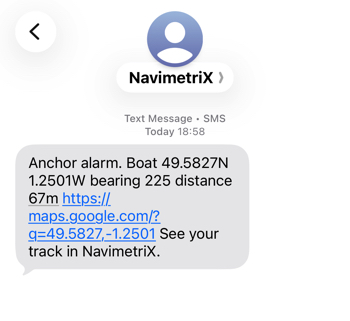
If the boat drags, the SMS contains the boat's position, bearing and distance from the anchor, plus a Google Maps link to the boat. Up to 3 SMS are sent per incident: immediately, then at +30 min and +60 min as long as the alarm remains active.
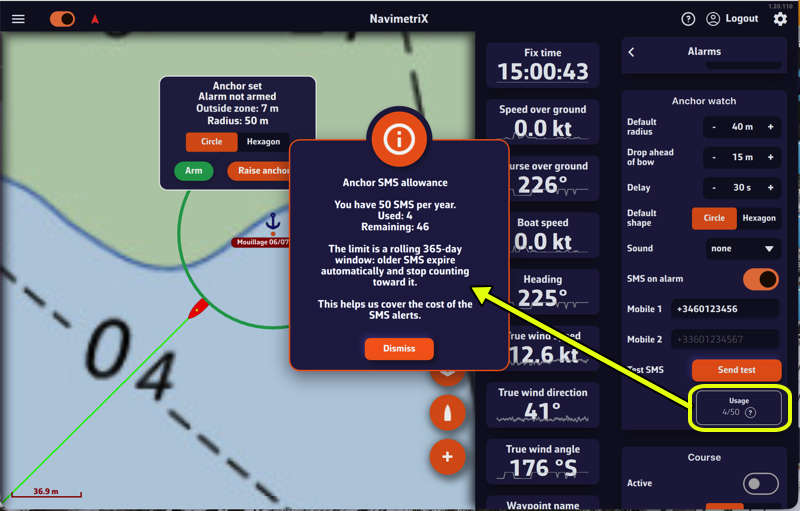
A quota of 50 SMS per rolling 12 months is included. The Usage X/50 counter shows your consumption; once the quota is reached, the app displays "Annual SMS limit reached" (the local siren keeps working regardless).
Tracking the boat remotely: "At anchor"
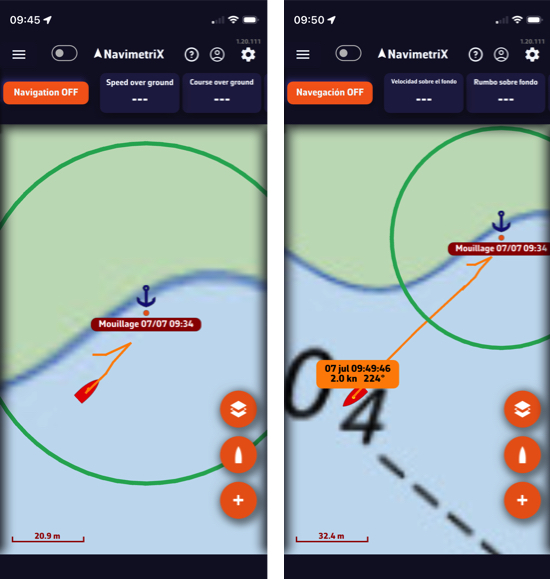
When the boat is at anchor and in Navigation mode, the onboard device shares its position with the other devices connected to the same NavimetriX account. On those devices, an "At anchor" track automatically appears at the top of the Tracks tab.
It shows, read-only:
- the boat's track over the last few hours (swing movements, any dragging);
- the swing zone (circle or hexagon) and the anchor;
- the boat's last known position, oriented to its heading.
Handy for keeping an eye on the boat while relaxing at a restaurant or with friends. A simple tap on the boat icon shows the instantaneous date, speed and heading, tapping the boat button recenters the chart on the anchored boat, and a long press frames the whole swing zone. The "At anchor" track disappears as soon as you raise the anchor or exit Navigation mode on board.
Raising the anchor
When leaving the anchorage, press and hold the Raise anchor button on the banner. The anchoring is closed, the swing zone disappears, and the "At anchor" track is cleared on the other devices.
How to move the anchor?
As long as the alarm is not armed, you can move the anchor using the "Move anchor" menu. The swing zone follows the move, so the anchor always stays at the center of the circle.
- Tap the anchor POI.
- Tap "Move anchor".
- Drag the POI on the screen. Once released, the swing zone repositions around the new anchor position.
The anchor is only draggable after going through that menu: a finger brushing the chart never moves your anchorage. Once the move is done, the anchor locks itself again.
With the alarm armed, the "Move anchor" entry disappears: you have to disarm to reposition it. "Delete POI" is blocked the same way, because deleting the anchor would leave the alarm running on a zone with no centre.
Changing the radius without disarming
The zone is frozen while the alarm is armed, but the rode may need veering in the middle of the night without lifting the watch. Tap the anchor: the menu offers "Edit radius" (or "Edit watch zone" in hexagon mode).
The handle reappears for one adjustment, without disarming the alarm. In circle mode, releasing the handle fixes the new radius and hides it again; in hexagon mode the vertices stay for a few seconds so the whole shape can be reworked. In both cases the window closes by itself after 20 seconds, so a handle is never left sitting on a monitored zone.