You can display a corridor on the screen showing the maximum cross-track error that should not be exceeded.
Open Settings by tapping the chevron handle (‹) on the right edge of the screen, then select Alarms. In the Cross-Track Error section, set XTE to the maximum desired distance on either side of the activated route to a waypoint (0 to 2000 m, 500 m by default).
The corridor appears as soon as Navigation mode is on with a Goto in progress, from a harbour view. It is delimited by red (port) and green (starboard) dotted lines and its width follows the XTE value, whether the alarm is on or not. Turn on the Active switch to be alerted if you leave it:
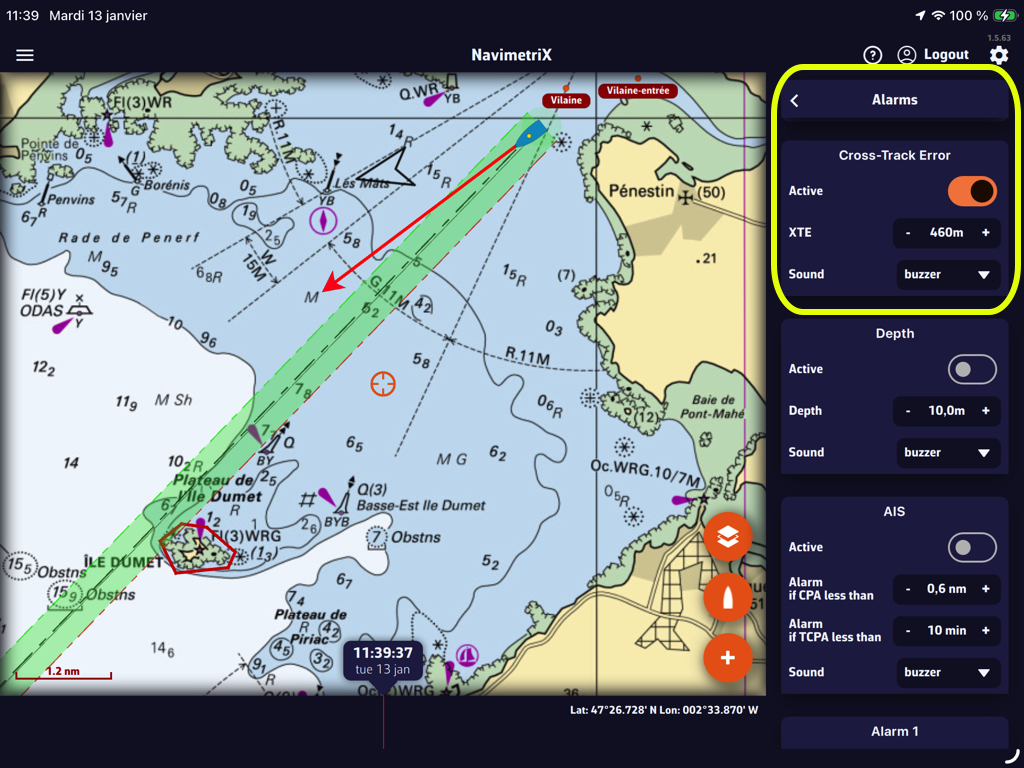
In that example, the value “460m” creates a corridor of 920 meters, or about half a nautical mile. You can select the audible alarm that suits you from the “Sound” drop-down menu.
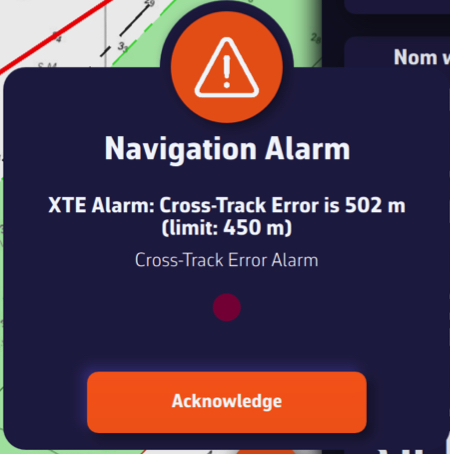
Leaving the corridor triggers an audible and visual alarm that you can silence by tapping/clicking the Acknowledge button.