Prerequisite: make sure your NMEA stream is properly configured and that you are receiving AIS sentences (they start with AIVDM).
Enable AIS target display

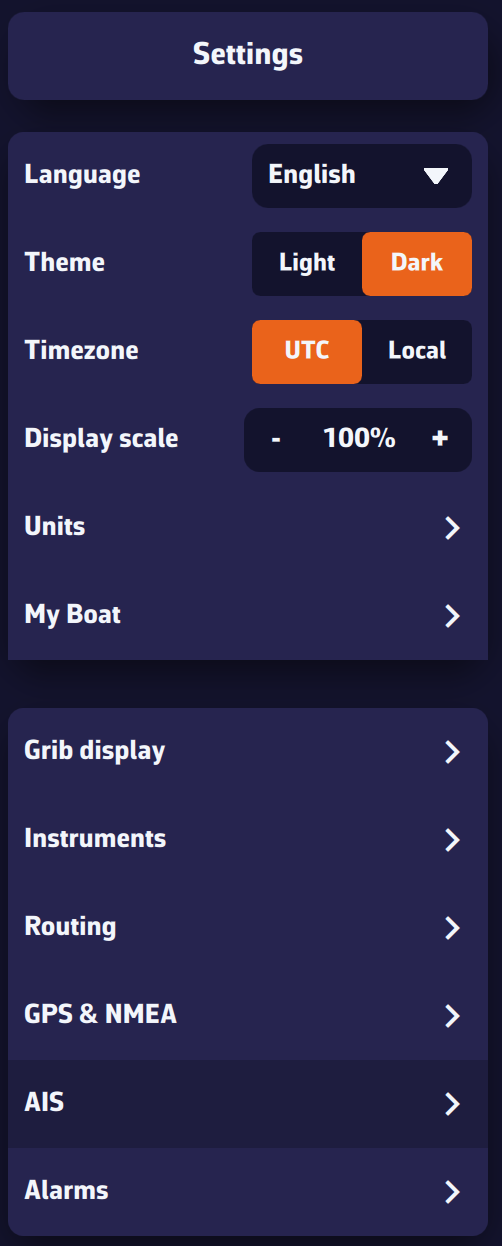
Open the Settings panel (gear icon, top right).
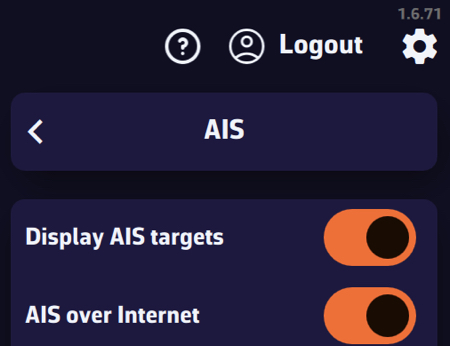
- Select AIS.
- Enable Show AIS targets.
Display settings
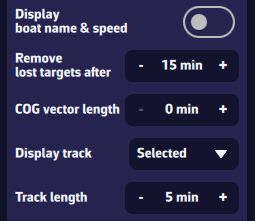
- Name & speed: show/hide target name and speed (global setting).
Tip: turn off near the coast when many targets are visible; turn on offshore when few targets are visible. - Remove lost targets after: time before a target disappears without a received sentence (e.g., 15 min). The target fades out: 100% visibility after a recent sentence down to 0% at the timeout.
- COG vector length: course-over-ground vector length, from 0 to 60 minutes.
- Show target track: global option to display tracks for selected targets or for all targets.
Tip: “selected” near the coast (many targets), “all” offshore (few targets). - Track length: Tip: short near the coast (busy areas), long offshore (few targets).
Proximity alarms
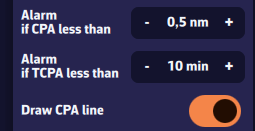
- CPA (Closest Point of Approach): minimum distance at closest approach.
- TCPA (Time to CPA): time remaining until CPA.
- Triggering: the alarm triggers when both conditions (CPA and TCPA) are met.
- CPA lines: option to show/hide CPA lines on the chart.
Hide Class B AIS targets
You can hide Class B AIS targets (small recreational boats) to show only Class A (cargo, ferries, etc.)—useful at crowded race starts.
Chart interactions
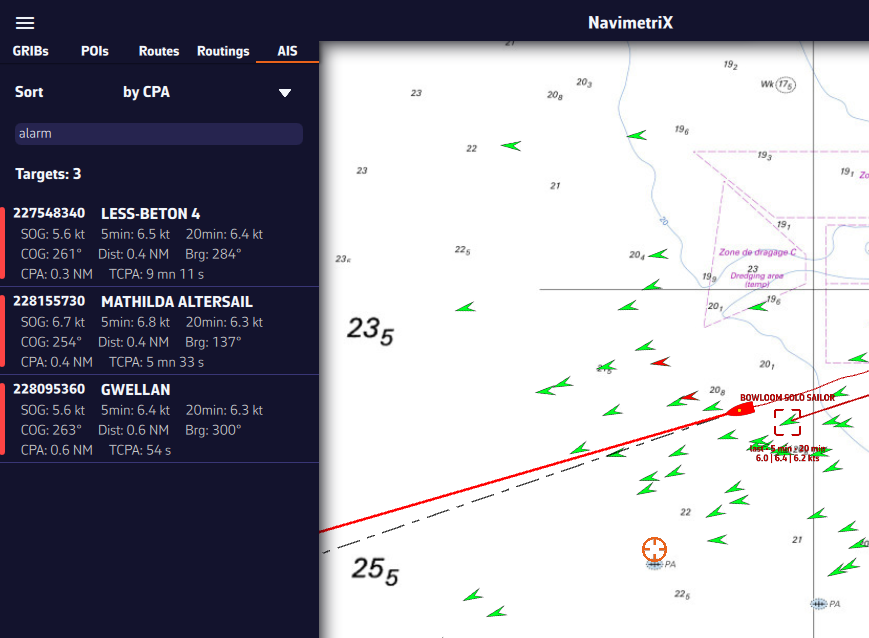
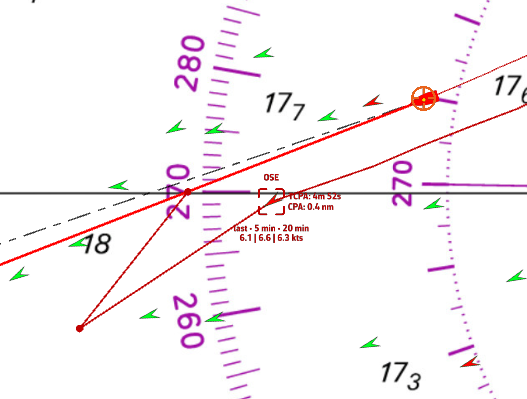
- Icons: green by default. Chevron for Class B, triangle for Class A. Targets in alarm are red.
- Short tap/click on a target: select it and show its track, name (or MMSI if unknown), and average speed over 5 and 20 minutes.
- Long press: detailed panel with:
- MMSI and Name
- Navigation status: at anchor, restricted maneuverability, fishing, …
- Position: latitude & longitude
- SOG: instant speed over ground; averages over 5 and 20 minutes
- HDG: heading
- RNG/BRG: range and bearing
- CPA/TCPA
- Crossing: ahead of/behind the target (very useful underway)
- Position age
- Static info if available: callsign, type, length, beam, destination
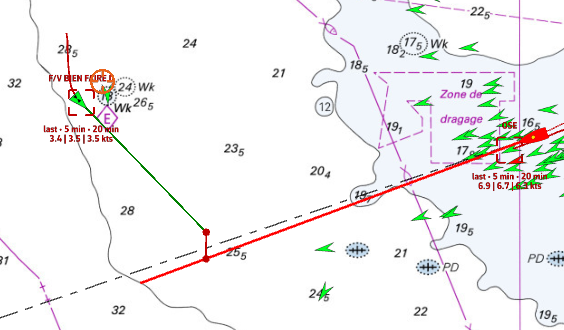
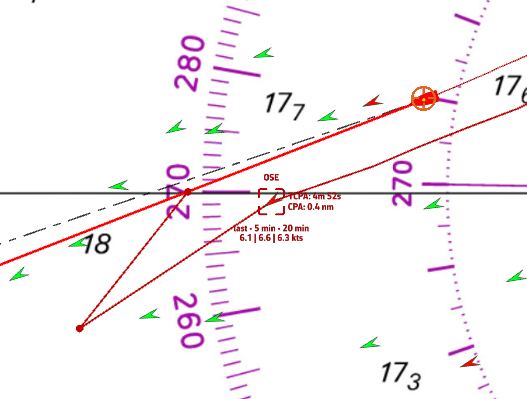
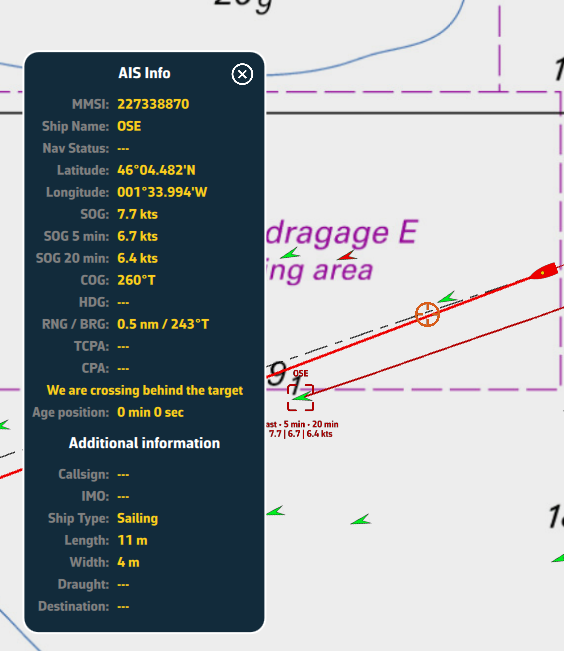
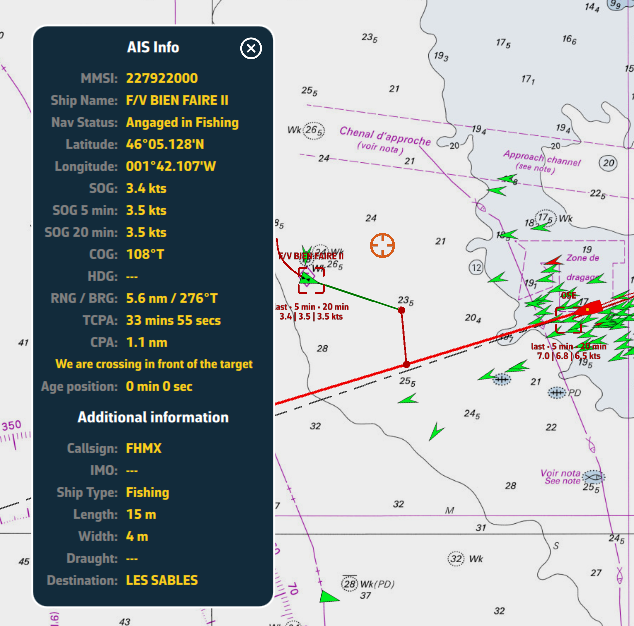
AIS target list
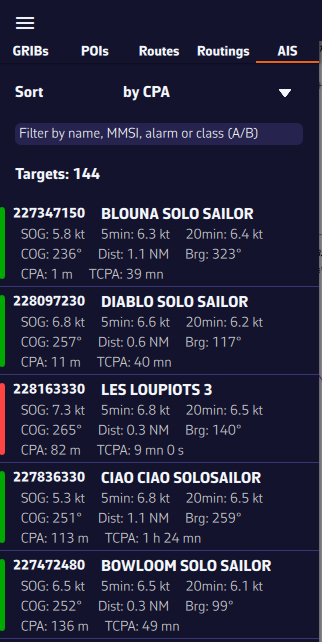
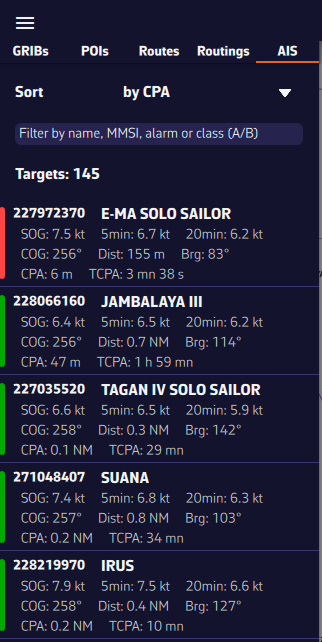
Open the hamburger menu (☰ top left) and choose the AIS tab to display the target list.
For each AIS vessel, the following information is available:
- MMSI and vessel name
- Instant speed
- Speed over ground (5 min)
- Speed over ground (20 min)
- Heading (COG/HDG)
- Range to the vessel
- Bearing
- CPA – Closest Point of Approach
- TCPA – Time to Closest Point of Approach
- At the left of each row, a small color rectangle shows the target state: green if normal, red if an alarm is active.
Sort and filter the AIS target list
To quickly find a vessel, you can sort and filter the AIS target list.
- Sort by:
- MMSI
- Name
- CPA and TCPA
- Range
- Instant speed
- 5-min speed, 20-min speed (popular in racing to monitor competitors)
- Filter by:
- Name (e.g., type “CHA” to find “Cœur de Chauffe”, “Alyocha”, etc.)
- Class: type A (Class A) or B (Class B)
- Status: type “Alarme” or “Alarm” to show only targets with a collision alarm
- Click/Tap a vessel:
- the map recenters on the vessel and the target is automatically selected.