To receive NMEA data from your onboard instruments:
- First, make sure you are connected to the Wi-Fi network of your NMEA server or repeater (MiniPlex, NKE Wi-Fi box, etc.).
- Open Settings by tapping the chevron handle (‹) on the right edge of the screen.
- Select GPS & NMEA.
NMEA is a Premium subscription feature.
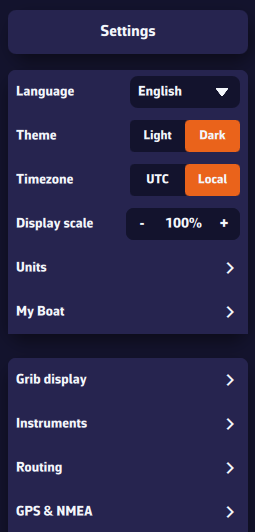
The easiest way: scan for streams
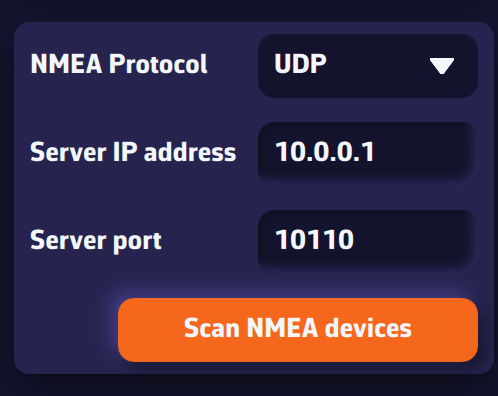
Press Scan NMEA devices, then Start Scan. NavimetriX tries the settings of common gateways (and, on a computer, the serial ports) and lists each stream found with the sentences it carries.
Leave your instruments' stream on Instruments (choose Ignore for a stream you do not want), then press Apply settings. NavimetriX fills in the protocol, IP address and port, turns the NMEA switch on and, if the stream carries a position or AIS, takes them from that stream.
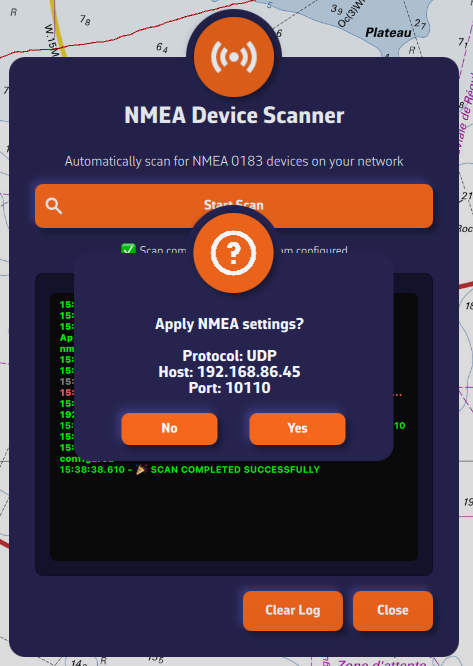
Manual setup
If the scan finds nothing, set the page up yourself:
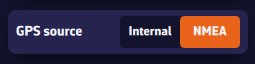
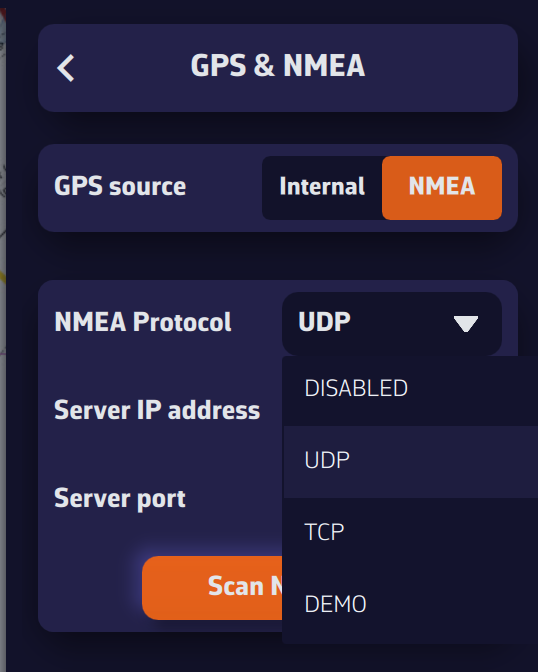
- GPS source: choose NMEA to take the position from your instruments' stream. Internal uses the device's own GPS.
- NMEA switch: turn it on. It is off by default and controls all NMEA reception and output on this device.
- NMEA Protocol: preferably UDP, otherwise TCP. SERIAL is for USB links, on computers only. DEMO replays a recorded sailing session so you can try the app ashore (see DEMO mode).
- Server IP address: the IP of your NMEA server or repeater, required for TCP. In UDP, NavimetriX listens on the port on every network: only the port matters.
- Server port: the port used by your NMEA source (10110 by default).
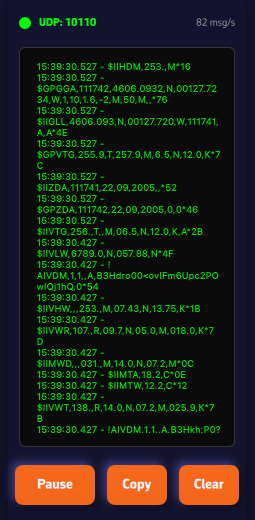
Once connected, received sentences appear in green in the Incoming NMEA sentences console at the very bottom of the page (sentences sent by NavimetriX appear in orange).
Your GPS or AIS arrives on a different link from your instruments? Turn on Advanced mode: see My instruments, GPS and AIS are on separate links. Can I connect them all? and Which link provides the position, and what happens if it fails?
NMEA log
The log section, below the Barometer section, lets you enable NMEA logging (on by default, except in DEMO). All received sentences are then recorded. You can set the log retention (60 days by default, from 1 to 365) and choose after how many days logs are compressed (7 days by default). Uncompressed daily files can be large (around 60 MB); once compressed, they are about 10% of their original size.
The Export log files button (Share log files on phones and tablets) lets you save these files for analysis or replay with external tools such as VDR Player.
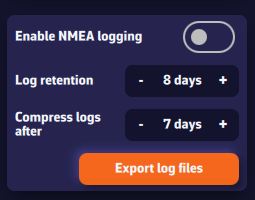
You can also replay them in NavimetriX: the Tracks tab imports NMEA logs (.txt, .nmea, .log, .gz) and turns them into tracks. See How do I replay a track (Replay)?
Further down the page are the NMEA Outputs (sending data to your instruments), the Remote cockpit and the Incoming NMEA sentences console.