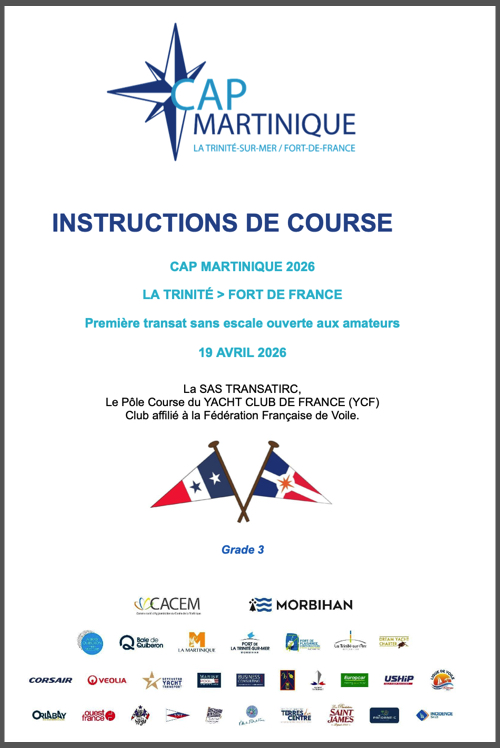
As seen in the Cap Martinique race, race instructions typically include details on Traffic Separation Schemes (TSS) that are prohibited along the course. Failure to comply with these zones results in severe penalties, as competitors’ track data serves as irrefutable proof.
It is therefore essential to plot the exact coordinates provided in these race instructions on the electronic charts, and not those entered by hand as one might do in Navimetrix. The app offers a feature to import ZOIs in text format for all TSS specified in the race instructions.
1. Copy the TSS coordinates from the Race Instructions
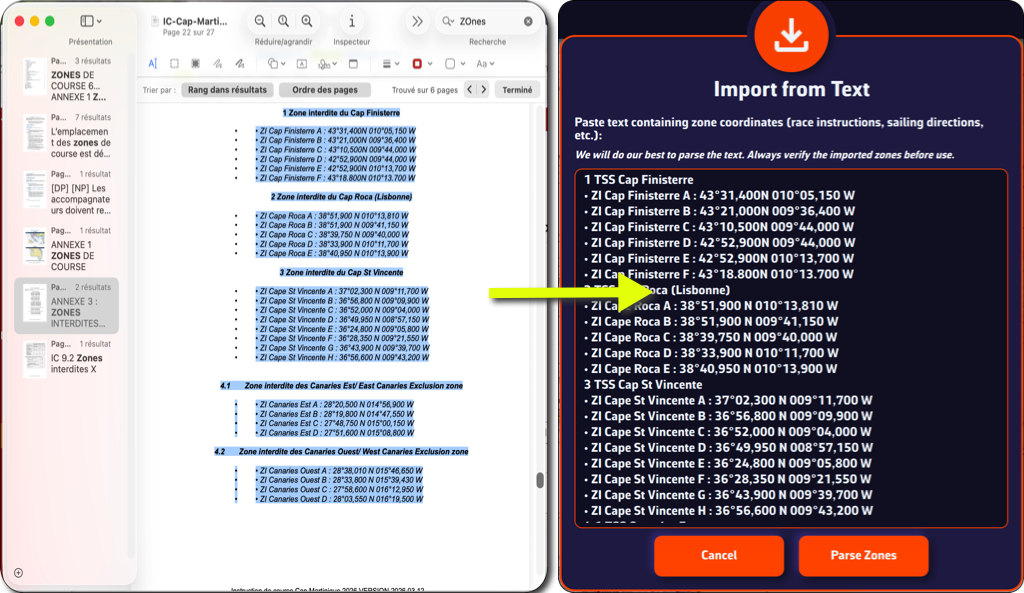
- Select the section of the race instructions containing the TSS description
- Select the text and copy it
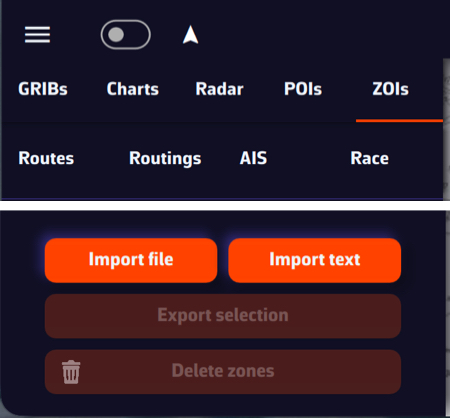
- Open the left panel using the ≡ hamburger button
- Select the ZOIs tab
- Tap or click the “Import text” button at the bottom of the window
2. Import text
- Paste the copied content into the window that opens
- If necessary, format the text (there may be unnecessary blank lines)
- You can optionally shorten the name of each TSS in this window so that it appears more compact in the NavimetriX ZOIs window.
- Tap or click the “Parse Zones” button to check
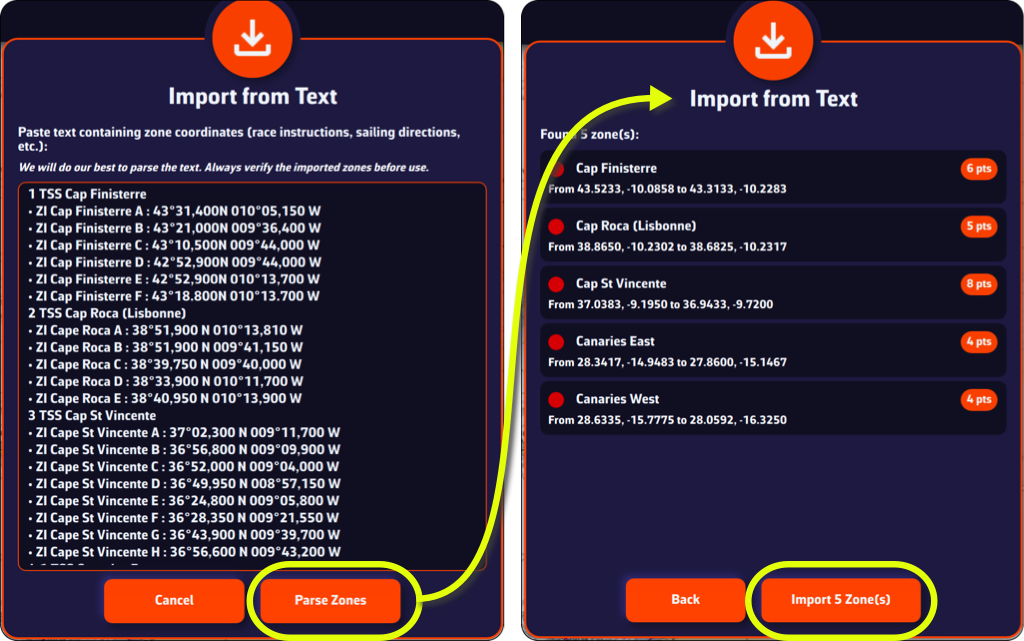
- Tap/click on "Import x Zone(s)" button
You can now view the TSS in the ZOI list and on your chart.
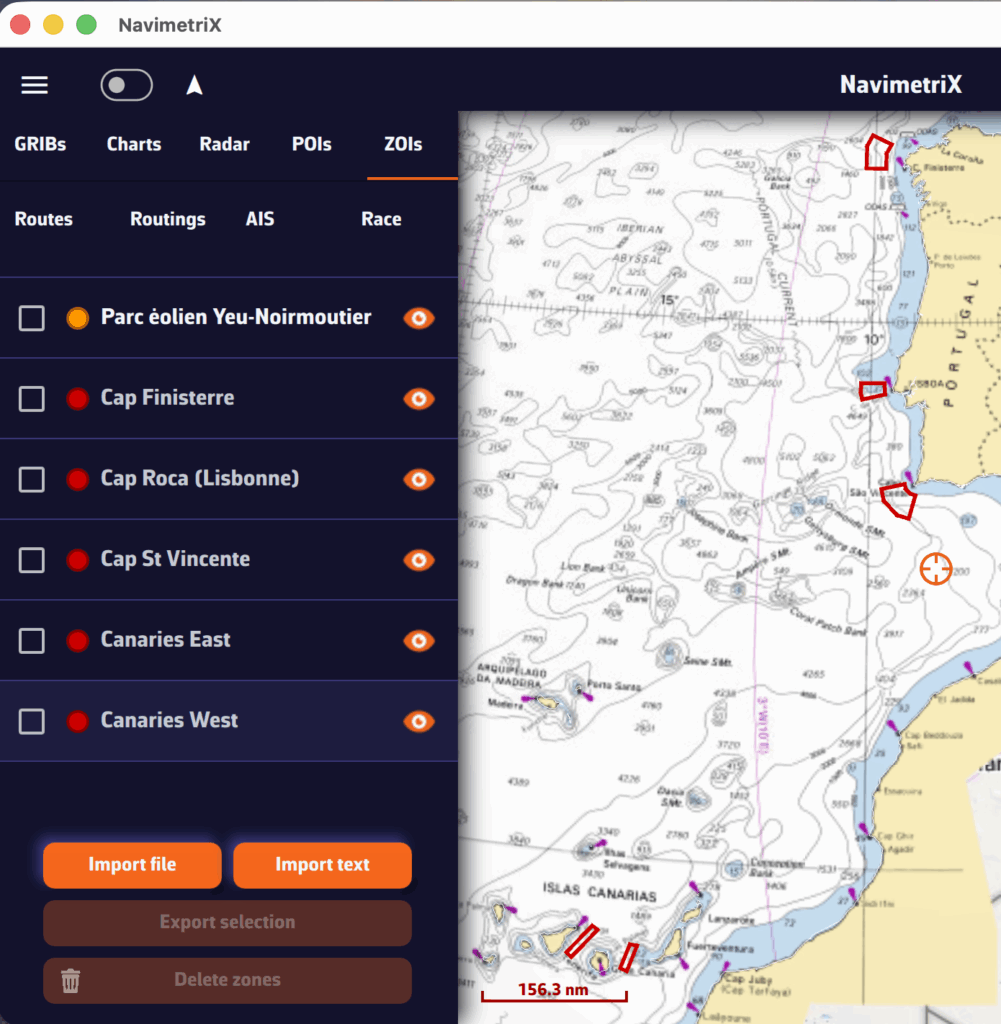

A tip: if you previously created a TSS zone at the same location as the race instructions, disable its display or delete it to prevent its coordinates from interfering with those of the race instructions, which are the only official source.