DEMO mode replays a recorded sailing session, with moving AIS targets. It gives you an idea of the app when you are "at home".
NMEA, DEMO mode included, is reserved for the Premium subscription: without it, the NMEA switch opens the Premium window.
Start the demonstration
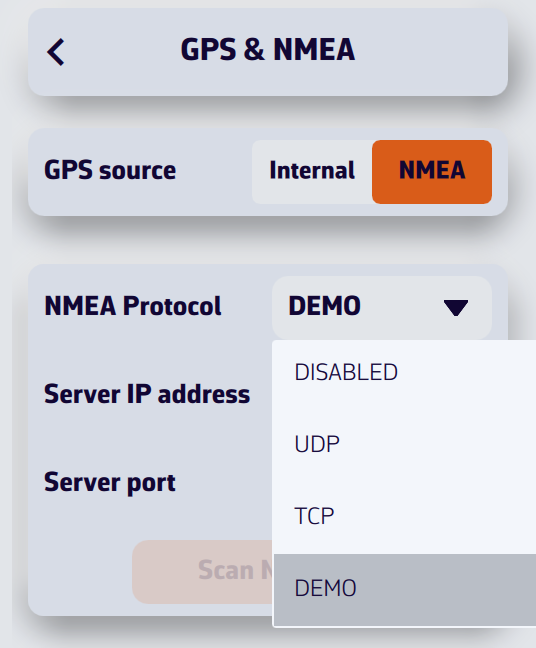
- Open Settings by tapping the chevron handle (‹) on the right edge of the screen, then select GPS & NMEA.
- Turn the NMEA switch on.
- In the NMEA Protocol drop-down menu, select DEMO.
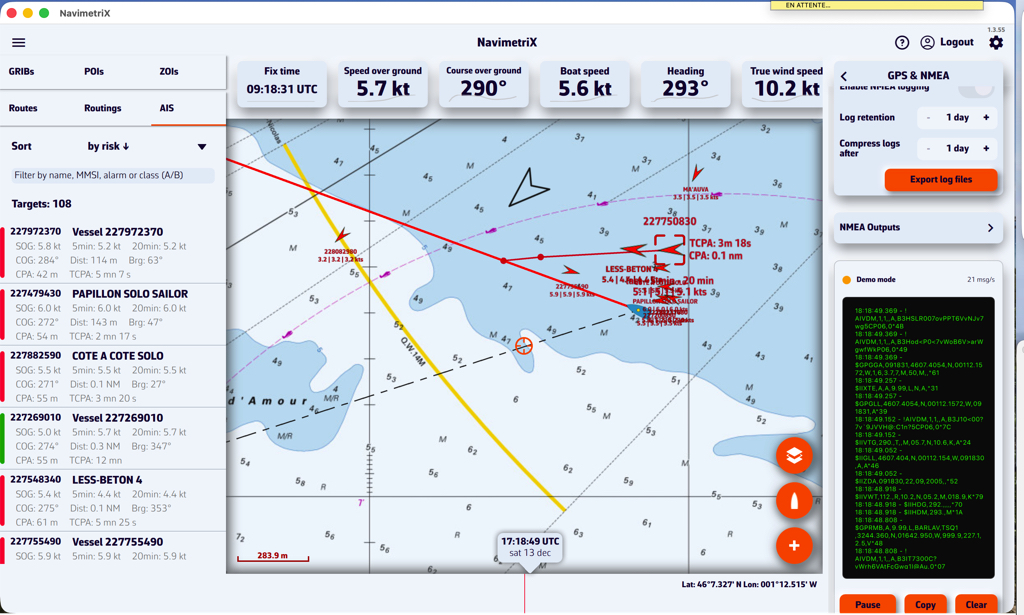
There is no need to change the GPS source: when the demonstration starts, NavimetriX sets it to NMEA itself, turns Navigation mode on, shows the instruments, creates a "Gascogne" POI and opens the AIS tab (the left panel opens on computers and tablets). A "Demo mode" label appears for a few seconds.
You can then see NavimetriX in action while sailing, select AIS targets to display the CPA prediction points, read target information in the AIS tab list, see the navigation data in the instruments, etc.
Stop the demonstration
Choose another protocol (UDP, TCP…) or turn the NMEA switch off. NavimetriX then restores the state from before the demonstration: protocol, GPS source, Navigation mode and instrument display, and removes the "Gascogne" POI.
Demonstration data is not recorded in the NMEA logs.