To create a NavimetriX account, you must first subscribe to the Premium subscription for the 7-day trial period.

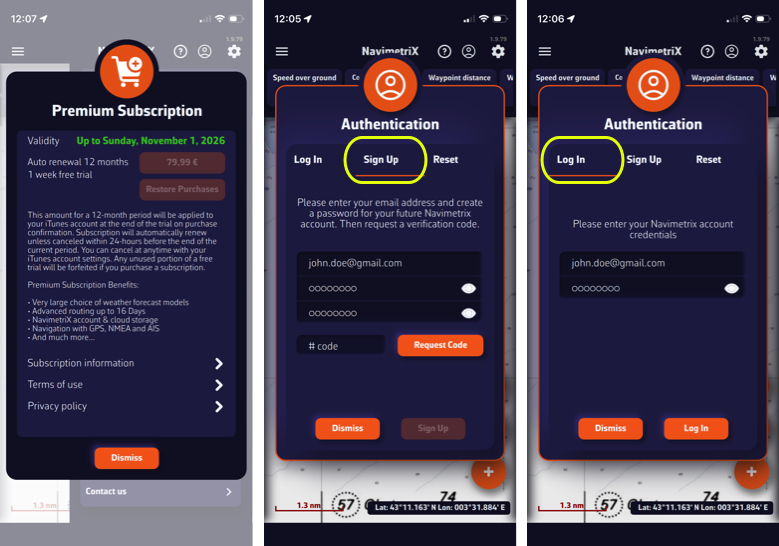
Once you have subscribed, the “Shopping Cart” icon will disappear from the screen.

- Tap “My Account” in the top right corner, or the icon opposite (for smartphones).
- Select the Sign Up tab from the Authentication menu.
- Enter an email address and password.
- Tap the orange Request Code button.
- Enter the code you received, then tap the Sign Up button.
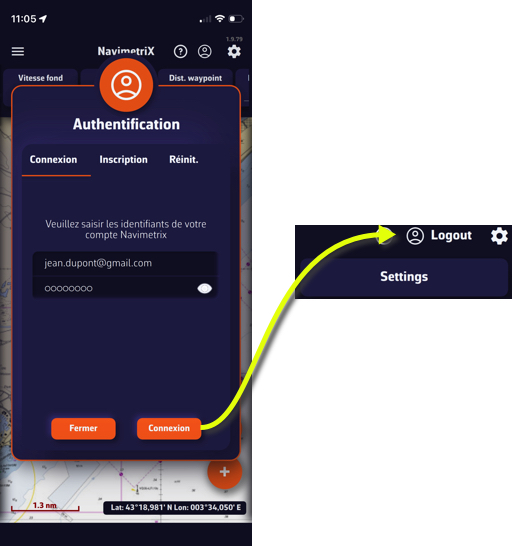
- Select the Log In tab in the Authentication menu.
- Enter the credentials you have created for your NavimetriX account and press the orange Log In button.
- Select the Log In tab from the Authentication menu.
- Enter the credentials you created and press Log In button.
- "My Account” button has been replaced by “Logout.”