NavimetriX displays nautical charts from two providers:
- Geogarage: the official charts of about thirty hydrographic offices, by subscription to one or more publishers depending on your sailing areas. You must create an account and subscribe on the Geogarage website, then sign in from NavimetriX. That is what this page covers.
- C-MAP (beta): C-MAP DISCOVER X and REVEAL X charts with a Digital License, bought on the C-MAP website. They display on iPhone and iPad, Android, macOS, Windows and Linux, but not in the browser version. See C-MAP charts in NavimetriX.
Description
The charts offered by Geogarage come from the digital data of numerous international hydrographic offices, such as SHOM, UKHO, NOAA, etc...
About thirty publishers are currently available, offering near-global coverage. These are raster, tiled charts that allow smooth display at different scales depending on the zoom level.
When you subscribe to a hydrographic service through Geogarage, you get access to all the charts published by that hydrographic office.
For example, if you subscribe to SHOM charts (Service Hydrographique et Océanographique de la Marine), you will have access to all SHOM charts.
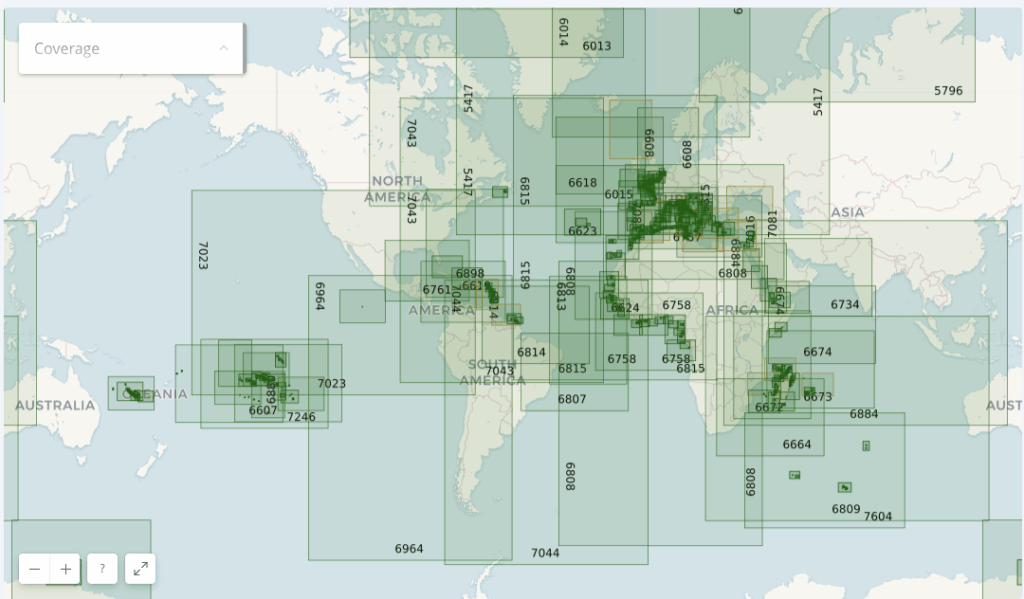
Thus, if you're sailing across the Atlantic from La Rochelle to Fort-de-France, a single SHOM chart subscription is probably enough to cover your entire passage.
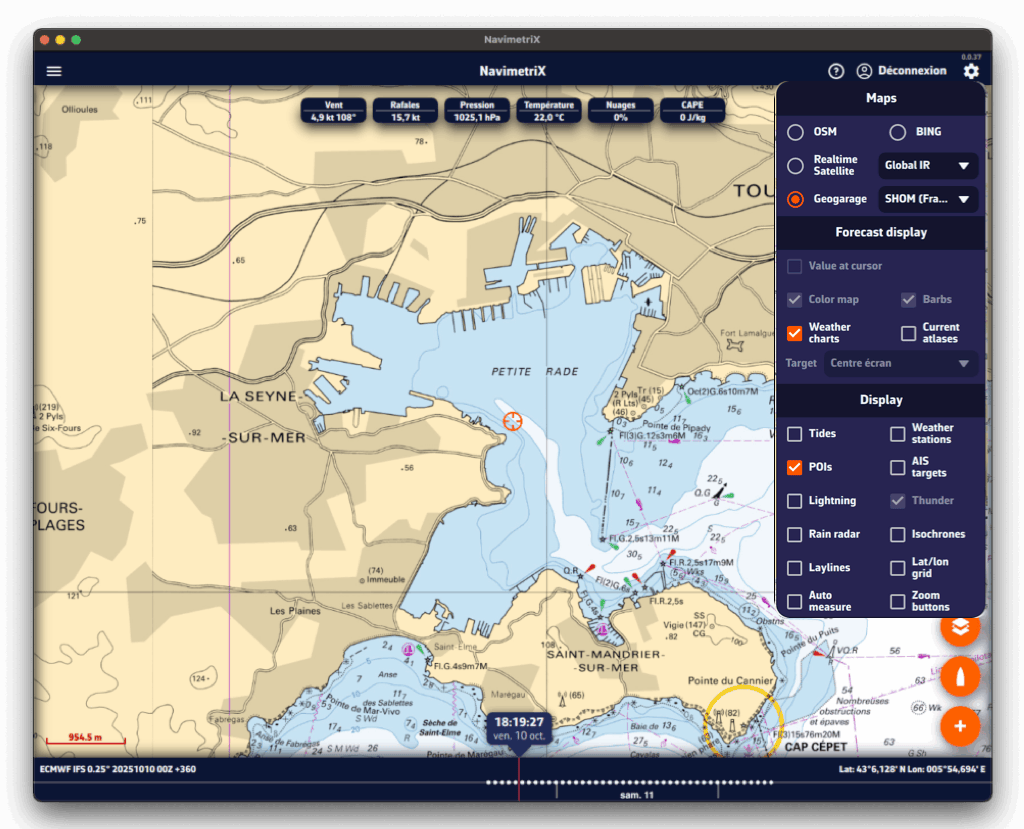
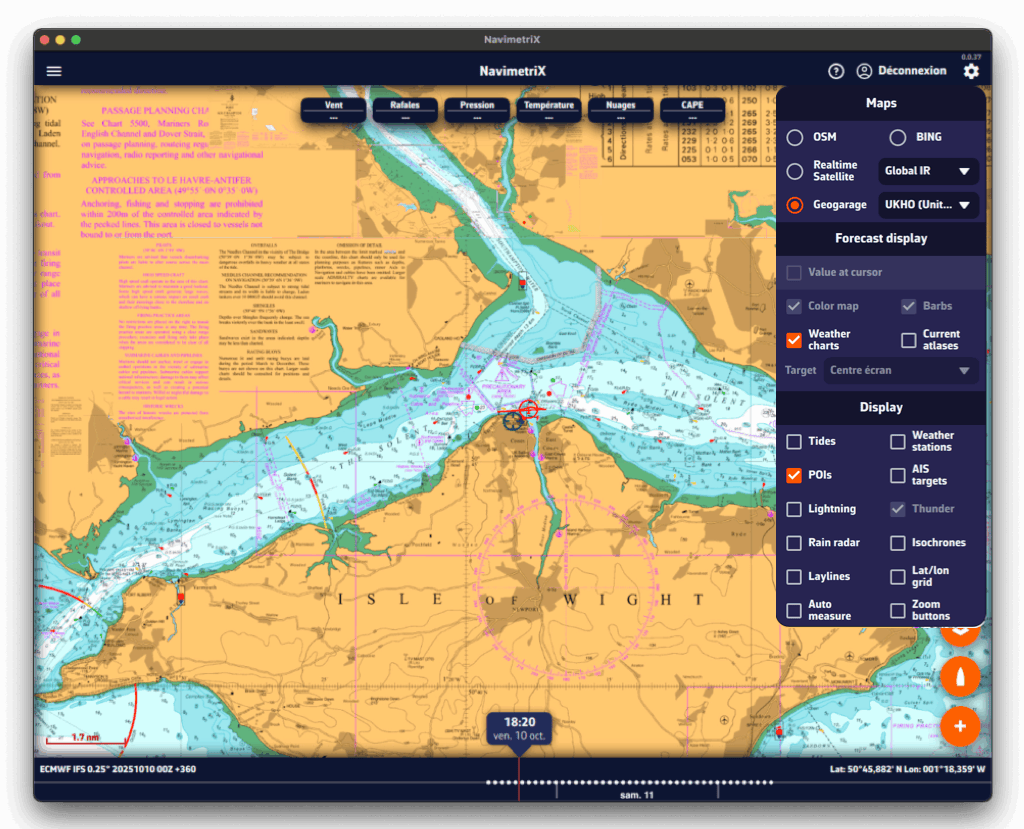
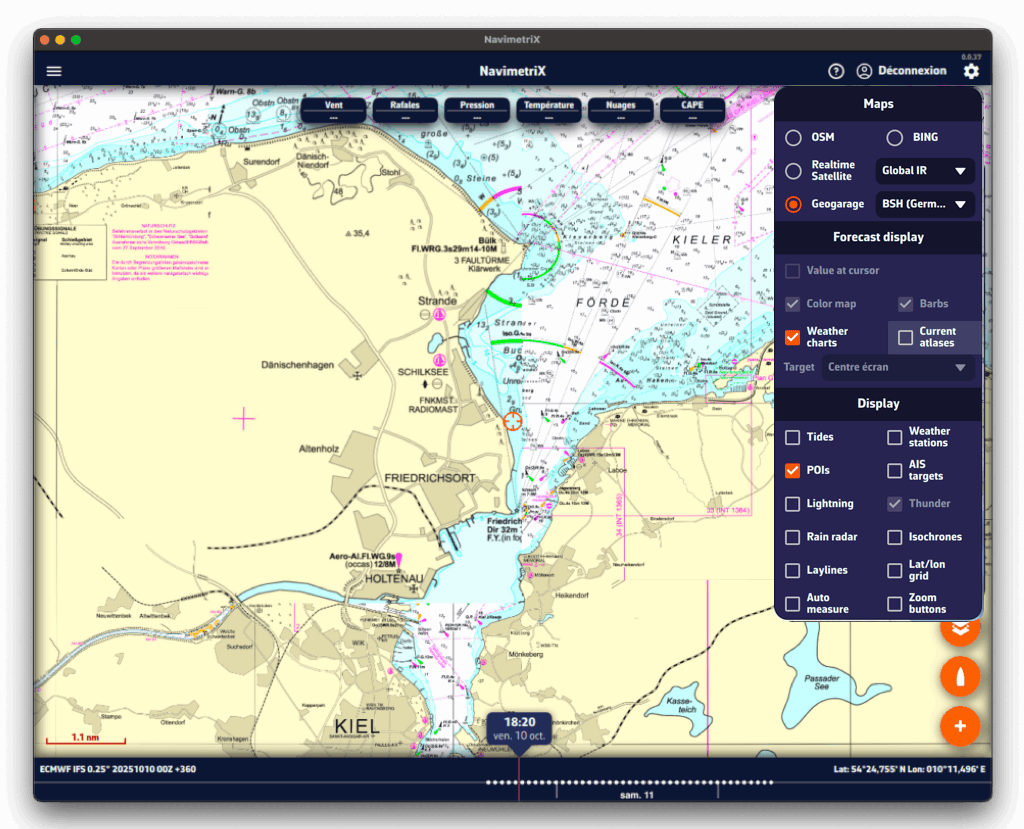
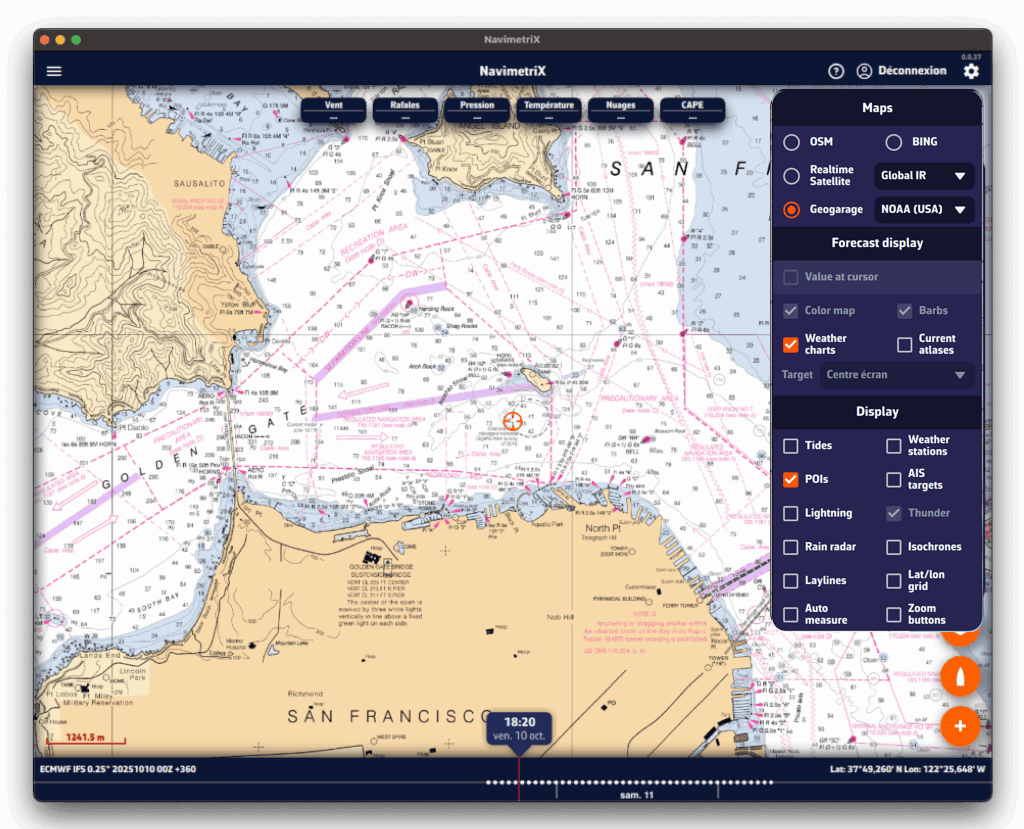
Here is an illustration showing the diversity of hydrographic services available in Geogarage:
- the harbour of Toulon by the SHOM (France);
- the Solent by the UKHO (United Kingdom);
- the Kiel region by the BSH (Germany);
- and finally San Francisco Bay by the NOAA (United States).
Accessing the subscription page
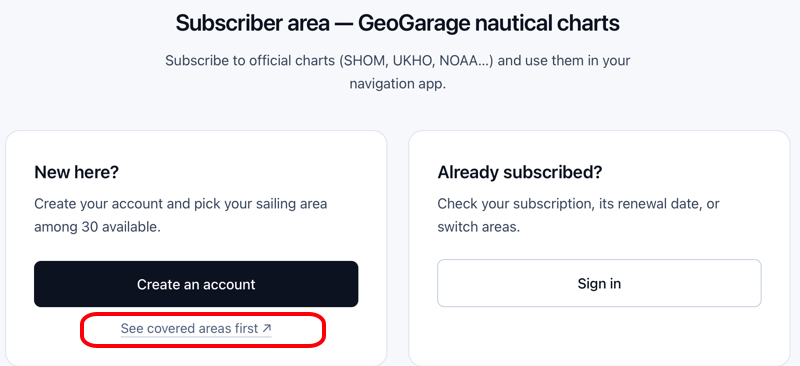
You must first create an account to access the catalog. Note: the credentials of this account (email address or username, and password) will need to be entered in NavimetriX: keep a careful note of them.
In NavimetriX, the Geogarage charts page in Settings offers two links to the Geogarage website below the Login button: “Sign up to Geogarage” and “Access my account”. On iPhone, iPad and Mac, there is only a “Need help” link, which opens this page. In every case, the subscription is taken out on the Geogarage website, not in the app.
Forgot your Geogarage password? Reset it on the dedicated page of the Geogarage website.
At this stage, a link already lets you access the areas covered by the catalog directly (red box).
Subscribing to a chart service
Once your account has been created and validated, the offers page is displayed:
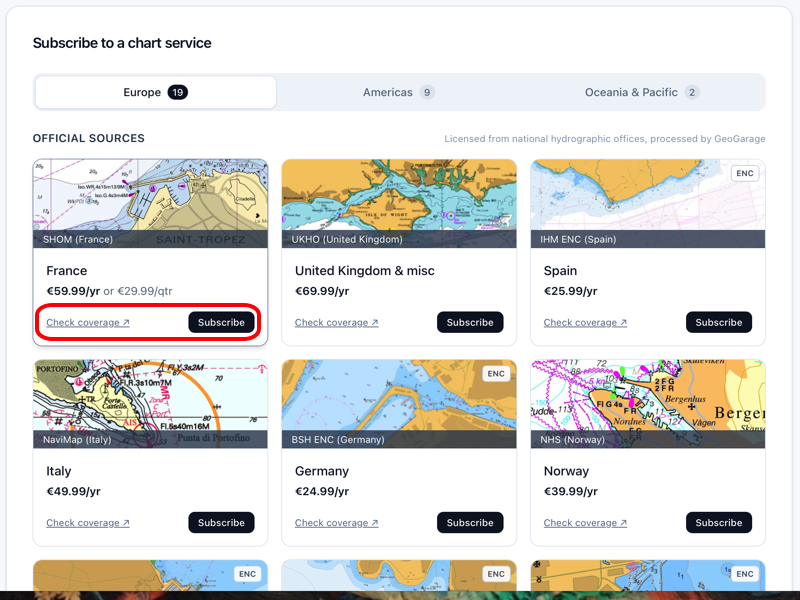
Publishers are presented as thumbnails, grouped by major region: Europe, the Americas, Oceania and the Pacific. You can also check each one's coverage to confirm it includes the level of detail you need.
The "Subscribe" button guides you through the purchase process for your subscription.
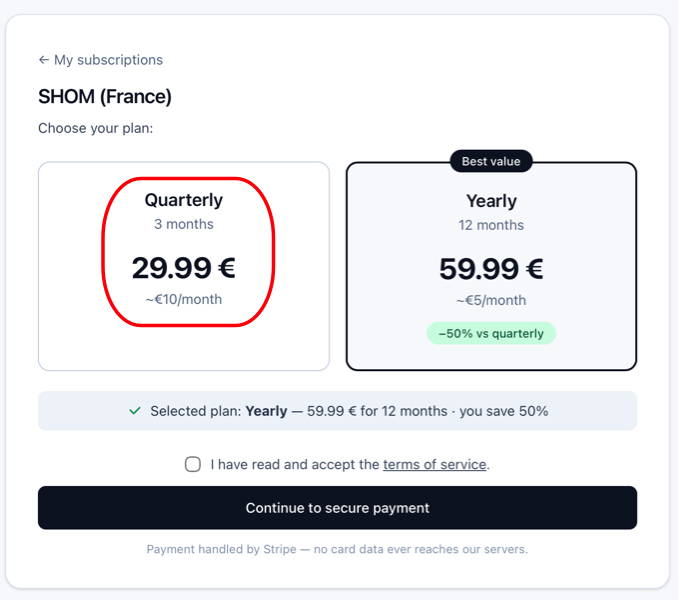
Subscriptions are renewed annually, from one date to the same date the following year, with the sole exception of SHOM, for which Geogarage now offers a 3-month subscription aimed mainly at summer sailors.
Precautions regarding subscriptions
Subscriptions are automatically renewed by Geogarage, by tacit renewal, if:
- You have not indicated that you do not wish to renew,
- Your payment method is still valid.
Geogarage explains the process on their side:
If the subscription is not renewed by its expiry date, the charts, including those saved in the mobile device’s memory, are no longer available for viewing.
A few weeks before the subscription’s expiry date (day J), we send the subscriber a message informing them of the automatic tacit renewal (with a link to opt out if desired), as well as of the expiry of their payment method, if it is no longer valid.
However, the subscription is not cut off on day J itself: several follow-up reminders spaced a few days apart allow a user at sea who cannot check their messages to access this information, or to resolve payment issues with their bank.
However, if no action is taken on the subscriber’s account on our e-commerce site https://accounts.geogarage.com, the subscription is then cut off around day J+15.