Analysis charts to better understand GRIBs
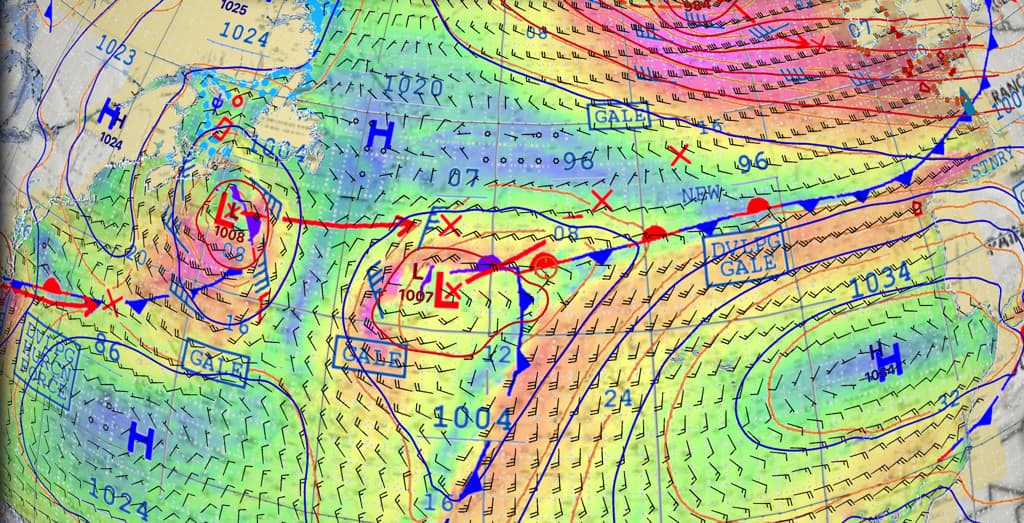
Sailing is about anticipating. When it comes to weather, anticipating means looking far ahead and well in advance, even for short coastal passages. Tracking weather systems coming from the west over the North Atlantic, for instance, helps plan a good weather window for next weekend’s sail. This applies to all parts of the world.
A pedagogical tool
The ability to overlay meteorological analysis charts on GRIB files provides a better understanding of weather phenomena and their evolution. The display of fronts complements the colourised data representation — such as wind strength — and the point symbols like vectors and barbs in GRIB files.
Furthermore, analysis charts include annotations in the form of labels identifying dangerous phenomena: Gale, Storm, Hurricane, etc. Finally, unlike GRIB files which are raw computer outputs, analysis charts are prepared by forecasters based on the same models, but refined through expert analysis.
How to use it effectively?
The left column, once opened to the “Charts” tab, dynamically displays the various charts available for the geographical area centred on the target. These are updated every six hours.
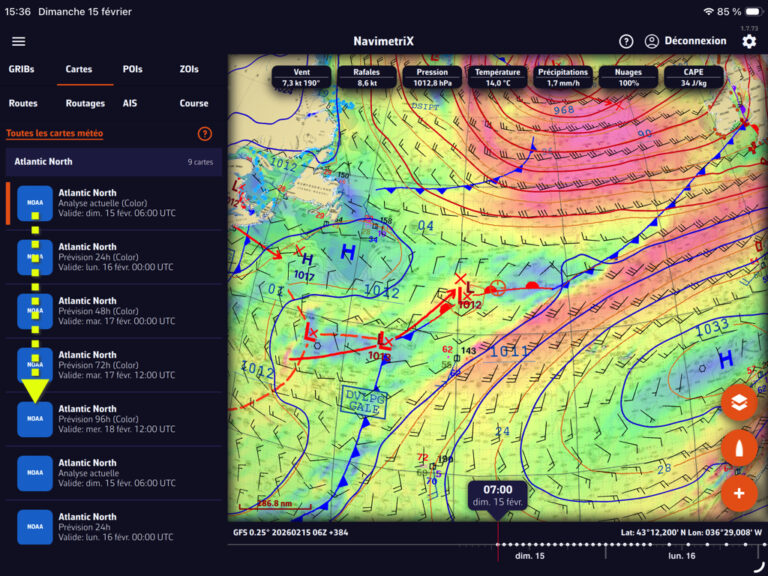
For the North Atlantic, the charts range from the latest analysis up to 96-hour forecasts.
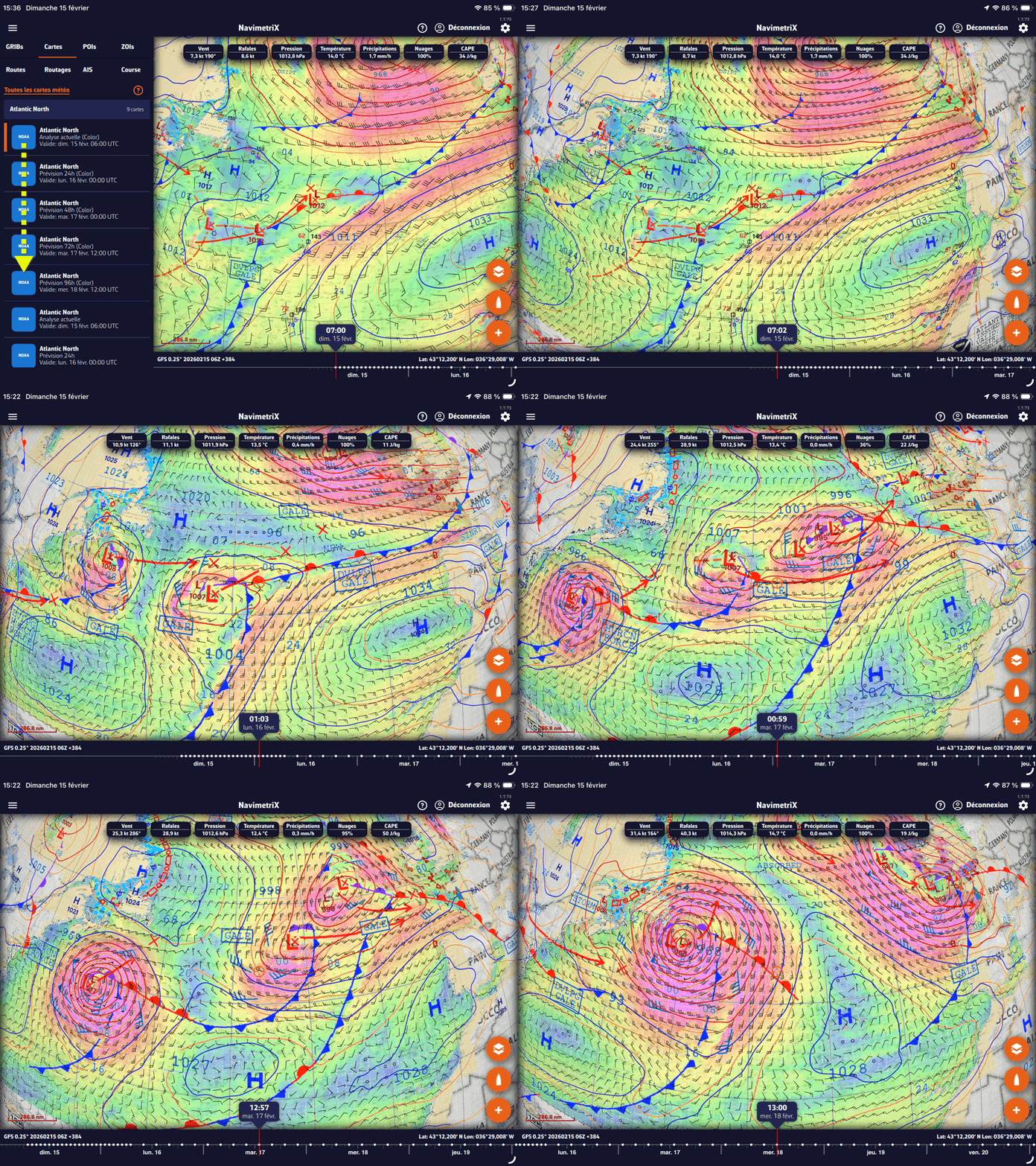
With the most recent GRIB file, for example GFS 0.25°, select the first chart. It automatically aligns the GRIB file to the validity time of the weather chart. By selecting the charts one after another up to the 96-hour forecast, the GRIB advances to each validity date/time, as shown in the animation below.
Analysis charts may contain various information characterising observed phenomena:
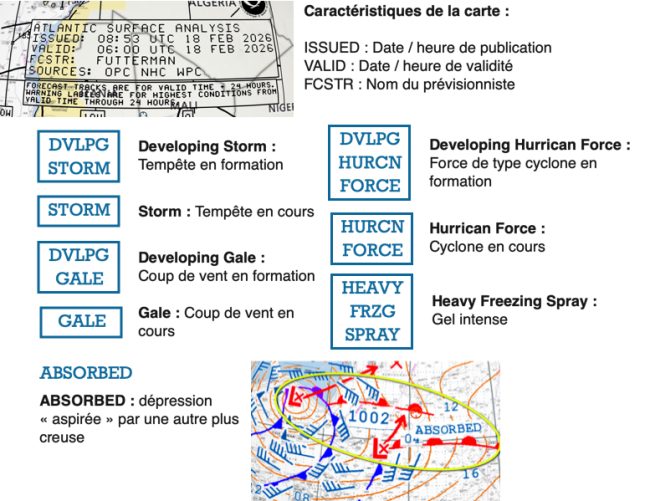
For a detailed reading of the elements shown on these charts, please refer to the FAQ entry “How to read marine weather charts”
Discover a wealth of tips and tricks on our site by browsing our FAQ and this Blog. Here, we regularly publish articles to help you get the most out of the application. You can also access the FAQ directly from the app interface by pressing the dedicated [?] button.